Block reference parts of images just like text with Obsidian Excalidraw
Based on Zsolt's Visual Personal Knowledge Management's video on YouTube. If you like this content, support the original creators by watching, liking and subscribing to their content.
Excalidraw references let authors transclude only the relevant part of an image into markdown while keeping clickable navigation back to the full drawing.
Briefing
Linking a zoomed-in “piece” of an image to the exact place it came from has long been a pain in Obsidian-style note systems: copying a big image and then manually cropping parts breaks the connection, forcing readers (and authors) to hunt for provenance. Obsidian Excalidraw’s new block/section reference transclusion feature fixes that by letting users name a region inside a drawing and then embed only the relevant portion back into markdown—while keeping clickable navigation back to the source area in the full image.
The workflow starts with Excalidraw’s embedding options for markdown. Excalidraw supports three embedding modes: a markdown text embed, a text-area embed (the referenced text element plus surrounding padding), and an element-group embed (the entire group containing the referenced element, with nothing else from the drawing). On top of that, the system distinguishes between block references and section references, and it offers two drawing export formats: SVG (default) and PNG. Several of the more precise behaviors—especially around “area” transclusion—depend on using SVG.
In practice, a control-click on a referenced text element creates a link that can be pasted into markdown. Adding parameters like “area” or “group” changes what gets transcluded when the link is rendered. A block reference shows only the referenced text element itself. An area reference transcludes a cut-out around that element, including padding so the context isn’t lost. A group reference transcludes the entire group the element belongs to, which is useful when the “piece” is meaningful only as part of a larger composite (for example, a labeled figure assembled from multiple shapes). The transcript also highlights a subtle but important behavior: group transclusion is limited to elements actually in the group. If a shape sits visually inside the larger drawing but is not part of the referenced group, it won’t appear when transcluding the group.
The link-copying UI makes these reference types fast to generate using modifier keys: control/command-click copies a group reference, shift-click copies an area reference, and a plain click copies a block reference. The transcript notes a surprising edge case: when only a block reference is copied, transclusion may include less than expected because of how Excalidraw structures markdown paragraphs—sometimes a “block” is only the final paragraph containing the reference, not the entire section above it. Switching from SVG to PNG reveals another limitation: with PNG embeds, area transclusion breaks down. Instead of respecting the area cut-out, the system can end up transcluding the entire image, and the “area” option is effectively ignored.
Finally, the transcript warns about reference validity. Copying a block reference for a non-text element can produce errors if that block reference can’t be found in markdown. Prepending “group” can avoid the failure by transcluding a valid group context, though it changes what appears (e.g., including padding around the target region).
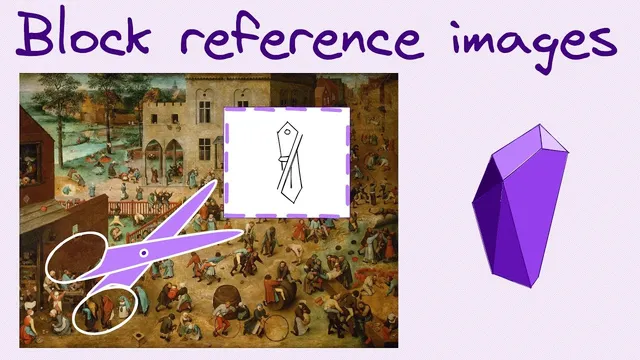
To make a complex annotated image usable—using a Peter Bruegel painting example—the creator applies practical canvas tricks: resizing the base image to fit sticky-note label boxes, locking the image so annotations don’t shift it, and setting annotation strokes to transparent after finishing so they can be toggled back to visible quickly with a select-all and color change. The result is a more reliable, navigable way to connect image regions to notes without losing the “big picture” context.
Cornell Notes
Obsidian Excalidraw adds clickable image-region linking by letting users reference parts of a drawing as block or section links and then transclude the matching content into markdown. A block reference shows only the referenced text element; an area reference includes a padded cut-out around it; a group reference pulls in the entire group that contains the element. Modifier keys (control/command, shift, or plain click) generate the right reference type for pasting into markdown. SVG embeds support area transclusion reliably, while PNG embeds can ignore the area option and transclude the whole image instead. The feature also depends on correct reference context—non-text block references may error unless wrapped as a group reference.
How does Excalidraw keep a “zoomed-in image part” connected to the “big picture” in Obsidian notes?
What’s the practical difference between block, area, and group references?
Why can a copied link sometimes transclude less than expected (e.g., only “discussion” instead of the whole agenda)?
What changes when switching from SVG embeds to PNG embeds?
What error can occur when copying a block reference for a non-text element, and how can it be avoided?
Which canvas tweaks make complex annotated images easier to manage?
Review Questions
- When would you choose an area reference over a group reference, and what visual artifacts can appear if the wrong one is used?
- How do SVG and PNG embeds differ in their support for area transclusion, and what symptom indicates the PNG limitation?
- What markdown-structure detail can cause a copied block reference to transclude only part of the intended section?
Key Points
- 1
Excalidraw references let authors transclude only the relevant part of an image into markdown while keeping clickable navigation back to the full drawing.
- 2
Block references show only the referenced text element; area references include a padded cut-out; group references transclude the entire group containing the element.
- 3
Modifier-key clicking in Excalidraw’s menu generates group (control/command), area (shift), or block (plain click) references for pasting into Obsidian.
- 4
SVG embeds support area transclusion reliably, while PNG embeds can ignore the area selector and transclude the whole image.
- 5
Block references for non-text elements can fail if the reference can’t be resolved in markdown; using a group reference can prevent the error.
- 6
Practical annotation workflow improves results: resize the base image, lock it before adding sticky notes, and toggle annotation visibility by changing stroke color to transparent/black.