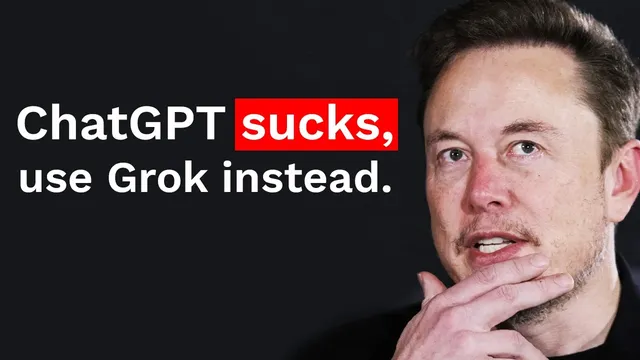
Build Anything with Grok-2, Here’s How
Based on David Ondrej's video on YouTube. If you like this content, support the original creators by watching, liking and subscribing to their content.
Use Grok 2’s API for analysis and Markdown formatting, not for web navigation or element discovery.
Briefing
Grok 2 is positioned as a less-restricted alternative to mainstream chatbots, and the practical payoff is a working workflow for building AI agents that can scrape websites and turn messy web data into structured reports. The core message: use Grok 2’s API for “reasoning and formatting,” then pair it with an agentic web-scraping layer to automate tasks that normally require brittle browser automation.
The walkthrough starts with what Grok is and why it exists, tying it to Elon Musk’s XAI and the broader history of open-source vs. closed-source AI. It frames Grok as more objective and less politically constrained than other popular LLMs, citing concerns about bias-driven outcomes. From there, it claims Grok’s reliability improves when embedded in agents—especially when those agents would otherwise refuse tasks due to safety guidelines.
A key misconception gets corrected: the realistic images people associate with Grok are not generated directly by Grok itself. Instead, the images come from Flux (via an API tool called by the X/Twitter-side system), meaning Grok is acting as an orchestrator rather than the image generator.
The build plan is then made concrete in a five-step sequence, with the transcript focusing on the first two steps and the core integration. First, the creator sets up the Grok 2 API: logging into XAI, creating an API key, enabling endpoints/models, and testing a basic chat completion. The implementation uses an OpenAI-compatible SDK pattern, swapping in Grok 2’s base URL so the developer experience stays familiar.
Second, the workflow adds “AgentQL,” described as a language for web automation and data extraction that can locate page elements even when sites change. The setup includes creating an AgentQL API key, installing required Python packages, and running a quick-start script that scrapes a YouTube channel page. The agent opens a browser, navigates to the target channel, and extracts structured data (channel metadata and video listings). The transcript notes that giving the agent enough time matters; the first run appears to launch extraction but only later produces the scraped output.
The integration is where the project becomes useful: the scraped raw data from AgentQL is fed into Grok 2, and Grok is instructed to rewrite the results into clean Markdown. The prompts are iteratively refined to focus on key metrics and analysis—such as identifying the most-viewed and least-viewed videos over a recent time window, then offering title-based explanations for performance differences.
By the end, the system produces a Markdown report for a specific YouTube channel, including subscriber count and tables of top and bottom videos, plus an interpretation of patterns in titles and thumbnails. The broader takeaway is extensibility: change the “channel query” inputs and the target URLs, and the same agent stack can be adapted to other niches and even other websites—not just YouTube. The transcript also includes a popularity comparison using Google Trends, arguing Grok’s distribution is constrained by access (e.g., Twitter premium), and predicting Grok could surge as availability expands.
Overall, the transcript’s central insight is an engineering recipe: Grok 2 for analysis/formatting, AgentQL for resilient scraping, and a developer workflow (Cursor + environment variables + API keys) that turns agent prototypes into repeatable scripts quickly.
Cornell Notes
The transcript lays out a practical way to build an AI agent that scrapes a YouTube channel and turns the results into a clean Markdown report. Grok 2 is used for analysis and formatting via its API, while AgentQL handles web automation and resilient element extraction even when pages change. After setting up Grok 2 with an API key and testing a basic chat completion, the workflow adds AgentQL to extract channel metadata and video lists. The scraped raw output is then passed into Grok 2 with a rewritten prompt that asks for structured Markdown and performance analysis (e.g., top vs. bottom videos). This matters because it combines “agentic browsing” with LLM reasoning to automate tasks that would otherwise require fragile scraping scripts.
Why does the transcript insist that Grok 2 can be used for “less restricted” responses, and how is that tied to agent behavior?
What misconception about Grok’s image quality gets corrected, and what’s the real mechanism?
How does the transcript set up Grok 2 for development, and why does it use an OpenAI-style SDK pattern?
What role does AgentQL play in the YouTube scraper, and what makes it different from brittle scraping?
How does the project turn raw scraped data into a useful report?
What does the transcript suggest about scaling beyond one YouTube channel?
Review Questions
- What are the distinct responsibilities of Grok 2 versus AgentQL in the scraper pipeline, and how does that separation improve reliability?
- How does the transcript’s Grok prompting strategy change the output from raw scraped data into structured Markdown with analysis?
- If the scraper returns no data on the first run, what troubleshooting clue does the transcript provide, and why does it matter for agentic browsing?
Key Points
- 1
Use Grok 2’s API for analysis and Markdown formatting, not for web navigation or element discovery.
- 2
Pair Grok 2 with AgentQL so scraping can survive page changes by locating elements through intent-based queries.
- 3
Set up Grok 2 using an API key and an OpenAI-compatible SDK pattern by swapping the base URL.
- 4
Store secrets in environment variables (e.g., a .env file) and avoid hardcoding API keys in code.
- 5
Iterate prompts: rewrite Grok’s system/user instructions to focus on specific outputs like top/bottom videos and concise explanations.
- 6
When testing agentic scraping, allow enough time for browser-driven extraction to complete before assuming it failed.
- 7
Generalize the workflow by changing the target URL/query inputs to scrape other channels, niches, or websites.