Build In Notion With Me: Selecting Tags In Webclipper And Saving Tweets
Based on Red Gregory's video on YouTube. If you like this content, support the original creators by watching, liking and subscribing to their content.
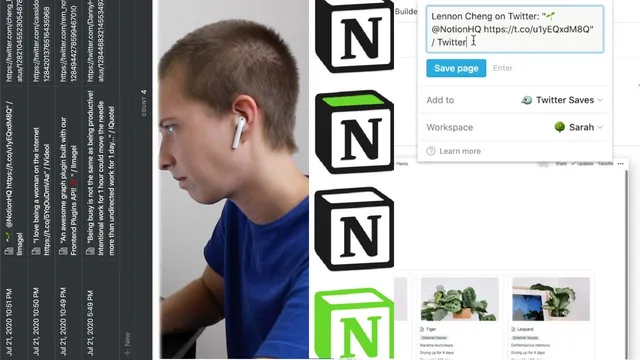
Use Notion’s Web Clipper to save tweets into a database with the tweet text, URL, and highlighted timestamp.
Briefing
A Notion database can automatically collect liked tweets via Notion’s Web Clipper, then enrich each saved item with formulas that extract the Twitter handle and assign consistent tags—turning a messy stream of clips into searchable, filterable views.
The workflow starts by creating a database in a Notion workspace and using the Web Clipper extension to save tweets. Web Clipper provides the core fields automatically: the tweet text and the tweet URL, plus a highlighted date/time when the clip is added. From there, the setup focuses on automation so the user doesn’t have to manually create tags for every new entry.
The first enrichment step extracts the Twitter handle from the URL. Twitter URLs follow a consistent pattern where the handle appears after twitter.com. Using a formula, the handle is derived by slicing out everything after “twitter.com/” and before “/status/”. The process then removes the trailing tweet ID numbers by slicing off the last 19 characters—based on the observed length of tweet IDs in the URLs. The result is a clean “@handle” value that can be displayed as a property and reused for filtering.
Next comes tagging. A new formula property called “tag” uses conditional logic (if statements) to classify tweets by type. The tagging rules check the tweet content for markers inserted by the Web Clipper—such as “/image/” for image tweets and “/quote/” for quote tweets. The formula assigns a corresponding tag value (for example, an image emoji plus the word “image,” or a box emoji plus “quote”). The creator notes a practical reason for this: Notion gallery view doesn’t reliably show embedded media, even though opening a card reveals the embed. Tags become the workaround that lets the user separate image tweets, quote tweets, thread tweets, memes, video tweets, and person/profile entries.
The tagging system is then used to build multiple filtered views. A “video” view filters rows where the tag contains “video,” while a “people” view filters rows where the tag contains “person.” The default “tweets” view excludes people by filtering out rows whose tag contains “person.” Additional views can be created for time-based browsing, such as a “past week” view that shows only items highlighted within the last seven days, displayed as cards by date.
Overall, the key insight is that Web Clipper’s raw tweet text and URL can be transformed into structured data inside Notion. Once handle extraction and tag formulas are in place, the database becomes a flexible system for organizing tweets into targeted collections—videos, images, quote tweets, profiles, and recent highlights—without repetitive manual tagging.
Cornell Notes
Notion’s Web Clipper can save tweets into a database with the tweet text, URL, and a highlighted timestamp. Formulas then turn those raw fields into useful structure: one formula extracts the Twitter handle from the URL by removing the “twitter.com/…/status/” parts and slicing off the trailing tweet ID. A second formula creates a “tag” property using conditional checks (e.g., detecting “/image/” or “/quote/” markers) so tweet types can be categorized automatically. With tags and handle data, filtered Notion views become easy to build—separate pages for videos, people, and a default view that hides profile clips, plus a “past week” time filter for recent saves.
How does the handle extraction formula work using only the tweet URL?
Why create a “tag” formula instead of manually tagging each clipped tweet?
What problem does tagging solve specifically for Notion gallery view?
How are filtered views built from the tag property?
How does the “past week” view decide which tweets to show?
Review Questions
- What exact URL segments are removed to isolate the Twitter handle, and why is slicing used afterward?
- How does the tag formula detect tweet type, and what markers does it rely on?
- What filters would you apply to create a new view for quote tweets and exclude image tweets?
Key Points
- 1
Use Notion’s Web Clipper to save tweets into a database with the tweet text, URL, and highlighted timestamp.
- 2
Extract the Twitter handle from each URL by removing the “twitter.com/” prefix and the “/status/” segment, then slicing off the trailing tweet ID.
- 3
Create a “tag” formula property that assigns tweet-type categories (image, quote, video, person, etc.) using conditional checks on the clipped content.
- 4
Tags compensate for inconsistent media display in Notion gallery view by enabling reliable filtering even when embeds don’t render in the grid.
- 5
Build multiple filtered views (videos, people, default tweets) by filtering on whether the tag contains or does not contain specific values.
- 6
Add time-based views like “past week” by filtering on the highlighted date/time range to quickly review recent clips.