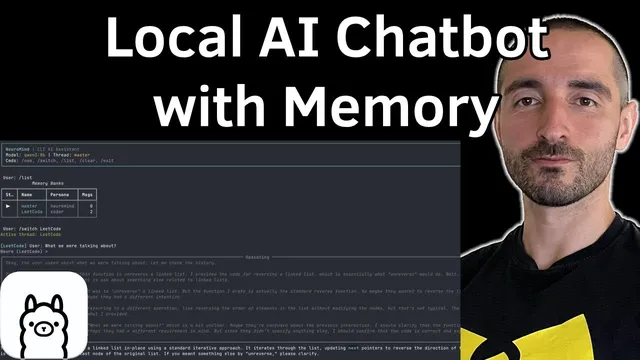
Build Private AI Assistant That Actually Remembers | Chatbot Memory with Ollama, LangChain & SQLite
Based on Venelin Valkov's video on YouTube. If you like this content, support the original creators by watching, liking and subscribing to their content.
Persistent memory is implemented by saving each conversation turn to SQLite and reloading that history when rebuilding the next prompt.
Briefing
A fully local chatbot can keep “memory” across restarts by writing each conversation turn into a local SQL database and re-injecting that history into the next prompt. The build pairs Ollama for on-device model inference with LangChain for prompt/context assembly, then uses SQLite as the persistent store so the assistant can answer as if it’s continuing the same thread.
The architecture is split into three layers. At the top sits a terminal UI layer built with Rich, handling user input, rendering streamed output, and managing thread selection. Beneath it is the “Neuromind” application logic layer, which orchestrates persona prompts, thread management, context building, model initialization, and streaming. The bottom layer consists of two external services: Ollama running the language model (configured via a model config provider) and SQLite storing conversation history.
Request flow runs like this: the user types into the terminal, the app builds a context list of messages (including prior turns from the selected thread), and that message list is sent to the Ollama instance. Ollama’s response is streamed back through an internal streaming processor, which renders partial output to the terminal as it arrives. Once streaming finishes, the system persists the new human/AI messages into SQLite. On the next run, the same thread’s stored messages are pulled back and included in the next context build, enabling continuity.
Memory is managed by a thread manager built around a thread data class containing an ID, a name, and a persona type. When a new conversation starts, the UI asks for a thread name, and the thread manager can create or fetch that thread, list existing threads, retrieve history, add messages, and clear messages. The implementation notes an async-friendly setting (check_same_thread = false) for SQLite, and also flags that swapping databases or client libraries may be needed for other concurrency patterns.
The “brain” of the app lives in app.py, where initialization wires together the thread manager, UI manager, persona loading, and the Ollama model instance. Personas come from markdown files and are loaded once at startup as system prompts. The run method parses CLI commands (including thread switching and other helper actions), then triggers streaming: a stream processor buffers output chunks and handles special handling for reasoning content when using a reasoning-capable model. If reasoning content or chunk content is absent, the chunk handler may not run.
Model support is configurable. The configuration lists Quaint 3 8 billion parameter model and Gemini 2.5 flush; using Gemini requires a Google Genai API key. The project also uses Pydantic for structured inputs/outputs and FastAPI to expose a streaming-capable REST API. That API can mirror CLI functionality, including listing personas and threads, showing message counts, and deleting threads.
Net result: a private assistant that runs locally, streams responses, and retains conversation history across sessions—without relying on a hosted memory service—by combining Ollama inference with SQLite-backed thread history and persona-driven prompt construction.
Cornell Notes
The assistant achieves persistent memory by storing each chat turn in SQLite and reloading that history when building the next prompt. Ollama runs the model locally, while LangChain assembles the context (system prompt + prior thread messages) and streams the model’s output back to the UI. A thread manager organizes conversations into named threads tied to a persona, supporting create/get, list, history retrieval, message insertion, and clearing. The CLI uses Rich for rendering, and the same functionality is exposed through a FastAPI streaming REST interface. This setup matters because it turns a stateless chatbot into a restart-proof assistant without external memory infrastructure.
How does the chatbot “remember” after the process restarts?
What role do threads and personas play in memory and prompting?
Where does streaming fit into the architecture?
How is SQLite used safely in an async environment here?
What model and API configuration options are built in?
Review Questions
- How does the context builder decide which prior messages to include in the next Ollama request?
- What functions does the thread manager need to support to enable switching between multiple conversations?
- Why does the streaming processor treat reasoning content differently from normal chunk content?
Key Points
- 1
Persistent memory is implemented by saving each conversation turn to SQLite and reloading that history when rebuilding the next prompt.
- 2
The app is organized into UI (Rich CLI), domain logic (Neuromind), and service layer (Ollama inference plus SQLite storage).
- 3
Conversation continuity depends on thread-scoped message history, not a single global chat log.
- 4
Personas are loaded once from markdown system prompts and applied to threads during context construction.
- 5
Responses stream from Ollama to the terminal through a streaming processor, then are persisted after streaming ends.
- 6
The same capabilities are available via a FastAPI streaming REST API, including persona and thread management operations.
- 7
Model choice is configurable, with Gemini requiring a Google Genai API key and Quaint 3 8 billion parameter model configured in the model settings.