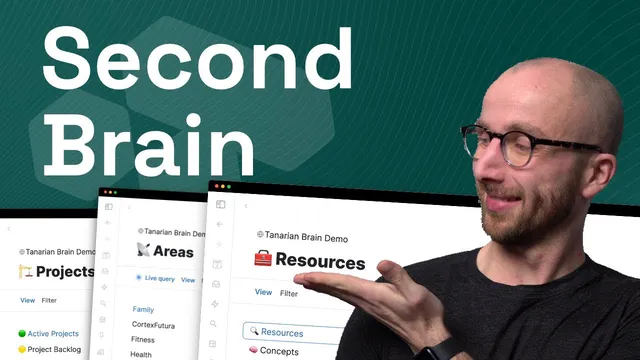
🧠 Complete Second Brain System in Tana
Based on CortexFutura Tools's video on YouTube. If you like this content, support the original creators by watching, liking and subscribing to their content.
Start each day by time-blocking from “Today’s Agenda,” then use the GTD dashboard to manage do-next, in-progress, due-today, and overdue work.
Briefing
A complete “second brain” workflow is built inside Tana by combining PARA-style organization with action planning (GTD), time-blocking (microcycles and nanocycles), and knowledge synthesis (QCE). The result is a single system where notes, tasks, projects, reading highlights, experiments, and even people-management all feed into one connected graph—so captured ideas can turn into tasks, and research can turn into written answers.
At the center is a daily operating loop. Each day starts with a “Today’s Agenda” node where an all-day task can be dragged into a specific time window, instantly blocking time. From there, a GTD dashboard view separates work into “Do next,” “In progress,” “Due today,” and an overdue list. Tasks can be rescheduled by dragging them back onto the day node, which updates their due status and pulls them into the day’s agenda. An “Upcoming tasks” view then filters future work by ranges like “due date today/last week/this week/next week/this month/next month,” making it easier to stay current without losing visibility.
To prevent capture from getting stuck, the system includes a global task inbox for items missing key context—tasks without a project, or projects not connected to a goal and area. New tasks can be added quickly (command/ctrl+E), and they remain in the inbox until the missing links are filled. A “voice note → transcript → AI task extraction” flow adds another layer of speed: voice is recorded in Tana, transcribed, and then processed by an AI command that extracts tasks and auto-tags them so they appear immediately in the global inbox.
Project and planning structure comes next. “Priority projects” provide a dashboard of what matters now, tied to goals and shown on the day node. Longer-horizon planning uses “cycles”: macro cycles in six-week increments (with the mention of 37signals’ default approach) connected to a higher-level “super cycle” mission. Experiments are tracked as first-class objects with a hypothesis and a running status, then reviewed after completion to see whether changes actually worked.
Knowledge management is tightly integrated through Readwise. Live searches pull highlights and notes from the last three days into the system, where they can be connected to topics. AI commands can auto-generate topic tags for fleeting notes, and additional AI tools support applying lessons, finding people who might care about an idea, and creating “far analogies” to deepen understanding.
For synthesis, the system uses Joel Chan’s QCE framework: items are tagged as questions, then claims and evidence are collected into a synthesis workspace. Competing claims are organized so evidence can support or contradict specific positions. AI commands can generate counterarguments for any claim and even draft a research plan with search terms, literature review steps, and data-source suggestions.
Finally, execution is supported by time-based work sessions. “Microcycles” (project-linked, with start/end times) act like interstitial journaling prompts—clarifying what must be done, how completion is defined, and what distractions to watch for. “Nanocycles” are 30-minute blocks where energy and next steps are recorded, designed to produce a focused two-hour session. Work sessions are then visible in a “previous work” area, alongside TLE notes (fleeting and permanent) and a structured archive of sources, bookshelf items, and “to read/watch/listen” queues.
Overall, the system functions as a unified pipeline: capture (including voice), triage (global inbox), plan (GTD + agenda), execute (micro/nanocycles), and synthesize (QCE + AI-assisted research and counterpoints)—all organized through PARA-like links among areas, goals, projects, and resources/assets. A template called “Tarian Brain” is offered for direct setup in Tana, with onboarding and AI-command tutorials included, plus a promo code for $50 off.
Cornell Notes
The system builds a full second-brain workflow inside Tana by linking capture, planning, execution, and synthesis in one PARA-style graph. Daily work starts with a “Today’s Agenda” node and a GTD dashboard that separates do-next, in-progress, due-today, and overdue tasks, letting users drag-and-drop tasks onto the day to update scheduling. A global task inbox holds items missing context (like tasks without a project), and a voice-note workflow can transcribe audio and use AI to extract tasks automatically. Knowledge is pulled from Readwise via live searches, then organized into topics and synthesized using Joel Chan’s QCE framework (questions, related claims, evidence, and counterarguments). Microcycles and nanocycles provide structured execution so research and notes can reliably turn into completed project work.
How does the system turn quick capture into actionable work without losing context?
What makes the daily planning loop “operational” rather than just a static checklist?
How does the system handle longer-term planning and alignment to goals?
What role do experiments play, and how are they evaluated?
How does QCE synthesis work inside this system?
How does execution get structured into sessions that produce progress?
Review Questions
- What specific mechanisms move tasks from “captured” to “scheduled” in the system (name the relevant views and actions)?
- How do PARA-style links (areas → goals → projects → resources/assets) interact with the global task inbox to prevent lost tasks?
- Walk through how a research question becomes a QCE synthesis artifact, including how counterarguments and research plans are generated.
Key Points
- 1
Start each day by time-blocking from “Today’s Agenda,” then use the GTD dashboard to manage do-next, in-progress, due-today, and overdue work.
- 2
Use the global task inbox as a context-safety net for tasks missing project/goal/area links, so capture stays fast without sacrificing organization.
- 3
Turn voice notes into tasks by recording in Tana, transcribing, and running the AI extraction command that auto-tags tasks into the inbox.
- 4
Plan in six-week macro cycles tied to a higher-level mission, and keep day-to-day priorities aligned through “priority projects” dashboards.
- 5
Track behavior changes as experiments with hypotheses and statuses, then review outcomes to convert trials into lessons.
- 6
Synthesize reading into answers using QCE: questions, related claims, evidence, and AI-generated counterarguments and research plans.
- 7
Execute work with microcycles (project-linked interstitial journaling) and nanocycles (30-minute blocks) so sessions produce measurable progress.