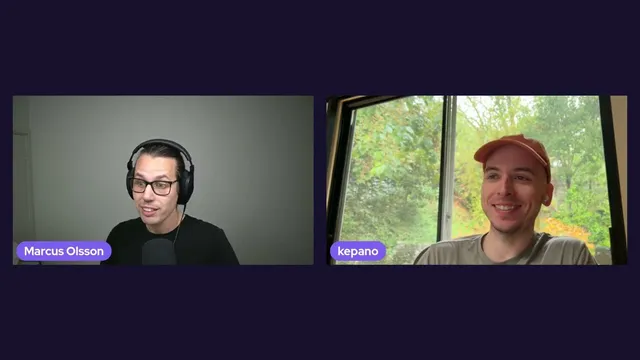
Creating a theme for Obsidian 1.0 with Stephan Ango
Based on Obsidian's video on YouTube. If you like this content, support the original creators by watching, liking and subscribing to their content.
Obsidian 1.0 theme styling is centered on roughly 400 top-level variables, avoiding fragile deep CSS selectors.
Briefing
Obsidian 1.0 theme development is getting a major overhaul: theme authors can now change interface styling through a top-level set of roughly 400 variables instead of digging through deeply nested CSS selectors. That shift is designed to make small, targeted tweaks—like adjusting heading sizes or checkbox styling—dramatically easier, while also cutting maintenance burden for complex themes such as Minimal, Sanctum, and other feature-heavy designs.
In earlier theming workflows, changing one element often required “getting into the weeds” of CSS selectors—finding the exact element in Obsidian’s nested structure and writing narrow selectors that matched it. The new approach abstracts that structure away. Variables are centralized at the top level (notably in app.css under a body selector), letting developers set values in just a few lines. For advanced themes, the practical result is a large reduction in code: around 80% of theme code can be removed, which helps keep themes consistent and reduces the risk of breaking changes when interface markup evolves.
Future-proofing is reinforced in two ways. First, using variables rather than structural selectors makes themes less likely to break when Obsidian updates its internal class structure. Second, Obsidian introduces theme versioning aligned with the plugin system. Themes now declare a minimum Obsidian app version they support, so older app versions can keep receiving compatible theme releases. This also clarifies update behavior that previously felt opaque in the theme manager.
Legacy compatibility is addressed directly: every existing theme was checked for breakage, and while some were “pretty broken,” migration is described as straightforward. Theme authors can use a developer guide to update their themes, and themes built for 1.0 and above will include version numbers going forward—effectively a “rip off the Band-Aid” moment because Obsidian can’t retroactively add versioning to themes created for older app versions.
The session then turns into a hands-on tutorial. It starts with CSS Snippets—small CSS fragments stored in a Snippets folder inside the vault—because they’re the easiest on-ramp for beginners. Using Obsidian’s built-in developer tools (Electron/Chromium-based), authors can inspect elements, see which variables control them, and locate where rules live (often in app.css). A first snippet demonstrates changing the inline title font size by overriding the inline title size variable inside body.
Next, the tutorial shows how to modify checkbox completion styling by setting checklist done decoration to none (disabling the strike-through). Color handling is treated as special: themes use theme-light and theme-dark selectors so color variables can differ by mode. Developers can also build on “base colors” (like color base 70) to create cohesive palettes reminiscent of Solarized, Nord, or Dracula.
Finally, the tutorial explains how to turn a snippet into a full theme. A theme is essentially a snippet packaged inside a theme folder under .obsidian/themes, with a manifest.json and theme.css file. The manifest includes the theme name, author, and minimum compatible Obsidian version (1.0.0 is referenced). To share themes with others, authors submit to Obsidian’s community theme listing via GitHub pull requests, linking the theme’s repo and screenshot location. Updates then flow through version changes in GitHub, so users can receive new releases without repeated submissions.
Cornell Notes
Obsidian 1.0 makes theming easier and more resilient by replacing fragile, deeply nested CSS selectors with a centralized set of about 400 variables. Theme authors can override interface styling through short CSS snippets that target variables at the top level (typically under body), then reuse those same values across the UI. A new theme versioning system—modeled after the plugin system—lets themes declare a minimum compatible Obsidian app version, improving update reliability and reducing breakage. The tutorial walks through starting with CSS Snippets, using developer tools to inspect elements and find the controlling variables, then packaging the result into a full theme using manifest.json and theme.css. Sharing requires submitting the theme to Obsidian’s community theme listing on GitHub.
Why did earlier Obsidian theming require “deep” CSS selectors, and what changed in 1.0?
How does the new variable system reduce both code size and maintenance risk?
What does theme versioning add, and how does it affect updates for users on older app versions?
How can a beginner find the right variable to change an interface element?
What’s the difference between CSS Snippets and full themes in Obsidian 1.0?
How does color theming work differently from other variables?
Review Questions
- What specific problem with nested CSS selectors does Obsidian 1.0’s variable system solve, and how does that change the workflow for small UI tweaks?
- How do theme-light/theme-dark selectors and base colors help when creating a theme that supports both light and dark modes?
- What files and folder structure are required to convert a working CSS Snippet into a distributable theme?
Key Points
- 1
Obsidian 1.0 theme styling is centered on roughly 400 top-level variables, avoiding fragile deep CSS selectors.
- 2
Advanced themes can cut maintenance by discarding a large share of code (around 80% cited) while keeping styling consistent.
- 3
Themes are now versioned like plugins, including a minimum compatible Obsidian app version to prevent incompatible updates.
- 4
Legacy themes may require migration, but the process is designed to be straightforward using a developer guide.
- 5
CSS Snippets provide an easy starting point: place snippet.css in the vault’s Snippets folder and override variables directly.
- 6
Developer tools (Elements + inspector) help identify which variables control specific UI elements and where rules live (often app.css).
- 7
To share themes, authors submit a GitHub repo and screenshot info to Obsidian’s community theme listing, then update via version changes in GitHub.