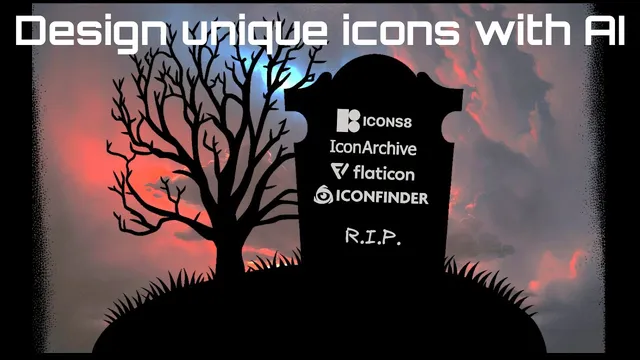
Design unique icons with AI
Based on Zsolt's Visual Personal Knowledge Management's video on YouTube. If you like this content, support the original creators by watching, liking and subscribing to their content.
AI icon generation is presented as a practical fix for the “same stock icons everywhere” problem that can make work feel unoriginal.
Briefing
AI image generators are already a practical way to create distinctive SVG-style icons for knowledge work—solving a common frustration with stock icon libraries where the same graphics show up everywhere. The core pitch is simple: instead of relying on Flat icon’s searchable, recolorable SVG catalog, use Midjourney to generate icons that are more likely to be unique to a specific project, then refine them into transparent, reusable assets.
The motivation comes from repeated exposure to identical icons across YouTube, websites, posters, and office materials. Even with a strong workflow—Flat icon’s fast search, multiple styles, recoloring, and SVG downloads for paying members—the creator’s work started to feel “copycat” because the same icons were being used by others. AI generation is positioned as a workaround: it removes the need to learn drawing/inking techniques while still producing visuals tailored to a person’s thinking and project context.
Midjourney is used as the main tool, accessed through a Discord bot. Prompts begin with “/imagine” and then specify what kind of output is wanted—often “simple SVG icon”—followed by the subject (e.g., “New Year celebration”), optional color guidance, and style words. A key operational detail is quality control: setting “q 0.5” halves processing quality to save GPU time and quota, and the transcript claims that half-quality is often “perfectly okay” for icons. For convenience, Midjourney settings can be adjusted once (including selecting “version 4” and half quality) so the prompt doesn’t need to repeat those parameters.
Turning AI output into usable icon assets requires post-processing. Generated images are first saved, then background removal is handled by PhotoRoom, which the transcript praises for fast, free background removal without size limits. For cases where unwanted elements appear (like corner artifacts), PhotoRoom’s “Magic retouch” is used to remove specific parts before background removal and cropping.
Color control is treated as a prompt engineering problem. The workflow uses palette tools in Obsidian (Paletin) to generate named color schemes such as monochromatic, analogous, complementary, split complementary, triadic, and tetriadic. Since Midjourney doesn’t reliably accept hex codes, the transcript recommends using a color picker (via Coolors) to obtain human-readable color names (e.g., “Viridian Green,” “coffee brown”). Negative prompts (“--no …”) are used to exclude specific terms like “coffee” or “text,” and the transcript notes that excluding “person” can prevent unwanted figures when using artist-style prompts.
To increase variety, the transcript recommends generating “sets” of icons (rather than one-off results) and then upscaling with “U” commands. Upscaling can change details, sometimes requiring multiple upscales to get a preferred look. A practical warning is that half-quality plus upscaling can yield blurrier results, so sets are better generated at full quality.
Finally, the transcript argues that AI-generated icons can outperform stock libraries for uniqueness, while Flat icon still remains useful for inspiration and for ideas like searching “New Year” to quickly browse variations—especially since Midjourney struggles with correct numbers (e.g., “2023”). The takeaway is a repeatable prompt structure: output type + subject + palette + style + exclusions + optional performance switches—followed by background removal and cleanup—so icons can be integrated into documents and mind maps with a more personal visual identity.
Cornell Notes
The transcript presents a workflow for generating unique SVG-style icons using Midjourney, then converting them into transparent, reusable assets for knowledge work. The main advantage over stock libraries is avoiding the “everyone uses the same icons” problem by producing visuals that are less likely to match what others download. Prompts are built from chunks: output type (e.g., “simple SVG icon”), subject (e.g., “New Year celebration”), optional color palette (using named colors from tools like Coolors/Paletin), style words, and negative prompts to remove unwanted elements like text or coffee. Practical steps include using a Discord bot to run Midjourney, using q 0.5 to save GPU time, and post-processing with PhotoRoom for background removal and Magic retouch cleanup. Variety comes from generating sets and then upscaling selected results.
Why switch from Flat icon to AI-generated icons, and what problem does it solve?
How does the workflow generate icons in Midjourney using Discord?
What does q 0.5 do, and why is it useful for icons?
How are transparent icon assets produced from AI images?
How does the transcript control color palettes in prompts?
How do negative prompts improve icon results?
Review Questions
- What prompt components (order and separators) does the transcript recommend for getting more consistent icon outputs?
- When should q 0.5 be used, and when might it hurt final quality after upscaling?
- How do PhotoRoom tools (background removal and Magic retouch) fit into the overall icon production pipeline?
Key Points
- 1
AI icon generation is presented as a practical fix for the “same stock icons everywhere” problem that can make work feel unoriginal.
- 2
Midjourney can be run through a Discord bot using “/imagine,” and settings can be configured once (e.g., version 4 and half quality).
- 3
Setting q 0.5 saves GPU time and quota, and the transcript claims it’s often sufficient for icon-sized outputs.
- 4
PhotoRoom is used to remove backgrounds quickly and to clean up unwanted artifacts with Magic retouch before exporting transparent icons.
- 5
Color control works best with named colors and palette schemes; hex codes are discouraged because Midjourney may not interpret them correctly.
- 6
Negative prompts (“--no …”) are essential for removing recurring mistakes like text, coffee substitutions, or unwanted people.
- 7
Generating sets increases variety, but upscaling may require iteration; half-quality plus upscaling can produce blurrier results.