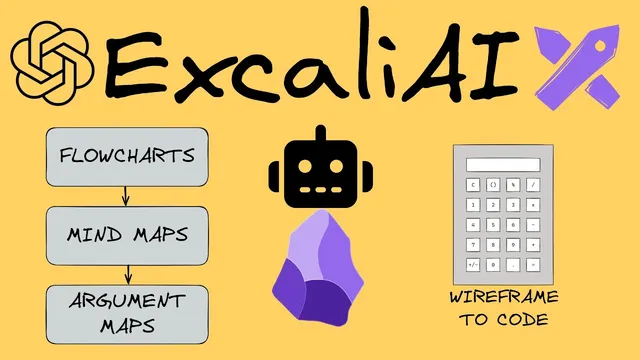
ExcaliAI - New AI Capabilities Have Arrived to Obsidian Excalidraw
Based on Zsolt's Visual Personal Knowledge Management's video on YouTube. If you like this content, support the original creators by watching, liking and subscribing to their content.
ExcalAI adds OpenAI-powered functions to Excalidraw inside Obsidian, enabling mind maps, diagram generation, and wireframe-to-code conversions.
Briefing
Excalidraw’s new ExcalAI script turns hand-drawn notes and wireframes into AI-generated outputs inside Obsidian—mind maps, diagrams, and even code—while also offering automated feedback on the content of what’s drawn. The core payoff is speed: paste text or upload a drawing, run ExcalAI, and get a structured visual artifact (or code) that can be refined with another prompt or a rerun when results glitch.
The workflow starts with ExcalAI being installed as a script in Excalidraw (via the Obsidian Tools panel → “Install Script” → “ExcalAI”). Using it requires a separate OpenAI API key and some account balance. The presenter notes that typical generations cost around three cents, but the vision features require at least $5 in the OpenAI account. Even with correct setup, outputs can occasionally fail or return unusable material, so rerunning the generation—sometimes with a tweaked prompt—is part of the practical routine.
One demonstration uses a page about “the art of close reading.” After switching Excalidraw’s output to Mermaid and running ExcalAI, the system produces mind maps that correctly identify the topic and then generates follow-up “feedback” questions. The feedback focuses on precision and accuracy—whether precision always enhances understanding—and on how (or whether) depth of an idea can be determined when breadth and depth are both in play. The key takeaway is that ExcalAI can generate reflective prompts tied to the semantics of the text or drawing, not just a visual summary.
A second feature converts a blog post into a mind map. The user copies Thiago Forte’s “second brain” blog post text, chooses Excalidraw’s “text to diagram,” pastes the content, and generates a structured diagram. The mind map summarizes organizational and training concepts—setting goals, deploying training, and improving productivity, communication, learning, and project management—then presents them as a visual hierarchy. The same text-to-diagram capability can also produce other structures such as process flows and argument maps.
The most hands-on segment shows wireframe-to-code. A calculator wireframe is converted into HTML using ExcalAI’s “wireframe to code” output type. The system sometimes generates broken code, but retrying can yield working results. A quick test illustrates this: “12 * 3” fails in one generated version, while “20 + 1” works; a later generation produces a calculator where “12 * 3” returns “36.” Excalidraw also includes a built-in “wireframe to code” path (with a slightly different prompt), and both routes can output source code that can be copied to the clipboard.
Overall, ExcalAI is positioned as a toolkit for building AI-enabled Excalidraw applications: the script can be installed, inspected, and used as a reference for creating new functions, with release notes listing added capabilities. The practical message is clear—expect iteration, but the payoff is turning notes and sketches into structured thinking and usable artifacts inside your knowledge workflow.
Cornell Notes
ExcalAI brings OpenAI-powered capabilities into Excalidraw inside Obsidian, letting users turn text and drawings into mind maps, diagrams, and even code. The setup requires a separate OpenAI API key and at least $5 for vision-based features; typical generations cost about three cents. In practice, outputs can occasionally fail or be unusable, so rerunning with a revised prompt is often necessary. Demonstrations show mind maps generated from an article about “close reading” and from Thiago Forte’s “second brain” blog post, plus wireframe-to-HTML calculator code that sometimes needs regeneration to work reliably. The result is faster creation of structured visual artifacts and AI-driven feedback directly in a personal knowledge workflow.
What does ExcalAI produce from content you paste or draw in Excalidraw?
Why do reruns and prompt tweaks matter when using ExcalAI?
What are the cost and account requirements mentioned for using OpenAI features?
How does the text-to-diagram feature handle long-form writing?
What does wireframe-to-code look like in practice?
How does a user enable ExcalAI inside Excalidraw/Obsidian?
Review Questions
- What minimum OpenAI account balance is required for vision features, and what is the approximate per-generation cost mentioned?
- Describe two different ways ExcalAI turns user input into an output (one for text/diagrams and one for wireframes/code).
- Why might a generated calculator code version fail for one arithmetic expression but succeed for another?
Key Points
- 1
ExcalAI adds OpenAI-powered functions to Excalidraw inside Obsidian, enabling mind maps, diagram generation, and wireframe-to-code conversions.
- 2
Using ExcalAI requires a separate OpenAI API key and OpenAI account balance; vision features need at least $5, while typical generations cost about three cents.
- 3
Outputs can fail or be unusable, so rerunning and adjusting prompts is part of getting reliable results.
- 4
Text-to-diagram can summarize long blog posts into structured mind maps and can also produce other diagram types like process flows or argument maps.
- 5
Wireframe-to-code can generate HTML from a drawing, and generated code may vary between runs, sometimes requiring regeneration to work correctly.
- 6
ExcalAI is installable as a script from the Obsidian Tools panel, and its plugin settings include where to store the OpenAI API key.
- 7
The script is presented as a reference for building custom AI-enabled Excalidraw applications, with release notes listing new functions.