Fine-tune your own LLM in 13 minutes, here’s how
Based on David Ondrej's video on YouTube. If you like this content, support the original creators by watching, liking and subscribing to their content.
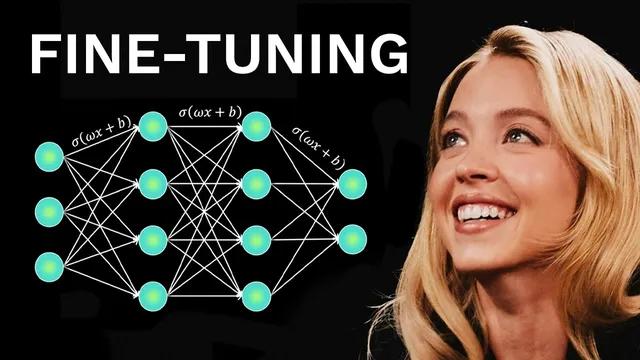
Fine-tuning adjusts a pretrained LLM’s weights to improve performance on specific tasks, enabling smaller models to excel in targeted scenarios.
Briefing
Fine-tuning lets developers take a strong base language model and adjust its weights so it performs better on a specific job—often enabling smaller models to beat much larger systems on targeted tasks. That capability matters because it creates defensible differentiation: instead of building an AI product that can be swapped out for a newer API model, teams can ship a customized model tuned to their own data and workflows, potentially supporting longer-lasting businesses.
The walkthrough centers on doing this end-to-end in about 13 minutes using an open-source fine-tuning stack and free cloud compute. It starts by defining fine-tuning as weight adjustment on top of a pretrained model, then argues that the practical barrier is usually not the training code—it’s getting high-quality datasets. As a solution, the process uses a ready-made dataset from Hugging Face (H4 multilingual thinking) that teaches “agentic” behavior such as reasoning, planning, and tool calling. The dataset is used as a template, then replaced with the user’s own dataset by swapping the dataset name and selecting the correct file when the dataset contains multiple JSONL files.
Model choice is a key early decision. The guide uses OpenAI’s GPT OSS 20B (described as small enough to run locally and suitable for fine-tuning). The setup runs in Google Colab, where a free Tesla T4 GPU is selected via the runtime “connect” step. Dependencies are installed for the fine-tuning library (Anselof), including core deep-learning tooling like PyTorch (torch) and model utilities like Transformers.
For the fine-tuning method, the workflow adds LoRA adapters—training only a small subset of parameters rather than updating the entire model—making customization feasible on limited hardware. It then standardizes the dataset into the chat format expected by the training pipeline using a converter step (standardized share GBT), mapping conversation roles into the user/assistant structure common to GPT-style training.
Training begins once the data is formatted and the run parameters are set. The walkthrough tweaks the learning rate and uses a shortened run (e.g., 60 steps) for speed, noting that a full training run should be done only after confirming the dataset and settings. It also flags a “dangerous” cell that can cause training issues and recommends commenting it out to avoid wasted time. On a free T4 GPU, training is reported to take roughly 5–15 minutes depending on dataset size and chosen steps.
After training, the guide distinguishes training from inference: training updates the model; inference is chatting with the finished model to compare outputs against the base model. It also highlights privacy and portability—because the model can be run locally (including via Ollama) for private testing. Finally, it shows two ways to save results: storing locally or pushing the fine-tuned model to Hugging Face using a Hugging Face username and a secret token. The overall message is that fine-tuning is both technically accessible and strategically valuable, especially when paired with datasets that encode the behavior a product needs.
Cornell Notes
Fine-tuning adjusts a pretrained LLM’s weights so it performs better on a specific task, often letting smaller models outperform larger ones on targeted use cases. The workflow demonstrates how to fine-tune GPT OSS 20B using Anselof in Google Colab with a free Tesla T4 GPU, including installing dependencies, downloading the base model, and adding LoRA adapters so only a small parameter subset is trained. A major focus is data preparation: the default Hugging Face dataset (H4 multilingual thinking) is replaced with the user’s own dataset, and the correct JSONL file must be selected when multiple files exist. After training, inference is used to compare the fine-tuned model’s responses against the base model, and the result can be saved locally or pushed to Hugging Face.
What is fine-tuning in practical terms, and why does it matter for building AI products?
Why does the walkthrough emphasize datasets as the main bottleneck?
How does the process make fine-tuning feasible on limited hardware?
What’s the role of chat-format standardization in the pipeline?
What common dataset-loading mistake can break training?
How do training and inference differ after fine-tuning?
Review Questions
- When using LoRA adapters, what part of the model is actually being trained, and why is that helpful?
- Why might a dataset replacement step fail even after changing the dataset name, and how does selecting the correct JSONL file fix it?
- After fine-tuning, what workflow step lets you evaluate whether the model improved, and how is it different from training?
Key Points
- 1
Fine-tuning adjusts a pretrained LLM’s weights to improve performance on specific tasks, enabling smaller models to excel in targeted scenarios.
- 2
The biggest practical challenge is usually dataset quality and correct formatting, not the training code itself.
- 3
Using LoRA adapters trains only a small subset of parameters, making fine-tuning practical on limited GPUs like Google Colab’s Tesla T4.
- 4
Agentic behavior datasets (reasoning, planning, tool calling) are especially relevant for building “operator” or agent-like assistants.
- 5
Dataset replacement requires more than swapping the dataset name; multi-file datasets must load the correct JSONL file to match the expected schema.
- 6
Chat-format standardization (user/assistant templates) is necessary so the training pipeline interprets conversations correctly.
- 7
After training, inference is used to compare the fine-tuned model’s responses against the base model, and results can be saved locally or pushed to Hugging Face.