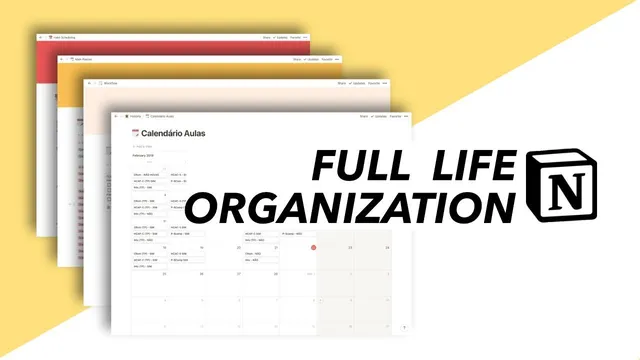
full life organization with Notion
Based on Mariana Vieira's video on YouTube. If you like this content, support the original creators by watching, liking and subscribing to their content.
Use three separate workspaces—shared family, academic, and business—to prevent cross-contamination of priorities and information.
Briefing
Notion is being used as a single operating system for three separate life domains—shared relationship management, business content production, and academic coursework—while keeping sensitive material private through sub-workspaces and page-level permissions. The core setup hinges on three main workspaces: “our family” (shared with a boyfriend), a business workspace for YouTube and related projects, and an academic workspace focused on history classes. Within each workspace, sub-pages are either private (visible only to the owner) or shared (updated in real time with notifications), letting day-to-day changes propagate without losing control of what stays confidential.
In the private section of the shared “our family” workspace, the organization system is built around time batching and habit scheduling. Tasks are arranged by weekday in a gallery-style view where each frame represents a day and contains the specific business tasks planned for that day—Mondays for filming, Tuesdays for photography, Wednesdays for riding down, Thursdays for brainstorming plus voiceovers, and Fridays plus weekends for academic work or household chores. Habits are tracked monthly rather than daily, with different focus areas rotated across January, February, March, and April, including a shift toward language learning later in the year. The same private area also holds practical “inbox” lists: items to do before starting work (job search in the legal field while still pursuing a future PhD and professorship), a short thesis checklist that gets trimmed as tasks are completed, and a class schedule used to track attendance and identify which notes need follow-up.
The shared “our family” workspace is designed for quick, low-friction access to household planning. It includes a practical “master” bucket of information: holidays and trips (including both scheduled and desired future plans), a contacts table for services like doctors and cleaning help, and household logistics split into three pages—items to buy and place around the apartment, a permanent grocery list for quick reference during shopping, and a general packing list for trips so new lists don’t have to be recreated each time. Even budgeting is centralized: a family budget is maintained via an online spreadsheet (Google Docs) rather than repeatedly saving and sharing new Excel versions. The apartment’s aquarium management is also documented with operational details like fertilizers and CO2 dispensers.
Academic organization is kept separate in a history workspace that’s still being built out. It starts with migrating a class schedule and then creating one page per class, with plans to expand each page into chapter-level summaries and lecture notes. A test note-taking page demonstrates Notion’s editing features—highlighting, indentation, and even two-column layouts—while acknowledging the platform’s space limit.
On the business side, the system supports a full YouTube workflow. A main planner tracks video information in a table inspired by Thomas Frank’s approach: sponsor details, upload dates, and status. Each video entry links to sub-pages containing checklists broken into production and publishing phases, sponsor-specific requirements, and bullet-point guidance used instead of full scripts. Those bullet points double as voice-over prompts and b-roll filming cues, which matters because the creator rarely appears on camera. Additional pages manage an ebook project, a blog-writing workflow directly in Notion, and other upcoming initiatives kept under wraps until they’re ready to share.
Cornell Notes
Notion is organized into three workspaces—“our family” (shared), academic history, and business/YouTube—so tasks and information stay separated while still syncing instantly where collaboration is needed. Shared pages update in real time and trigger notifications, while private pages remain visible only to the owner. The family workspace uses time-saving structures like weekday time-batching, monthly habit rotations, a permanent grocery list, trip/holiday planning, service contacts, and an online family budget spreadsheet. The academic workspace is built around one page per class with plans for chapter summaries and lecture notes. The business workspace uses a table-based YouTube planner with per-video checklists and bullet-point recording cues instead of full scripts, including b-roll guidance.
How does the system handle privacy and collaboration inside the same Notion account?
What does “time batching” look like in this setup, and why is it useful?
Why track habits monthly instead of daily, and how is it structured here?
What household planning tools are centralized for the shared workspace?
How does the business workflow support YouTube production without full scripts?
How is academic work organized to make revision easier?
Review Questions
- How do shared and private pages differ in visibility and update behavior within the “our family” workspace?
- Describe the components of the YouTube workflow planner and how bullet points replace full scripts in this system.
- What strategies are used to support revision in the academic history workspace?
Key Points
- 1
Use three separate workspaces—shared family, academic, and business—to prevent cross-contamination of priorities and information.
- 2
Rely on sub-pages with different permissions so shared pages sync instantly while private pages remain owner-only.
- 3
Implement time batching with a weekday-based gallery that lists the exact tasks planned for each day.
- 4
Track habits monthly to rotate priorities across the year, including a planned shift toward language learning.
- 5
Centralize household logistics with permanent lists (grocery and packing) and structured planning pages (trips, contacts, aquarium care).
- 6
Maintain the family budget in an online spreadsheet (Google Docs) to avoid version sprawl from repeated Excel updates.
- 7
Run YouTube production from a table planner plus per-video checklists, using bullet points as both voice-over prompts and b-roll filming cues.