FULL note-taking session in Obsidian (with commentary!)
Based on morganeua's video on YouTube. If you like this content, support the original creators by watching, liking and subscribing to their content.
Start each reading session by creating or opening a source note named with author, year, and title, then paste in relevant quotes and reading notes.
Briefing
A structured note-taking workflow in Obsidian turns reading into a web of “atomic” ideas by starting from source notes, extracting quotes, and then immediately converting triggered insights into new, heavily linked notes. The payoff is a system where concepts can be revisited through local graphs and cross-references—so scholarship doesn’t stay trapped inside a single book or highlight list.
The session begins with context: the workflow is built around the title-cast/“tuttlecast” knowledge management approach, implemented inside Obsidian. The user is a PhD candidate in theater and performance studies researching how human and non-human relationships show up in juggling, with the expectation that those insights generalize beyond the specific practice. That academic framing matters because the workflow is designed to support research synthesis rather than just personal reminders.
In practice, the user opens an Obsidian vault and navigates to a source note for a specific book—here, “Cool and Frost 2010 New Materialisms” (an anthology). The first step is to copy and paste relevant quotes and reading notes into the source note. When a quote or phrase sparks a new angle, the process shifts: instead of letting the insight remain buried in the source, the user creates a new note for the concept. Often the new note is named after a single word or idea (for example, “materiality”) so it can later serve as a hub for backlinking and local graph exploration.
A key moment shows how the system handles specificity. A quote from Cool and Frost about materiality isn’t treated as a generic definition; it becomes the basis for a more precise note—“Materiality is not simply the property of being material”—which incorporates the book’s descriptors (excess, force, vitality, relationality, difference) and then adds the user’s own interpretation. The new note is linked back to the source and also linked to a broader “New Materialism” landing note, ensuring the idea sits inside the right conceptual field.
The workflow also emphasizes inter-author connectivity. When a quote from Cool and Frost resonates with earlier ideas from other scholars, the user either adds it to an existing note or creates a new one that bridges authors. For instance, a Bennett-related idea is moved into a more specific Bennett note, while the Cool and Frost-inspired note links back to Bennett—building a two-way scholarly conversation. The user also searches for previously created notes by using source-book backlinks when the exact note title is forgotten.
To keep linking accurate, the user sometimes creates aliases for existing notes so the link text matches the sentence being written. Quotes may be wrapped with brief clarifying wording inside the source note to preserve meaning, and when an insight isn’t fully formed, the user adds bullet-point “seed” thoughts under the quote so a future synthesis note can be created later.
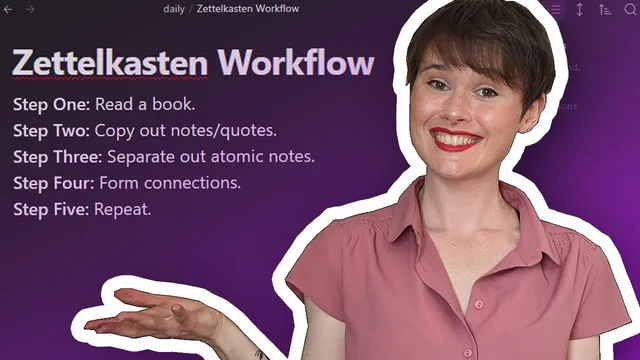
By the end of the session, the user summarizes the method: start with a source note named by author, year, and title; paste in quotes and reading notes; convert triggered insights into new idea notes that include the quote, the user’s interpretation, and links back to the source; connect those idea notes to existing concepts; and, ideally, keep source notes clean by erasing clutter once the content has been redistributed into separate atomic notes. The result is a knowledge system designed for retrieval, synthesis, and ongoing conceptual graph growth.
Cornell Notes
The workflow in Obsidian starts with a source note for a specific text (named by author, year, and title), where quotes and reading notes are collected. Whenever a quote triggers a distinct insight, a new “idea note” is created immediately, titled around the concept and linked back to the source. Those idea notes are also connected to broader landing notes (like the relevant research field) and to other scholars’ notes, building a network rather than isolated highlights. The system uses backlinks to find the right existing note when the title is forgotten, and aliases to make links fit the wording of new sentences. Ideally, source notes end up mostly as link hubs, with the actual writing moved into atomic concept notes.
How does the workflow begin when taking notes from a book or essay?
What triggers the creation of a new note, and what goes into it?
How does the system handle “specificity” versus generic definitions?
How are connections between different scholars built?
What tools or tactics help when the exact note name is forgotten?
Why does the workflow aim to keep source notes “clean” over time?
Review Questions
- When should a quote remain in a source note versus being converted into a new idea note?
- How do backlinks and aliases improve linking accuracy in Obsidian?
- What does it mean for a source note to become a “link hub,” and how is that achieved in this workflow?
Key Points
- 1
Start each reading session by creating or opening a source note named with author, year, and title, then paste in relevant quotes and reading notes.
- 2
Convert triggered insights into new concept notes immediately, using the quote as evidence and adding your own interpretation.
- 3
Link every new idea note back to its source note and also to the appropriate broader landing note (e.g., the relevant research field).
- 4
Use backlinks from source notes to find existing idea notes when you remember the book but not the exact note title.
- 5
Create aliases for existing notes when the wording you need doesn’t match the note title, so links stay natural in sentences.
- 6
Build cross-author connections by linking notes to each other when quotes resonate with prior ideas from other scholars.
- 7
Keep source notes uncluttered by moving the substantive writing into atomic idea notes once those notes exist.