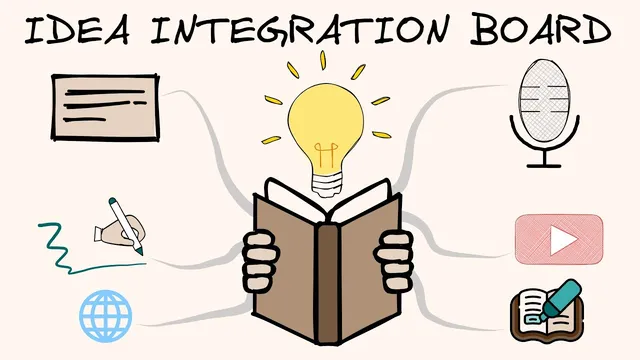
Get More Out of What You Read with the Idea Integration Board, and the Obsidian Excalidraw Plugin
Based on Zsolt's Visual Personal Knowledge Management's video on YouTube. If you like this content, support the original creators by watching, liking and subscribing to their content.
Create a dedicated folder per book to keep literature notes, summaries, and “book on a page” visuals organized as the project grows.
Briefing
A new “idea integration board” workflow aims to turn book reading into a structured, visual knowledge map—linking primary ideas to secondary and peripheral ones—so readers can build understanding faster and retain it more coherently. The core move is to start with the book’s primary structure (often visible in the table of contents), then expand outward: secondary ideas get attached to those primary anchors, and peripheral ideas get connected back through that same network. The payoff is a single, navigable hub for research notes, related resources, and evolving “book-on-a-page” visuals rather than scattered markdown files.
The workflow begins with a consistent folder per book inside an “input books” area, because a typical reading project quickly generates many artifacts: a cover/research page, literature notes, a summary, and a “book on a page” illustration. The research page acts as the front door. It stores basic bibliographic details, a high-level summary, and links to the literature notes, the book-on-a-page, and the final summary. It also holds ongoing reading and research notes—videos watched, articles reviewed, and other observations—so the project stays centralized.
The idea integration board itself is built around a specific cognitive model of understanding: map primary ideas first, then build secondary ideas around them, and finally connect peripheral ideas to the secondary layer. This approach is especially useful for non-fiction, where conceptual structure can be traced. The method was refined through earlier reading experiences: frustration with how a presentation landed while reading “Rationality” (in Visual Thinking Workshop cohort 4) led to repeated rereading and a personal concept map. Later, while reading “Finite and Infinite Games” (cohort 5), the same impulse shifted from a static markdown note to a dedicated mind-map-style board.
For “Playing to Win” (Visual Thinking Workshop cohort 6), the board is organized with the book at the center and key models and thinkers linked directly from that hub. The author notes that the introduction points to three thinkers and three models; links in the vault connect to materials for each model, including a Porter Five Forces resource and even a draft blog post. The board also reflects the book’s architecture: after reviewing the table of contents, the reader identifies the central five chapters as the five strategy choices, then creates drawings for concepts encountered early—such as “a cascade of choices”—with plans to add more as reading continues.
Research is integrated into the same system. Notes from blog posts, YouTube videos, and podcasts are embedded into the board via links into the broader input structure. For example, an embedded Milken Institute interview (with Ag and Roger discussed in the transcript) is captured as a note, and the system links out to the underlying YouTube content. Related prior reading is also attached: three thematically similar books already in the vault—“First Things First” and “Worldly Map” by Steven C., plus “The Infinite Game” by Simon Sinek—are connected as supporting context. Finally, the “under the hood” view shows how the Excalidraw-style drawing is stored as structured markdown with headers, links, and embedded content, including older imported notes.
The workflow closes by situating this as part of a broader six-step Visual Thinking Workshop process: read the book, create literature notes and sketches, compile a book-on-a-page summary, save visual permanent notes into a Zettelkasten system, and present the book-on-a-page to others as cohort work begins this Saturday.
Cornell Notes
The idea integration board is a visual, linked system for turning book reading into a structured knowledge map. It starts by identifying a book’s primary ideas (often from the table of contents), then builds secondary ideas around those anchors, and finally connects peripheral ideas back through the secondary layer. Each book gets its own folder with a research hub page that links to literature notes, summaries, and a “book on a page” visual. For “Playing to Win,” the board centers the book and links out to three thinkers and three models, while embedding research from videos and podcasts and attaching related prior books from the vault. The result is a single evolving workspace that keeps notes, drawings, and external research connected as understanding deepens.
Why does the workflow emphasize mapping primary ideas first, then secondary, then peripheral ones?
How does the system keep a book project from turning into a scattered pile of files?
What makes the “idea integration board” different from a traditional markdown research note?
How does the workflow integrate external research like YouTube and podcasts into the same knowledge structure?
How does the board use the book’s table of contents to determine primary ideas?
What does the “under the hood” view reveal about how the Excalidraw-style board is stored?
Review Questions
- When building an idea integration board, what specific ordering principle is used to connect primary, secondary, and peripheral ideas?
- How does the workflow decide what counts as a book’s primary ideas before reading deeply?
- What mechanisms keep video/podcast notes connected to the board rather than isolated as separate references?
Key Points
- 1
Create a dedicated folder per book to keep literature notes, summaries, and “book on a page” visuals organized as the project grows.
- 2
Use a research hub page as the front door: it stores basic book info and links to the literature notes, summary, and book-on-a-page.
- 3
Build understanding by mapping primary ideas first, then attaching secondary ideas, then connecting peripheral ideas back through that structure.
- 4
Use the table of contents to identify the book’s primary structure before deep reading, then anchor drawings and notes to that map.
- 5
Embed external research (YouTube, podcasts, blog posts) into the board via linked notes so learning stays contextually connected.
- 6
Center the board on the book and link out to models and thinkers referenced in the introduction, then expand with concept-specific drawings as chapters are read.
- 7
Store the visual board in a way that remains compatible with markdown and vault linking, enabling “under the hood” edits and persistent note integration.