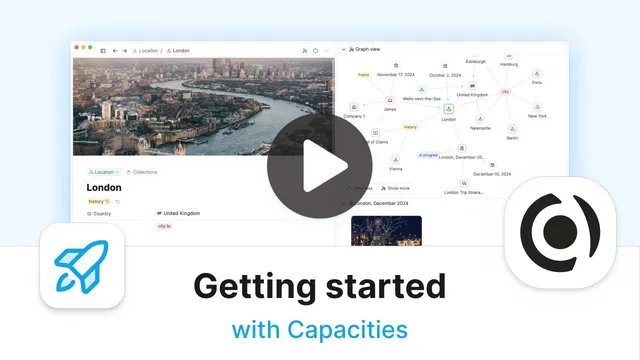
Getting Started with Capacities!
Based on Capacities's video on YouTube. If you like this content, support the original creators by watching, liking and subscribing to their content.
Capacities treats all content as objects grouped by object types, eliminating files and folders.
Briefing
Capacities replaces file-and-folder organization with a system built on “objects” and “object types,” then ties everything together through linking so notes always appear where they’re needed. Instead of spending time maintaining a structure, users make one key decision when creating new content: what type of object it is. From there, the app automatically places the note in the correct place and applies the right structure, eliminating the “loose notes” problem that comes with traditional folders.
All content in Capacities is treated as an object—whether it’s a text note, an image, or a tag—and every object belongs to a specific type. Those object types are listed in the left sidebar, which acts as a live index of note categories. Clicking an object type (like Places, Trips, or Quotes) shows all objects of that type, and each object type has its own layout and set of fields. A “definition” object, for example, can look and behave differently from a “trip” object, and a “quote” object can have a smaller, distinct structure. This design matters because it encourages consistent capture: if a user defines properties for a type (such as author, finished date, and rating for a Book type), every new book automatically gets those same properties.
That consistency is enforced at the object-type level. Properties added to an object type apply to all existing and future objects of that type; removing or changing a property affects the whole group as well. The result is uniform notes without template sprawl—no mix of partially formatted pages and no need to remember which notes were created with which structure. Users can focus on capturing information rather than maintaining an organizational system.
Getting started is framed as a transition process. Capacities offers built-in object types and template-based setups, plus a gallery where users can match their existing note categories to what the app provides. The guidance is to start with templates, avoid heavy tweaking in early settings, and then edit the demo objects to create real content. Users can add rich formatting, highlight text, include links, and attach images; they can also use “Lego block”-style editing controls to build notes with bullets, icons, and quote formatting.
The second core mechanism is linking. When a meeting note mentions a person, the user can highlight the person’s name and create a link to the existing Person object. Capacities automatically generates backlinks, so navigating from the person to the meeting—and back again—becomes effortless. Linking also extends beyond people: a person can be linked to a place (like London), and if no place object exists yet, the user can create one directly from the highlighted selection.
Finally, Capacities adds a central calendar that grounds work in time. A month view supports navigation, while a daily note functions like an inbox or scratch pad for reminders and quick capture. Notes created on a given date can be collected in a dedicated section, complete with timestamps. As links accumulate, the app’s graph/network view visualizes the connections—showing how a person ties to meetings, tags, and places—so users can rediscover information through multiple paths: by person, by context, by tag, or by date. The overall promise is a note system that grows with the user: reliable structure from object types, flexible relationships from linking, and contextual retrieval from the calendar and network view.
Cornell Notes
Capacities organizes notes as “objects” grouped by “object types,” with the left sidebar serving as the index for each type. Creating new content requires one decision—choose the object type—after which the app applies that type’s layout and properties automatically, keeping notes uniform without folder overhead. Every object can be linked to other objects, and backlinks make navigation two-way so users can follow trails of work (e.g., a Person linked to Meetings, and back). A central calendar adds time-based context through a daily note and date-linked collections. Together, object types, linking, and calendar context aim to make retrieval intuitive and reduce the thinking required to maintain organization.
How does Capacities avoid the “where should this note go?” problem that comes with folders?
What does “uniform structure” mean in Capacities, and how is it enforced?
Why are links and backlinks central to how information is retrieved?
How can a user create new categories of information without pre-planning everything?
What role does the calendar play beyond date browsing?
Review Questions
- When creating a new note in Capacities, what single decision determines where it appears and how it’s structured?
- How do object-type properties help prevent inconsistent note templates over time?
- Describe how linking and backlinks change navigation compared with traditional one-way references.
Key Points
- 1
Capacities treats all content as objects grouped by object types, eliminating files and folders.
- 2
The left sidebar lists object types and provides instant access to all objects of a given type.
- 3
Creating new content requires choosing an object type once; placement and structure follow automatically.
- 4
Object-type properties apply across all objects of that type, keeping notes consistent and avoiding template drift.
- 5
Linking connects related objects (e.g., Person ↔ Meeting) and backlinks provide two-way navigation.
- 6
A central calendar adds time-based context via a daily note and date-linked collections with timestamps.
- 7
Graph/network visualization reflects the growing web of connections, offering multiple paths back to information.