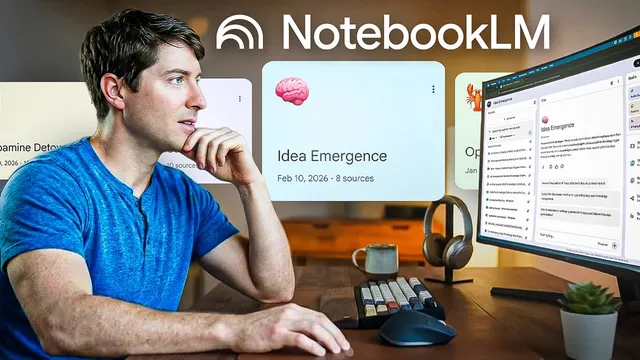
Give Me 13 Minutes. I'll Teach You 80% of NotebookLM
Based on Linking Your Thinking with Nick Milo's video on YouTube. If you like this content, support the original creators by watching, liking and subscribing to their content.
NotebookLM restricts chat answers to only the sources added to a notebook, reducing drift into unrelated information.
Briefing
NotebookLM is built to turn a pile of your own documents—PDFs, notes, websites, YouTube links, even audio—into a research workspace where answers stay grounded in those sources. Its biggest practical advantage is citation-level traceability: every response includes references that point back to the exact locations in the material, making it easier to verify claims and spot misreadings or hallucinations.
The interface is organized around an “arc loop” workflow: add, relate, communicate. In the add step, users create up to 100 notebooks (each acting like a subject or research area) and load sources from uploads or directly from Google Drive assets such as Google Docs, Slides, and Sheets. NotebookLM then restricts its reasoning to only the selected inputs—no external browsing—so the chat becomes a controlled environment for synthesis. Capacity limits are generous: up to 50 sources with as many as 25 million words combined. On privacy, NotebookLM is positioned as not using user-provided content or chat conversations for training, with the practical takeaway that it’s comparable in risk level to other Google productivity tools.
In the relate step, the chat behaves like a standard AI assistant, but with a key difference: answers are generated using the Google AI Gemini model while drawing exclusively from the notebook’s documents. The citations embedded in responses are clickable, letting users jump directly to the supporting passage and review surrounding context. That turns “confident-sounding” output into something auditable—useful when research requires accuracy rather than vibes.
To manage real-world research workflows, the transcript highlights several operational tips: save strong outputs as notes; convert a useful response into a new source; toggle individual sources on or off to focus answers; paste text directly when uploads fail; rename sources for clarity; and combine sources strategically when approaching the 50-source limit by summarizing and replacing older documents. There’s also room to adjust tone and role via “configure notebook,” plus a mobile app for adding sources on the go.
The communicate step turns sensemaking into shareable artifacts. NotebookLM can generate AI overviews, narrated video overviews with custom visuals, infographics, slide decks, mind maps (with clickable nodes that spawn follow-up chats), and study tools like reports, flashcards, and quizzes. Still, the transcript draws a line between research and creativity: NotebookLM is characterized as a hyperliteral, diligent researcher that may say “I don’t know” rather than brainstorm freely.
For long-term knowledge work, NotebookLM is framed as a rapid research and distillation layer that feeds into a separate note system (Obsidian). The recommended pattern is to use NotebookLM to get oriented—mapping the “contours of the terrain,” identifying disagreements, and extracting distilled summaries—then retire the notebook and manually transfer evergreen insights into a personal knowledge base. The payoff is less dumping of AI-generated content and more deliberate integration, with NotebookLM used primarily for factchecking, orientation, and source-grounded synthesis before the creative leap happens elsewhere.
Cornell Notes
NotebookLM is designed for source-grounded research: users add their own materials (PDFs, documents, websites, YouTube links, audio), and the chat answers rely only on those sources. A standout feature is citation traceability—responses include clickable references to the exact passages used, making verification and error-checking practical. The workflow follows add/relate/communicate: build a knowledge base, ask questions with controlled source selection, then generate outputs like overviews, narrated videos, mind maps, and study aids. Despite the ability to create artifacts, NotebookLM is positioned as a diligent researcher rather than a creative brainstorming partner. It’s most valuable as a fast distillation layer that feeds long-term notes in tools like Obsidian.
What makes NotebookLM’s answers more trustworthy than typical chat output?
How does NotebookLM keep the chat focused on a user’s chosen materials?
What are the practical constraints and workflow tactics for managing sources?
What kinds of outputs does NotebookLM generate, and how should they be used?
Why isn’t NotebookLM treated as a creative partner in this workflow?
How does NotebookLM fit into a larger note-taking system like Obsidian?
Review Questions
- How do citations in NotebookLM help users validate answers during research?
- What steps and tools in the add/relate/communicate workflow correspond to building sources, asking questions, and generating artifacts?
- Why does the transcript recommend retiring a NotebookLM notebook and manually transferring insights into a long-term system like Obsidian?
Key Points
- 1
NotebookLM restricts chat answers to only the sources added to a notebook, reducing drift into unrelated information.
- 2
Clickable citations in every response let users verify claims by jumping to the exact supporting passages.
- 3
NotebookLM supports adding many source types, including PDFs, documents, YouTube video URLs, websites, and audio, plus imports from Google Drive.
- 4
Source management matters: toggle sources on/off for focus, rename sources for clarity, and use save/convert-to-source to build a cleaner knowledge base.
- 5
The system has practical limits (50 sources and up to 25 million words per notebook), so complex projects may require summarizing and replacing older sources.
- 6
NotebookLM’s “studio” can generate shareable artifacts (overviews, narrated videos, mind maps, flashcards), but it’s framed as a diligent researcher rather than a brainstorming engine.
- 7
A recommended workflow uses NotebookLM for rapid orientation and factchecking, then manually transfers distilled insights into long-term notes in Obsidian to avoid dumping AI-generated content.