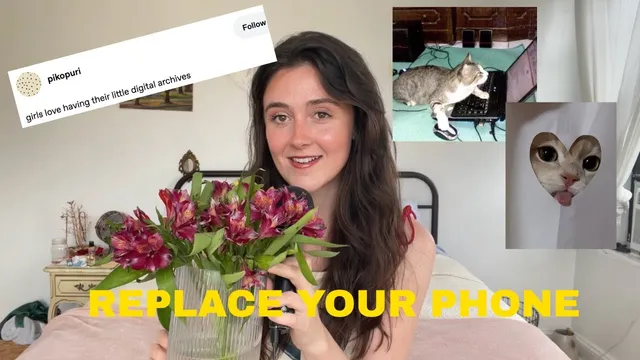
growing a digital garden to end my doomscrolling (part 2)
Based on Anna Howard's video on YouTube. If you like this content, support the original creators by watching, liking and subscribing to their content.
Digital gardening is an integration practice—turning attention into personal themes, observations, and questions—not a blog or a link roundup.
Briefing
Digital gardening isn’t a blog or a weekly roundup—it’s a private, iterative system for turning what grabs someone’s attention into their own thinking, so they can shift from consuming content to creating from curiosity. Anna Howard draws a hard line between “curation” (collecting screenshots and links) and gardening (slowly integrating reactions, themes, and questions into notes that reflect the gardener’s mind). The payoff, she says, is escaping doomscrolling and performance pressure: instead of chasing a polished output, the practice treats attention like soil—something to cultivate, revisit, and let grow.
Howard argues that many people misuse the term by calling any publishing workflow “digital gardening.” A blog can be a product of gardening, but it’s not the same thing as the garden itself. Likewise, a curation roundup can be valuable—curators exist for a reason—but it doesn’t automatically capture how a person’s thoughts change after encountering an idea. The core distinction is integration: gardening is about letting observations connect to the self over time, not packaging what was consumed.
The episode then moves into practical Q&A, starting with tools. Obsidian is Howard’s main note-taking system, while Arena serves as a “source dump” and inspiration finder—useful for storing Substacks and collecting images or memes, but less ideal for the actual writing of notes. She also points to other options, including Notion (via Lexi Merritt’s “desktop organizer” and its “second brain” template) and the Sublime app, described as a knowledge tool for saving internet finds and making connections. Her advice is to avoid getting stuck building the “perfect” system; if setup feels overwhelming, start taking notes immediately and adjust later.
On process, Howard says losing notes is normal and even expected—like memory, the system can’t hold everything forever. Better naming and tagging make forgotten notes retrievable: clear titles enable keyword search, while tags let someone review everything tied to a theme in one sitting. She also reframes what makes note-taking enjoyable: it’s not only about liking what’s consumed, but about finding it interesting—whether that interest comes from love, dislike, or a nagging question.
A key workflow emerges for source material notes: split them into three sections—themes, highlights/observations, and questions. Themes help identify what keeps recurring in the work; highlights capture quotes, funny moments, or emotional beats; questions track curiosity in real time. Those source notes then feed “main notes,” where the gardener writes a short mini-essay (two to three paragraphs) that turns snags of curiosity into original reflection. Howard emphasizes that notes don’t need to be academic or perfect; they can read like texting a friend, even when the only entry is “lol, this was crazy.”
Finally, she addresses time and outcomes. Gardening doesn’t have to be daily; she does it a couple times a week, using it as unwinding and self-conversation. She also argues that practice doesn’t always produce a finished project immediately—writing is thinking, and larger work often comes from connecting notes later. Revisiting past obsessions is her recommended entry point because it deepens attention and naturally leads to new sources. She closes with a personal claim: digital gardening has made her “more curious and creatively guided,” pulling her out of creative uncertainty and into a clearer sense of direction.
Cornell Notes
Digital gardening is a note-and-reflection practice meant to help someone move from consumer to creator. Howard insists it’s not the same as a blog or a weekly curation roundup, because gardening integrates personal themes, reactions, and questions rather than just collecting links. She recommends using tools like Obsidian (for note-taking) and Arena (for source dumping), but stresses that the “perfect” system isn’t required—start simple and iterate. Her workflow separates source notes into themes, highlights/observations, and questions, then turns the most “alive” curiosities into short main-note mini essays. The long-term value is deeper taste, clearer thought patterns, and the ability to connect ideas across time and media.
How does Howard distinguish a digital garden from a blog or a curation roundup?
Why does Howard treat “losing notes” as normal rather than a failure?
What’s the recommended structure for source material notes and how does it feed main notes?
What makes note-taking sustainable in everyday life, according to Howard?
What tools does Howard use, and what does she say about choosing a system?
Does digital gardening require daily commitment or a guaranteed output?
Review Questions
- What specific differences does Howard draw between curation and digital gardening, and why does integration matter?
- How do themes, highlights/observations, and questions in source notes translate into mini-essays in main notes?
- What retrieval strategies does Howard recommend for notes you can’t remember, and how do tags change the way you review your archive?
Key Points
- 1
Digital gardening is an integration practice—turning attention into personal themes, observations, and questions—not a blog or a link roundup.
- 2
Use tools that fit your workflow: Obsidian for note-taking and Arena as a source dump/inspiration store, but start with whatever system you can actually use.
- 3
Tagging and clear titles are the practical antidotes to “lost notes,” letting you search by keywords and review by theme.
- 4
Sustainable note-taking follows interest, not obligation; even negative reactions can be worth capturing if they reveal curiosity.
- 5
A repeatable workflow helps: source notes split into themes, highlights/observations, and questions, then main notes become short mini-essays.
- 6
Digital gardening doesn’t need to be daily; a couple times per week can be enough to keep curiosity active and reduce doomscrolling.
- 7
Creative outcomes often come later through connections—writing notes is thinking, and projects emerge by bridging gaps between notes.