Heptabase for Teaching - Lesson Plans
Based on FP's video on YouTube. If you like this content, support the original creators by watching, liking and subscribing to their content.
Finder folder organization forces duplication when lesson plans must be both chronological and alphabetical, creating storage waste and update risk.
Briefing
A long-running teaching problem—how to retrieve lesson plans both by time (which semester/day) and by text author (alphabetical)—drives the case for Heptabase. After years of using folder-based file storage on a Mac, the workflow hit a wall: keeping the same lesson plan accessible in two different orders required duplicating files. That duplication doubled storage use and created maintenance headaches whenever edits had to be synchronized across copies.
The transcript contrasts “duplicates” with “replicants,” a concept from Devonthink/DevonThink that would solve the synchronization issue by letting one document appear in multiple places without creating independent editable copies. Replicants behave like linked instances of the same underlying item: changes made to one automatically propagate to all. In theory, that eliminates the two biggest drawbacks of Finder folders—extra storage and the risk of inconsistent edits. In practice, replicants proved too cumbersome to create in Devonthink, involving multiple clicks or a remembered keyboard-and-drag gesture. The added friction of opening and editing Word files further reduced enthusiasm, pushing the workflow back toward Microsoft OneNote, which lacks replicants but offers fast page switching in a single window and easy side-by-side review.
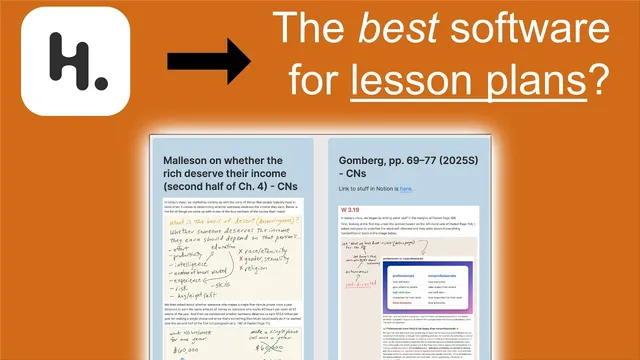
Heptabase enters as the compromise that keeps the “OneNote-like” speed while removing the replicant pain. The setup centers on two complementary views that match the two retrieval needs. One board organizes lesson plans chronologically for a specific semester (spring 2025), while another board aggregates past semesters and sorts them alphabetically by author and text. A related table view also allows sorting lesson plans by different criteria such as semester or date, turning the same underlying content into multiple navigational paths.
The spring 2025 board is organized into distinct groups: winter-break planning notes, assignment notes, and course-specific initiatives (including a zettocasten-related component). The largest section holds class notes/lesson plans arranged in chronological order, with a single “hub” note that links to the latest entries and can be updated by adding new notes as the semester progresses. The interface also supports quick scanning: file contents are visible at a glance without repeatedly opening documents in separate windows.
For cross-semester reuse, Heptabase also supports a “single board” strategy for all past notes. Instead of jumping into a semester-specific board, the teacher can navigate directly to a given author/text and see notes from multiple years (e.g., spring 2024, spring 2019, fall 2019). Each entry can include links to readings stored in Heptabase and to quiz materials hosted in Google Docs, with optional sidebar opening for deeper review. When preparing a new semester, new notes can be created alongside existing ones, while past notes remain visible for deciding what to reuse.
Overall, the transcript frames Heptabase as a practical lesson-planning system: it preserves fast browsing and flexible sorting without forcing the duplication-and-maintenance tradeoffs that come with Finder folders, and without the replicant-creation friction that made Devonthink less appealing.
Cornell Notes
The transcript’s core problem is organizing lesson plans so they can be retrieved both chronologically (by semester/day) and alphabetically (by author/text) without duplicating files. Finder-based folder storage forces duplication to achieve both orders, which wastes space and creates edit-synchronization risk. Replicants in Devonthink would solve synchronization because they are linked instances of the same document, but creating them is described as too cumbersome. Heptabase is presented as the alternative that keeps OneNote-like fast navigation while making it easy to maintain multiple organizational views—semester boards, an author-sorted board, and sortable tables—plus quick scanning of content without opening documents. The result is faster reuse of past notes when teaching the same texts again.
Why do traditional Finder folders push teachers toward duplicating lesson plan files?
What’s the practical difference between a duplicate and a replicant?
Why didn’t replicants in Devonthink become the long-term solution?
How does Heptabase replace the “speed” benefits of OneNote while improving organization?
What does the Heptabase setup look like for reusing past lesson plans?
Review Questions
- How does replicant behavior eliminate the edit-synchronization problem that duplication creates in Finder folders?
- What two organizational views in Heptabase correspond to the teacher’s two retrieval goals, and how do they differ?
- What usability features in Heptabase (as described) reduce the need to open documents repeatedly during lesson planning?
Key Points
- 1
Finder folder organization forces duplication when lesson plans must be both chronological and alphabetical, creating storage waste and update risk.
- 2
Replicants provide linked instances of the same document, so edits propagate automatically across all locations.
- 3
Replicants in Devonthink were rejected mainly due to the cumbersome creation workflow and friction around Word-based editing.
- 4
Heptabase is used to combine fast scanning/navigation with flexible organization via multiple boards and sortable table views.
- 5
A semester board keeps spring 2025 lesson plans in chronological order, while a separate board aggregates past semesters alphabetically by author/text.
- 6
Each author/text entry can bundle class notes plus linked readings and quiz materials, enabling quick reuse when teaching the same texts again.