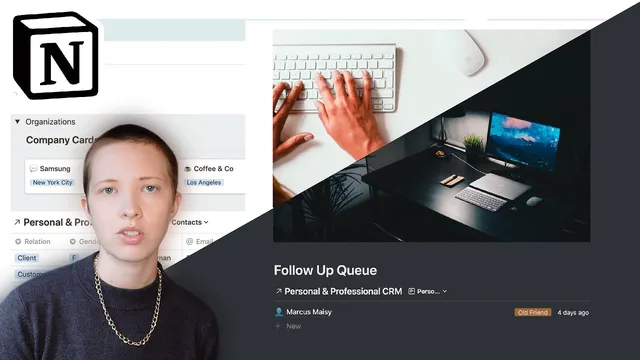
How I Build A Personal & Professional CRM In Notion
Based on Red Gregory's video on YouTube. If you like this content, support the original creators by watching, liking and subscribing to their content.
Build the CRM around linked databases: contacts, a schedule/meeting database, and meeting-driven to-dos.
Briefing
A Notion-based CRM can be built as a connected system of three “funnels”: contact records, scheduled meetings, and meeting-driven to-dos—then topped with an automated follow-up queue. The payoff is a single workflow where choosing a person leads to scheduling time with them, capturing action items from that meeting, and surfacing who needs attention next.
The setup starts with two contact databases—personal and professional—managed through a shared “contact” structure. Each contact card includes core fields like name and email, plus optional personal details such as gender and date of birth. For personal contacts, the builder adds formula and utility properties: a “birthday month” check using the month of date of birth, a last-name extraction formula (by removing everything before the first space), and an age calculation using date-difference logic. Visual cleanliness is handled with filters and “hide when empty” settings so only relevant properties appear.
Professional contacts add business-specific tracking. A proposal pipeline is represented with a proposal status property and a board-style view that shows where each contact sits (for example, “proposal stage”). The CRM also links contacts to company records via a relation property, then uses rollups to pull organization attributes like city and state into the contact view. This connection lets meeting pages and follow-up views inherit context about where a person’s organization is located and which company they came from.
Scheduling becomes the third funnel. A schedule database (shown as a board view with proposal-status-like sorting) is linked back to contacts through templates. A “contact template” is created so that when a meeting is scheduled for a specific person, the meeting record is automatically associated with that contact. Meeting pages then use rollups to pull meeting context—such as the organization and whether the contact is personal or professional—directly onto the meeting record.
To turn meetings into execution, the builder adds “meeting notes” templates inside the schedule system. A self-referential linked database creates a to-do list that lives under each meeting. Filters ensure only the right items appear: meeting notes are typed as “meeting,” while child tasks are typed as “to do,” and each to-do is connected back to its parent meeting via a parent-child relation. Tasks move through a pipeline (not started → in progress → completed → archived), and archiving removes them from the active pipeline while keeping an archive view.
Finally, a follow-up queue automates prioritization. A rollup called “last contacted” looks back at the most recent meeting date associated with each contact. The follow-up list is filtered to show only contacts whose last contacted date is before today, then sorted so the longest-overdue person rises to the top. When a new meeting is scheduled in the future, that contact drops out of the follow-up queue automatically—because the “last contacted” rollup updates.
The result is a “skeletal CRM” that’s customizable: proposal stages can be removed if irrelevant, birthdays can be enabled or ignored, and the same scheduling and follow-up logic works for both personal hangs and professional meetings.
Cornell Notes
The CRM is built in Notion as a network of linked databases: contacts → scheduled meetings → meeting-driven to-dos → an automated follow-up queue. Personal and professional contacts live in the same structure but are separated with a select property and filtered views. Meetings are scheduled through templates that link a meeting record to a specific contact, and each meeting can spawn child to-dos via a self-referential linked database with parent-child relations. A rollup called “last contacted” calculates the most recent meeting date per contact, and the follow-up queue filters to show only people due before today, sorted by how long it’s been since the last touch. This matters because scheduling and execution stay connected, and follow-ups update automatically when future meetings are booked.
How does the system keep personal and professional contacts organized without duplicating everything?
What personal-contact features make the CRM useful beyond basic contact info?
How are meetings connected to the right person, and how is meeting context pulled into the meeting page?
How does the CRM turn a meeting into actionable tasks without losing the connection to the meeting?
What powers the follow-up queue, and why does it update automatically?
How does the builder handle proposal tracking for professional contacts?
Review Questions
- What specific properties and filters are used to ensure only personal (or only professional) contacts appear in each view?
- How does the “last contacted” rollup determine who appears in the follow-up queue, and what filter removes someone after a future meeting is scheduled?
- Describe how the parent-child relation between meetings and to-dos is created and how filters keep the to-do pipeline scoped to a single meeting.
Key Points
- 1
Build the CRM around linked databases: contacts, a schedule/meeting database, and meeting-driven to-dos.
- 2
Use a single contact database with a select property (personal vs professional) and filtered views to avoid duplicating structure.
- 3
Add formula properties for personal workflows, including birthday-month detection, last-name extraction, and age calculation.
- 4
Connect contacts to company records with a relation and use rollups to surface organization details like city and state.
- 5
Schedule meetings through templates that automatically link each meeting to the correct contact.
- 6
Create meeting notes and to-dos using a self-referential linked database plus a parent-child relation so tasks stay attached to the meeting that generated them.
- 7
Generate an automated follow-up queue using a “last contacted” rollup filtered to dates before today and sorted by how overdue each contact is.