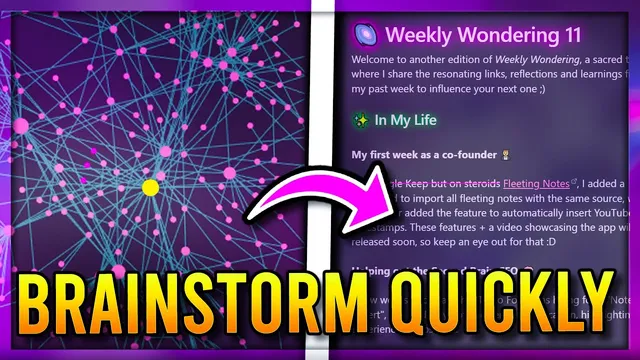
How I Easily Brainstorm 🧠 and Write 📝 using Obsidian MD
Based on John Mavrick Ch.'s video on YouTube. If you like this content, support the original creators by watching, liking and subscribing to their content.
Use a Dataview index note to list newsletter editions sorted by publish date, pulling from a dedicated output folder.
Briefing
Writing doesn’t have to begin on a blank page when a note system turns past ideas into ready-to-use building blocks. The workflow described here centers on Obsidian as an “information bank,” where newsletter drafts are assembled by linking inputs (highlights, reflections, and daily notes) to a reusable template, then pulling the most relevant pieces into a cohesive weekly post. The payoff is an incremental writing process: consume, capture, connect, outline—then publish—without starting over from scratch each time.
At the core is a newsletter workspace anchored by a main index note that lists every edition using Dataview queries. Those queries pull notes from a dedicated newsletter folder and sort them by publish date, making it easy to track output over time. Each new edition is generated from a template using Templater variables that automatically set headers and the newsletter structure. The newsletter content itself is built from a consistent set of categories: what was interesting from the week, personal experiences and reflections, insights from content consumed, and “ramblings” gathered from walks or self-examination.
The vault’s note types function like modular ingredients. Input notes store highlights and thoughts from things consumed, along with started/finished dates to preserve context and enable later linking. Thought notes capture more personal, subjective ideas—kept distinct from objective notes—so the draft can mix insight with lived experience. For quick capture while away from a desktop, Fleeting notes are handled through an app called Fleeting Notes, which syncs with Obsidian and supports linked ideas; it’s used for notes from YouTube videos, walks, and spontaneous thoughts. Daily notes then provide the raw material for consistency and authenticity: small snippets that may not matter alone become meaningful when reviewed together during a weekly cycle.
When drafting, the process starts with automation and retrieval. A command palette shortcut creates a new newsletter note and assigns the next edition number, leaving it ready for filling in. The writer then scans daily notes and weekly review artifacts to extract accomplishments, categorize life updates, and identify resources worth sharing. Concrete examples of linked themes are pulled from multiple sources—such as Jeff Bezos’s remarks about conformity, the “purple cow” concept about standing out, and a personal discovery that ties entertainment and attention—so the final newsletter section can unify them under a shared idea: uniqueness versus conformity.
To keep the writing relevant even when older ideas are needed, the workflow leans on search and backlinks. Quick Switcher searches surface notes tied to “writing” and “note storage systems,” which then connect to concepts like the Zettelkasten “slip box” method (via “zettelcost”/“zelicostin” references), evergreen notes, and the role of connections in retrieving and recombining knowledge. Backlinks help the writer jump from a concept note to related resources, including guidance on turning notes into articles and books using Obsidian.
Once the draft is assembled, the final step is publishing to Substack, then converting the published text into new Obsidian notes. Those new notes are linked back into the vault—turning the newsletter into future input. The result is a system where writing becomes a loop: capture ideas, connect them to existing structures, draft faster, publish, and then feed the output back into the knowledge network.
Cornell Notes
The workflow uses Obsidian as an “information bank” so writing becomes an assembly process rather than a blank-page task. A Dataview-powered index tracks newsletter editions by publish date, while Templater generates new edition notes with consistent headers and structure. Inputs come from multiple note types—input notes for highlights, thought notes for personal ideas, Fleeting Notes for quick capture on the go, and daily notes for weekly review. Drafting then relies on scanning daily and input notes, embedding or copying relevant snippets, and using backlinks/Quick Switcher to retrieve older ideas tied to writing and note-storage methods like Zettelkasten. Publishing to Substack is followed by converting the output into new linked notes, strengthening the vault for future writing.
How does the system make it easy to start a new newsletter edition without manual setup?
What role do Dataview queries play in keeping newsletter work organized over time?
Why split notes into input notes, thought notes, fleeting notes, and daily notes?
How does the workflow turn scattered weekly material into a unified theme for the newsletter?
How does the system retrieve older, “hidden” ideas when the current week isn’t enough?
What happens after publishing, and why does that matter for long-term writing speed?
Review Questions
- Describe how Dataview and Templater work together in this workflow to manage newsletter editions from creation to organization.
- What specific note types feed the newsletter, and what does each one contribute during drafting?
- How do backlinks and Quick Switcher searches help the writer reuse older ideas when building new drafts?
Key Points
- 1
Use a Dataview index note to list newsletter editions sorted by publish date, pulling from a dedicated output folder.
- 2
Generate each new newsletter edition from a Templater-based template so headers and structure are consistent every week.
- 3
Feed the drafting process with multiple note types: input notes (highlights), thought notes (personal ideas), Fleeting Notes (quick capture), and daily notes (weekly review material).
- 4
Draft by scanning daily and input notes, then embed or copy relevant snippets into the template and group them under a shared theme.
- 5
Rely on Quick Switcher and backlinks to retrieve older concepts and expand outlines using linked-thinking methods like Zettelkasten/slip box and evergreen notes.
- 6
After publishing to Substack, convert the published content back into linked Obsidian notes so future drafts start from accumulated connections.