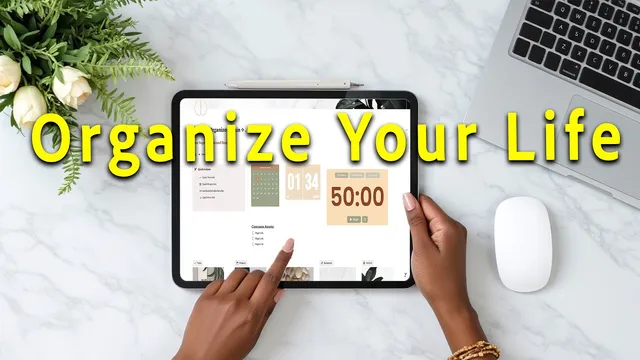
How I Organize My ENTIRE Life + Business in Notion
Based on Dr. Tiffany Shelton's video on YouTube. If you like this content, support the original creators by watching, liking and subscribing to their content.
Capture every to-do and idea immediately into either the task database or the notes hub, using mobile access when needed.
Briefing
A complete Notion “second brain” system can replace scattered sticky notes, emails, and random to-do apps by centralizing capture, organizing work through a weekly review, and tying tasks to projects, ongoing life areas, and reusable resources. The core idea is that mental clutter comes from holding ideas in your head; Notion becomes the labeled filing cabinet that turns that clutter into a structured workflow—so planning happens on purpose, not in crisis.
The system is built around two proven frameworks: David Allen’s Getting Things Done (GTD) for capture and processing, and Thiago Forte’s PARA method (Projects, Areas, Resources, Archive) for long-term organization. Capture is split into two places: a task database for actionable items and a notes hub for ideas that need later processing. Anything that pops up—like booking a dentist appointment, following up on a call, or saving a note from a YouTube or podcast—gets added immediately from a dashboard button or mobile access. During the weekly review, items marked as “inbox” are processed and moved into the right state: scheduled, due next, waiting for, in progress, or completed. The task database also supports time planning through due dates and a task calendar, so “due next” items become the feed for the upcoming week’s scheduling.
Once capture and weekly processing are in place, the PARA structure provides the backbone for everything that follows. Projects represent focused efforts with clear objectives and multiple tasks—like renovating a deck—plus related notes and resources. Projects move through statuses such as inbox, not started, in progress, waiting on, done, and even “someday maybe” for ideas that deserve a parking spot without distracting current priorities. Life areas handle ongoing responsibilities—examples include business hub, goals, habits and routines, and home management—distinguishing them from projects that end. Resources store reusable material (articles, recipes, links, and media), with favorites surfaced directly on the dashboard for quick access. Everything can be archived instead of deleted, keeping the system safe and searchable while maintaining a clean workspace.
The system then adds “intention” so execution doesn’t rely on hustle. In the goals life area, two templates anchor planning: a vision board with reflection prompts and a “word of the year,” and a 12-week year setup that links yearly goals to quarterly targets, breaks them into monthly actions, and tracks progress with a weekly scorecard aimed at hitting about 85% completion. Habits and routines bring values into daily structure: users clarify what matters by life domain, choose habits per domain, assign them to routines (including a 3-7 time-blocking alignment), and track consistency across daily, weekly, monthly, quarterly, and yearly cycles. A weekly review checklist ties it all together by prioritizing, batching “due next” work, and time-blocking days.
Finally, the system extends beyond personal organization into home and business operations. A home management template uses a weekly “home blessing” (inspired by FlyLady) with a one-hour, six-task zone approach, plus family hubs for notes, calendars, rules, budgets, and maintenance. For business, a business hub organizes common assets (content calendar, KPI dashboard, weekly review checklist), filters tasks tagged to the business hub, and structures work through a command center (vision/strategy/KPIs), an engine room (attract/convert/deliver/innovate/fuel), and a launchpad for day-to-day execution via business habits, routines, projects, SOPs, and business resources. The result is a connected system where peace at home and clarity in planning support consistent output in business.
Cornell Notes
The Notion system centralizes everything—tasks, notes, projects, ongoing life areas, reusable resources, and archived items—so ideas stop living in the brain and start living in a structured workflow. Capture happens instantly in two places (task database and notes hub), then a weekly review processes “inbox” items into scheduled, due-next, waiting-for, in-progress, or completed states. The PARA method organizes long-term work: projects for time-bound efforts, life areas for ongoing responsibilities, resources for reusable materials, and an archive for everything kept without deleting. Goal and habit templates add intention: a vision board and a 12-week year plan connect strategy to weekly scorecards, while habits and routines translate values into daily/weekly tracking. Home and business templates extend the same logic to chores, family coordination, and business execution through a command center/engine room/launchpad structure.
How does the system prevent tasks and ideas from turning into mental clutter?
What’s the difference between a task and a project in this setup?
How do “due next” and the weekly planner work together?
What does PARA add beyond GTD-style capture and processing?
How does the system turn goals into weekly execution?
What’s unique about the home and business templates compared with generic productivity setups?
Review Questions
- In what exact steps does an item move from capture to scheduling, and which statuses are used during weekly review?
- How does the system decide whether something belongs in Tasks, Projects, Life Areas, or Resources?
- What planning artifacts connect yearly goals to weekly execution (name the templates and the tracking mechanism)?
Key Points
- 1
Capture every to-do and idea immediately into either the task database or the notes hub, using mobile access when needed.
- 2
Run a weekly review to process inbox items and move them into workflow statuses like scheduled, due next, waiting for, in progress, or completed.
- 3
Use PARA to keep long-term work organized: projects for multi-task efforts with objectives, life areas for ongoing responsibilities, resources for reusable materials, and archive for safe retention.
- 4
Plan with intention by pairing a vision board (word of the year and reflection prompts) with a 12-week year system that links yearly goals to quarterly targets and weekly scorecards.
- 5
Translate values into daily structure through a habits and routines organizer that assigns habits to routines and tracks consistency across multiple time horizons.
- 6
Use the home management template to maintain household stability with a weekly home blessing and zone-based cleaning, supported by a family hub for coordination.
- 7
Tag business-related tasks to the business hub so they automatically appear in business planning views, then execute through a command center/engine room/launchpad structure.