How I Perfected my Planning Routine
Based on Mariana Vieira's video on YouTube. If you like this content, support the original creators by watching, liking and subscribing to their content.
Treat planning as a ritual—repeat a consistent set of actions in a precise way to build positive reinforcement and make the habit easier to maintain.
Briefing
A planning routine becomes easier to stick to when it’s treated like a ritual—repeated in a consistent, enjoyable way that builds positive reinforcement. The core idea is that organization isn’t just about squeezing more tasks into a day; it’s about making planning sessions feel like a supportive part of life. Brewing tea before opening a planner, doing a monthly review at a favorite café, or scheduling a set lunch-date check-in can turn planning from a chore into something people look forward to, which in turn improves habit follow-through.
From there, the routine gets practical: the day starts with email triage using “new outlook for mac.” The setup is designed for people managing multiple email addresses, because Outlook consolidates email folders, an email preview window, draft windows, and even a calendar view in one place. That matters for her current schedule, too—commuting takes about an hour, and she’s adjusting her wake-up time to start while it’s still dark outside. Managing email first is framed as the “wake-up” task that gets her mentally ready for the day.
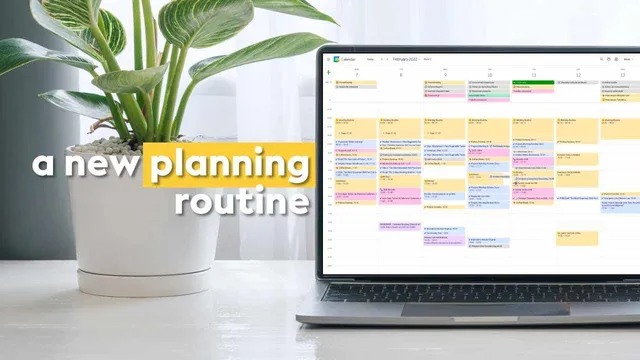
Calendar planning then follows a time-blocking workflow built around what can’t move and what can. She begins with “basic blocking”: time-locked routines and habits such as her morning routine, morning walks, and lunch breaks. Next come fixed events—meetings, voice or video conferences, consulting sessions, appointments, and social plans. This sequence creates a clear picture of how much open time remains and whether the week feels manageable.
The most hands-on part comes after that: she “plays around” by time-blocking tasks on top of events. Instead of vague blocks, she overlaps concrete direction so each time slot answers what to do next. She’ll reserve abstract time spans (like two hours) for work such as writing a report or a script, or for errands, but she treats those blocks as placeholders that still need specific guidance. During execution, she checks the calendar tasks to avoid missing anything.
Monthly review is the ritual anchor. She does a monthly check-in during a lunch break, often using a notebook as a journal. The reflection prompts come from somewhere online (she can’t recall the exact source), and she lists them in the description so viewers can reuse them.
For recurring and larger planning, she relies on Notion to organize major projects—examples include a wedding to-do list, a YouTube content planner, and a house renovation list—plus a dashboard that includes goals and light trackers (like movies/series and video games) updated monthly or every couple of weeks. Finally, she keeps planning and productivity information streamlined by using Sidekick, a newsletter delivered twice a week, to reduce time spent scrolling for advice. The overall system aims to minimize clutter, keep tasks actionable, and make planning feel rewarding rather than burdensome.
Cornell Notes
The routine treats planning as a ritual to make it easier to maintain through positive reinforcement. Daily work begins with email triage in “new outlook for mac,” which consolidates multiple email accounts and calendar views so she can start the day feeling awake. Weekly planning uses time blocking in layers: “basic blocking” for immovable routines (morning routine, walks, lunch), then fixed events (meetings, appointments, social plans), then task blocks overlapped with specific direction. She runs a monthly check-in during a lunch break using journal prompts, and manages major recurring projects in Notion. The system matters because it reduces uncertainty about what to do next while keeping planning sessions enjoyable and sustainable.
Why does the routine emphasize “ritualizing” planning habits instead of only optimizing tools?
How does she start the day, and what does “new outlook for mac” add to that workflow?
What is the layered structure of her weekly time-blocking system?
Why does she overlap tasks with events instead of relying on abstract time blocks alone?
What does her monthly check-in look like, and why is it described as the most ritualized part?
How does she use Notion and Sidekick without turning planning into clutter?
Review Questions
- How does “basic blocking” differ from fixed events in her weekly calendar setup, and why does that order matter?
- What problem does overlapping tasks on top of events solve compared with using only abstract time blocks?
- What makes her monthly check-in a “ritual,” and how does that influence the consistency of her planning system?
Key Points
- 1
Treat planning as a ritual—repeat a consistent set of actions in a precise way to build positive reinforcement and make the habit easier to maintain.
- 2
Start the day with a single organizing step (email triage) to create momentum, using “new outlook for mac” to combine email and calendar visibility.
- 3
Time-block in layers: lock routines first (“basic blocking”), then add fixed events, then fill remaining time with task blocks.
- 4
Use overlapping task direction so time slots aren’t just vague durations; ensure each block answers what to do next.
- 5
Check calendar tasks during execution to prevent missed items and reduce mental load.
- 6
Run a monthly check-in at a consistent time (lunch break) using journal prompts to keep the system reflective, not just operational.
- 7
Use Notion for major projects and light trackers, and rely on Sidekick for curated productivity ideas to avoid information clutter.