How I Review My Calendar for the Week
Based on Tiago Forte's video on YouTube. If you like this content, support the original creators by watching, liking and subscribing to their content.
Review calendar commitments early because time-bound meetings and appointments shape the week’s reality.
Briefing
A weekly review that starts with calendar commitments—then scans both recent history and upcoming weeks—helps keep plans from slipping and prevents last-minute surprises. The core idea is simple: treat scheduled calls, meetings, and appointments as the “hard commitments” that anchor the week, and review them early to understand what must happen at specific times.
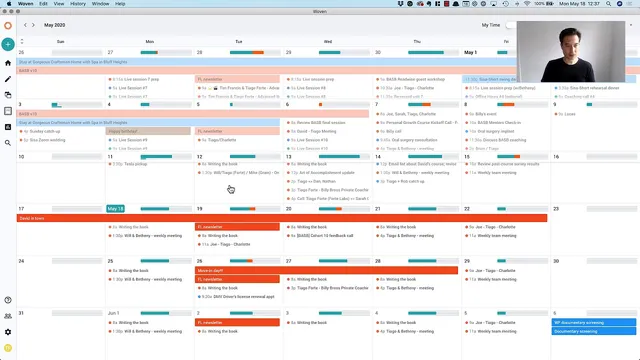
The process uses Woven, a calendar program, to quickly inspect the schedule. The review is split into two time windows. First, it looks about two weeks into the past to catch anything that needs follow-up—items that may have happened already but still require action, resurfacing, or completion. In the example, the past scan turns up a single actionable item: a need to wait for Will’s retrospective presentation for Wednesday related to Building a Second Brain. That realization gets captured immediately in the task manager by pressing return, while nothing else appears in the earlier portion of the scan.
Next, the review checks roughly four weeks into the future, not because everything is certain, but because lead time matters. The longer horizon is meant to surface events that require planning—like trips, major gatherings, or logistics that can’t be handled at the last minute. In the walkthrough, the future calendar is relatively sparse at first, but a few concrete items stand out: moving into a new place next Tuesday triggers a prompt to plan the move-in day details, and the end of the month includes a father’s birthday, which also informs preparation for a birthday present. As the scan extends further, the schedule thins out, reinforcing the point that the future is inherently less predictable—yet the visibility still helps with early thinking and preparation.
The review also includes light cleanup. A conference entry—Crafting Commerce—is identified as something no longer relevant, so it’s deleted. After checking both past and future windows, the workflow returns to “today,” concluding the calendar review in just a handful of minutes.
The practical payoff is planning with awareness rather than reaction. Even with a short time investment, the approach provides a clear view of what’s coming not only in the next few days but across the next several weeks. That broader snapshot supports preparation, reduces the chance of missing follow-ups, and helps avoid being blindsided by calendar items that would otherwise surface only when they’re imminent.
Cornell Notes
The calendar review centers on scheduled commitments—calls, meetings, and appointments—because those time-bound items shape the week. Using Woven, the review is done in two passes: two weeks into the past to find follow-ups or unfinished actions, and four weeks into the future to gain lead time for planning. In the example, the past scan surfaces a single follow-up related to a Wednesday retrospective presentation, while the future scan highlights moving next Tuesday and a father’s birthday at the end of the month. The process also includes quick cleanup, like deleting a conference entry that no longer applies. The result is better preparation and fewer last-minute surprises.
Why does the review start by looking at the calendar commitments first, rather than tasks or notes?
What’s the purpose of scanning two weeks into the past?
Why scan four weeks into the future instead of only the next few days?
How does the review handle items that are no longer relevant?
What does the walkthrough suggest about the amount of information found farther into the future?
Review Questions
- How do the two time windows (two weeks back and four weeks forward) work together to prevent both missed follow-ups and last-minute surprises?
- What specific examples from the walkthrough show how calendar scanning leads to action (e.g., capturing a task or planning logistics)?
- Why might deleting an outdated event like Crafting Commerce be an important part of a weekly review, not just a housekeeping step?
Key Points
- 1
Review calendar commitments early because time-bound meetings and appointments shape the week’s reality.
- 2
Scan two weeks into the past to identify follow-ups and actions that still need attention.
- 3
Scan four weeks into the future to create lead time for planning trips, events, and logistics.
- 4
Capture newly discovered tasks immediately in the task manager to avoid losing follow-up items.
- 5
Use the future scan to do quick calendar cleanup by deleting entries that no longer apply.
- 6
Keep the review time-boxed—just a handful of minutes—while still gaining visibility across the next several weeks.
- 7
Treat the future as uncertain but still worth checking because the few concrete items that appear can drive meaningful preparation.