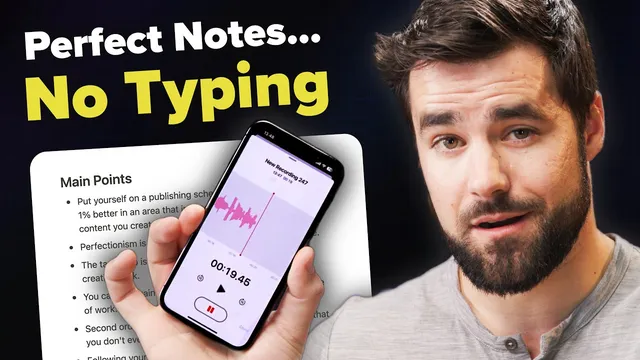
How I Use AI to take perfect notes...without typing
Based on Thomas Frank Explains's video on YouTube. If you like this content, support the original creators by watching, liking and subscribing to their content.
Set up a Pipedream workflow that triggers on new audio uploads to a specific Google Drive folder, not your entire Drive.
Briefing
A hands-off workflow can turn spoken voice notes into structured Notion pages—complete with a transcript, a concise summary, and actionable lists—by chaining OpenAI’s Whisper transcription with ChatGPT-style summarization inside an automation triggered by new audio uploads.
The core setup uses four building blocks: a Notion account with a notes database, an OpenAI account for API access, a cloud storage folder (Google Drive in the tutorial, with Dropbox as an alternative) to hold incoming audio, and Pipedream to connect everything. The automation watches a specific “audio upload” folder. When a new audio file lands there, Pipedream downloads it into a temporary directory, sends the audio to Whisper to produce text, then feeds that transcript into ChatGPT to generate a title, a summary, and lists such as main points and action items. The final step creates a new page in the chosen Notion database, so the voice note becomes a searchable record inside the user’s “second brain.”
Behind the scenes, the workflow is built as a sequence of steps inside Pipedream. First comes a Google Drive trigger: “emit a new event anytime a new file is added” to a selected folder. After testing the trigger, the workflow extracts the uploaded file’s ID and—crucially—its file extension so the system can handle different audio formats (the tutorial highlights M4A from iPhone Voice Notes, but the same logic supports other Whisper-supported types). Next, a Google Drive “download file” action pulls the audio into Pipedream’s /tmp storage, because Whisper can’t access Google Drive directly.
The Whisper step uses OpenAI’s transcription capability with the audio file path pointing to the downloaded temp file. Two practical issues are flagged: temp files may disappear if testing takes too long, and Pipedream’s default execution timeout (30 seconds) can cut off longer transcriptions. The workaround is to re-upload a test file if the temp directory expires, and to raise the workflow timeout to 180 seconds in execution control.
For summarization, a ChatGPT API step is configured with a carefully designed prompt. The tutorial emphasizes that output quality depends heavily on prompt structure, and it uses a delimiter-based format so the response can be parsed into separate fields. The system instructions force responses in Markdown, with example formatting that includes headings and bullet lists. A temperature setting around 0.2 keeps results consistent and straightforward.
One additional “formatter” step—implemented with a small Node.js code block—splits the ChatGPT output into distinct Notion-ready properties (title, summary, transcript, and additional lists). It also reformats the transcript into short paragraphs so Notion receives it as readable blocks rather than a single wall of text. Finally, a Notion step creates a database page from the database, sets the page title and properties (including a “type” value like AI transcription), and inserts the formatted Markdown content.
Once deployed, the system runs automatically: upload a voice note to the watched folder and Notion receives a fully structured page. Limitations remain—Whisper’s file size cap is noted (25 MB)—and the tutorial points to a code-heavy variant for longer audio. The result is a faster bridge between real-time thinking and long-term capture, replacing slow thumb-typing with spoken input that lands in Notion already organized for review and follow-up.
Cornell Notes
The workflow turns voice notes into structured Notion pages by automating three steps: (1) watch a cloud folder for new audio, (2) transcribe the audio with OpenAI Whisper, and (3) summarize the transcript with ChatGPT into a title, summary, and lists like main points and action items. Pipedream orchestrates the process, downloading the audio to /tmp so Whisper can access it, then creating a new page in a Notion database with Markdown-formatted content. Prompt design matters: delimiter markers and Markdown-only system instructions make the output parseable and consistent. A small formatter code step splits the model output into separate Notion fields and formats the transcript into short paragraphs for readability.
How does the automation decide when to start, and what exactly triggers it?
Why does the workflow download audio into a temp directory before calling Whisper?
What two common problems can break transcription during setup, and how are they handled?
How does the prompt structure make the ChatGPT output usable for Notion fields?
Why add a formatter step even though ChatGPT already returns structured text?
What practical limitation affects how long an audio note can be, and what’s the workaround?
Review Questions
- What information from the Google Drive trigger (ID, file extension) must be carried into later steps, and why?
- How do delimiter markers and Markdown-only system instructions improve the reliability of downstream parsing into Notion fields?
- What changes would you make if your transcriptions frequently time out or fail during testing?
Key Points
- 1
Set up a Pipedream workflow that triggers on new audio uploads to a specific Google Drive folder, not your entire Drive.
- 2
Download each uploaded audio file into Pipedream’s /tmp storage before sending it to OpenAI Whisper.
- 3
Dynamically use the uploaded file’s extension (e.g., M4A) so the workflow works across different audio formats.
- 4
Raise Pipedream’s execution timeout (e.g., to 180 seconds) to handle longer Whisper transcriptions.
- 5
Use a delimiter-based prompt plus Markdown-only system instructions so ChatGPT output can be parsed into title, summary, and lists.
- 6
Add a formatter step to split ChatGPT output into separate Notion properties and to format the transcript into short paragraphs.
- 7
Deploy the workflow so new voice notes automatically create structured Notion pages with transcripts, summaries, and action items.