How I Use ChatGPT to Take PERFECT Notes with My Voice
Based on Thomas Frank Explains's video on YouTube. If you like this content, support the original creators by watching, liking and subscribing to their content.
PipeDream can automate voice-note transcription and summarization by triggering on new audio uploads to a watched Dropbox/Drive/OneDrive folder.
Briefing
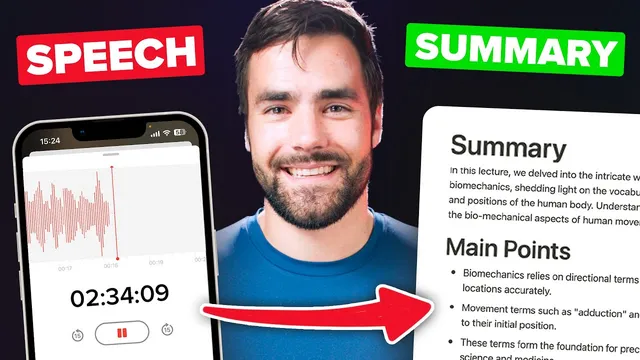
A voice-note workflow that turns spoken audio into near-perfect transcripts and structured summaries inside Notion has been rebuilt to be faster to set up, able to handle much longer recordings, and far more customizable. The system routes an uploaded voice memo through OpenAI’s Whisper transcription endpoint, then uses ChatGPT to generate a summary, bullet-point sections, and optional metadata before automatically creating a new entry in a chosen Notion database. The payoff is a “walk-and-talk” note-taking loop that can run hands-free once the automation is deployed.
The earlier version ran into three practical bottlenecks: it took too long to configure, it struggled with long audio (roughly capped around 45 minutes), and it offered limited control over what kinds of summaries were produced. The improved setup replaces those constraints with a streamlined onboarding flow, support for multi-hour audio files (two-hour recordings described as “no problem”), and toggles that let users turn summary components on or off and adjust the length/density of the output.
Setup begins by choosing where voice memos will be uploaded. Separate workflow versions exist for Dropbox, Google Drive, and Microsoft OneDrive; the walkthrough focuses on Dropbox. After importing the workflow into PipeDream, the automation is configured with a Dropbox “source” folder that triggers whenever a new audio file is added. A test event is generated by uploading a sample audio file (provided via a GitHub link), which supplies the trigger data needed to validate the rest of the pipeline.
Next comes the Notion connection. PipeDream is granted access to a specific Notion workspace and either a page containing the target database or the database itself. The workflow is designed to work with any Notion database, with an example using the “ultimate brain” template’s “All notes” database. Users then add an OpenAI API key so the automation can call Whisper for transcription and ChatGPT for summarization. The transcript-to-notes step also includes cost-awareness: after billing is added in OpenAI’s platform, a monthly hard limit can be set to cap spend. The workflow is described as inexpensive—about 40 cents per hour of transcribed audio.
Within the customization options, users can select which summary sections appear in Notion. “Summary” produces a paragraph, while other sections generate bullet lists such as main points and action items; additional categories like references/citations, arguments, and areas for improvement can be enabled. Users also map Notion properties (at minimum, a “note title” field) and can optionally populate duration and cost fields. For the model, the default is GPT 3.5 Turbo for cost-efficiency, with the option to switch to GPT-4 or a higher-context GPT 3.5 variant.
A key technical improvement addresses long recordings: the automation splits audio/transcripts into chunks and processes them concurrently, helping it stay within PipeDream timeout limits. After testing, the workflow is deployed so future uploads are processed automatically. The system also supports updates to the Notion voice-notes component without rebuilding the entire automation, and it’s positioned as a strong fit for the “ultimate brain” Notion template, though it remains database-agnostic.
Cornell Notes
The workflow turns voice memos into near-perfect transcripts and structured Notion notes by combining OpenAI Whisper for transcription with ChatGPT for summarization. Once deployed in PipeDream, it watches a chosen cloud folder (Dropbox/Google Drive/OneDrive), then automatically creates a new entry in a selected Notion database. Users can control which summary sections appear (paragraph summary plus optional bullet lists like main points and action items) and map Notion properties such as note title, duration, and cost. It’s built to handle long audio by chunking and processing parts concurrently to fit within PipeDream timeout limits. This matters because it makes “walk-and-talk” capture practical without manual transcription or formatting.
How does the automation transform a voice memo into a Notion note?
What changes make the newer workflow better than the earlier version?
Where do customization choices show up in the Notion output?
Why can the workflow handle multi-hour audio without timing out?
How are costs managed when using OpenAI APIs?
Review Questions
- What steps and integrations are required to move from an uploaded audio file to a created Notion note?
- Which summary sections can be toggled, and how do paragraph vs bullet outputs differ?
- How does chunking and concurrent processing help the workflow stay within automation platform time limits?
Key Points
- 1
PipeDream can automate voice-note transcription and summarization by triggering on new audio uploads to a watched Dropbox/Drive/OneDrive folder.
- 2
OpenAI Whisper handles transcription, while ChatGPT generates summaries that are written into a Notion database as structured note content.
- 3
The improved workflow is easier to set up than the earlier version and supports much longer recordings (multi-hour, with two-hour files described as feasible).
- 4
Customization controls let users enable or disable specific summary sections and adjust summary length/density.
- 5
The workflow uses an OpenAI API key and can be cost-capped via OpenAI’s monthly hard limit setting after billing is enabled.
- 6
Long audio reliability comes from splitting audio/transcripts into chunks and processing them concurrently to avoid PipeDream timeout limits.
- 7
Notion property mapping (at minimum note title, optionally duration/cost/tags) ensures each created note fits the database schema.