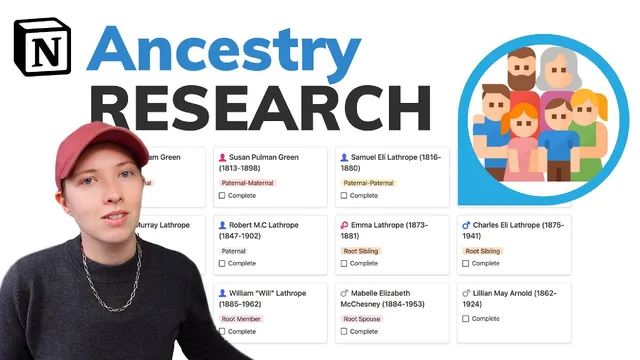
How I Use Notion: In depth family tree wiki & research workflow (Free Template)
Based on Red Gregory's video on YouTube. If you like this content, support the original creators by watching, liking and subscribing to their content.
Start with a root member and enter birth/death data early; derived fields (like extracted years and age at death) update automatically once exact dates are added.
Briefing
A Notion family-tree “wiki” can be built to function like a research hub—linking people, surnames, places, events, and citations—so every new fact automatically updates dashboards, timelines, and verification status. The core workflow centers on starting with a root person, attaching structured templates for each person type (through vs. non-through), then feeding in dates, relationships, and sources so the system can calculate summary stats (like average age at death) and surface missing information.
The setup begins on a landing page with two entry points: a “getting started” flow that prompts for a root member (often the builder) and a “family dashboard” to browse existing structure. For the root profile, the template captures name plus birth/death years, then refines those fields once exact dates are entered. Nicknames are handled explicitly (including quoted alternatives), and the template updates derived properties such as extracted birth/death years and approximate age at death.
Next comes applying the correct template to each person. The transcript distinguishes “through members” (direct-line relatives) from non-through relatives like siblings and aunts/uncles, using that classification to drive icons and page structure. Parents and grandparents are added as through members, while collateral relatives get non-through templates. Dates of birth and death are entered directly on each person’s page, and the system recalculates age-at-death automatically.
Surname pages act as rollups. When a person is attached to a surname (e.g., Lathrop), the surname database updates metrics such as number of members, average age at death, and average number of kids. The builder also uses an “earliest generation” concept and even swaps an emoji flag to reflect an English background.
A major organizing mechanism is an ID scheme using “on and toefl sorting.” Root members are assigned ID 1, and descendants receive IDs based on a binary-style rule: father = n×2, mother = n×2+1, with further ancestors following the same pattern. Siblings are handled as a practical workaround by keeping them aligned with the root member’s ID. This makes large trees easier to sort and navigate.
The system’s research backbone is citations tied to events. Timeline entries live under each person and can be bookmarked so attention stays on the active profile even when research detours occur. Events include birth, residence, and other life milestones, each with a date (or year-only), a location linked to a “places” database, and a citation list. Verification is explicit: citations can be marked verified or unverified, and the event reflects that status.
Citations also roll up structured facts. A World War II draft card citation, for example, is used not only to support birth details but also to extract occupation (e.g., lithographer), addresses, and household members (including a spouse). Occupations are normalized into dedicated pages so the surname dashboard can aggregate all lithographer-related entries across the family.
To scale beyond manual entry, the workflow integrates web clipping for reading material. Using a Chrome extension (“Save to Notion”), the builder saves an external article into a “reading material” database, then links it to relevant members and surnames (especially helpful for families with shared printing/industry themes).
Finally, the family dashboard provides multiple views: surnames, occupations, places grouped by region/country/type, collections of citations (like “world war ii draft cards” and “1900 united states federal census records”), and quality-control lists such as “incomplete members” missing parents, IDs, or birth years. The result is a living family-tree wiki that supports both storytelling and evidence-based genealogy, with dashboards designed to keep gaps visible as the database grows.
Cornell Notes
The workflow builds a Notion family-tree wiki that treats genealogy like a research database: people, surnames, places, events, and citations are connected through templates and relations. Starting from a root member, the system captures birth/death data, classifies relatives as “through” vs. non-through, and attaches each person to a surname so surname pages automatically update rollups like member counts and average age at death. Events (birth, residence, etc.) are stored with locations linked to a places database and supported by citations that can be marked verified or unverified. An ID scheme (“on and toefl sorting”) helps keep large trees sortable, while dashboards and “incomplete members” views highlight missing fields. Web clipping can add reading material and link it to relevant members and surnames.
How does the template system decide what kind of page a person gets (and why does that matter)?
What is the purpose of the ID scheme described as “on and toefl sorting,” and how are sibling IDs handled?
How do citations connect to events, and how does verification work?
Why are places and addresses separated into their own databases?
How do occupation and surname rollups work in the system?
What dashboard features help manage completeness and research focus?
Review Questions
- When adding a new person, what template choices determine whether they are treated as “through” or non-through, and how does that affect their placement in the tree?
- How does the ID assignment rule (father = n×2, mother = n×2+1) help sorting, and what special handling is used for siblings?
- Describe how a verified citation changes the status of an event and how that evidence can also populate additional fields like occupation and household members.
Key Points
- 1
Start with a root member and enter birth/death data early; derived fields (like extracted years and age at death) update automatically once exact dates are added.
- 2
Apply the correct person template based on relationship type (“through” vs. non-through) so parents, siblings, and rollups remain consistent.
- 3
Attach each person to a surname to trigger surname-level rollups such as member counts and average age at death.
- 4
Use the “on and toefl sorting” ID scheme for ancestor sorting (father = n×2, mother = n×2+1) and keep sibling IDs aligned with the root member as a practical workaround.
- 5
Record life milestones as events with linked locations and a citations list; mark citations verified/unverified so event confidence is visible.
- 6
Normalize occupations and locations into dedicated pages so surname and dashboard views can aggregate evidence across the whole family.
- 7
Use dashboards and “incomplete members” views to surface missing fields, and bookmark the active profile to prevent research detours from derailing progress.