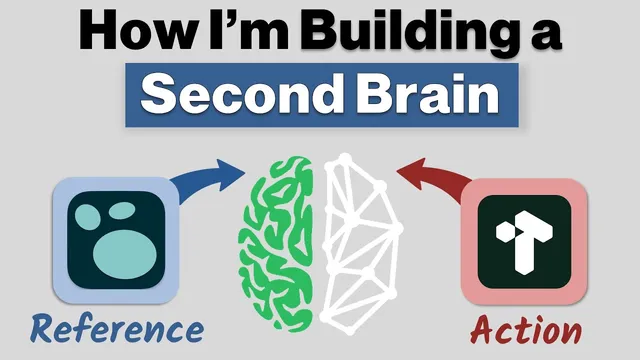
How I'm Building a Second Brain: Logseq + Tana
Based on CombiningMinds's video on YouTube. If you like this content, support the original creators by watching, liking and subscribing to their content.
A second brain is a workflow for trusted retrieval, not a single app; specialized tools should handle capture, reference, and action differently.
Briefing
A “second brain” isn’t a single app for storing notes—it’s a trusted workflow that decides what to keep, how to organize it, and how to resurface it when it matters. The core problem driving the approach is information overload: people bounce between email, bookmarks, highlights, and documents, then waste time re-finding what they already learned. The solution is to offload that mental work into a system built around personal knowledge management, so “reference” material becomes searchable and “action” material becomes scheduled.
The setup centers on Thiago Forte’s CODE framework—Capture, Organize, Distill, Express—then adds a crucial distinction between reference and action. When something is captured, it should be sorted by whether it’s actionable (needs time, tasks, or scheduling) or reference (needs to be reshaped and revisited later). Actionable items go to task management or calendar when a time component exists; reference items land in a notes/wiki layer where they can be tagged, linked, and summarized over time. The creator’s emphasis is heavily on the reference side: Logseq as the long-term knowledge base, with Tana as a complementary workspace for capture, structure, and project/task tracking.
Instead of trying to force everything into one tool, the workflow treats apps as specialized modules. Logseq is used as the “wiki” for learning and documentation—an open-source, offline-capable, true outline system that supports flexible tagging, reshuffling, and distillation. Tana is used for quick capture on mobile, AI transcription (via Whisper API), and structured templates that make frameworks repeatable. Incoming reading and web content is handled through Omnivore (read-later), which exports content as blocks that fit Logseq well. Readwise acts as the bridge for highlights and annotations, pulling Kindle highlights and other saved highlights into the system.
Capture is broken into four reference inputs: free-form writing/journaling, project-based scratch notes, reference banks (documentation, snippets, screenshots), and external inputs like newsletters, Twitter bookmarks, podcasts (via Snipd transcription), PDFs, and Kindle highlights. A key workflow preference is “daily journal first”: smaller highlights and quick notes start in Logseq journals, then get elevated into dedicated pages only after they’re distilled into core insights.
Organizing follows PAR—Projects, Areas, Resources, Archives—without requiring rigid folder hierarchies. The approach uses metadata (Logseq properties and Tana fields) and linking/search rather than strict namespaces, so information can be re-sliced as needs change. Distillation is handled through progressive summarization: highlights are progressively emphasized and reshuffled so the most important parts bubble up for later retrieval. Expressing can mean publishing, but it can also be internal value—turning distilled knowledge into checklists or reusable decision frameworks.
The practical takeaway is a system that reduces rework: capture quickly, tag and link for retrieval, distill what matters, and route action items into tasks and calendars. The specific stack—Logseq + Tana, supported by Omnivore, Readwise, and other capture tools—illustrates how a second brain can be built as an interconnected set of workflows rather than a single “all-in-one” database.
Cornell Notes
The second brain approach described here treats knowledge management as a workflow, not a single app. It separates “reference” from “action”: reference material goes into a notes/wiki system for later retrieval, while actionable items route to tasks or a calendar when timing matters. The workflow is built around Thiago Forte’s CODE method (Capture, Organize, Distill, Express) and uses PAR (Projects, Areas, Resources, Archives) for organization via metadata and linking rather than rigid folders. Logseq serves as the long-term reference layer, while Tana supports capture, AI transcription, and structured project/task management. Omnivore and Readwise handle inbound reading and highlight syncing so the system stays current without constant manual sorting.
Why does the workflow insist a second brain is not “one app,” and what problem does that solve?
How does the reference-vs-action distinction change what happens after capture?
What does “Capture” mean in practice, and what are the four reference inputs?
How does “Organize” work without rigid folder hierarchies?
What is “Distill,” and why does it matter for retrieval later?
How do “Express” and “CODE” connect to everyday knowledge work?
Review Questions
- How would you decide whether a new note belongs in the reference system versus task/calendar routing?
- What metadata strategy would you use to implement PAR in a notes tool that supports properties and linking?
- Describe a “daily journal first” workflow and explain when you would elevate a note into a dedicated page.
Key Points
- 1
A second brain is a workflow for trusted retrieval, not a single app; specialized tools should handle capture, reference, and action differently.
- 2
Use a reference-vs-action filter at capture time: reference goes to notes/wiki for later retrieval, while action routes to tasks or calendar when timing matters.
- 3
Build around CODE (Capture, Organize, Distill, Express) and treat distillation as progressive summarization so the most important parts surface quickly.
- 4
Implement PAR (Projects, Areas, Resources, Archives) using metadata and linking/search rather than rigid folder hierarchies.
- 5
Start with Logseq for long-term reference and reshaping; use Tana for fast capture, structured templates, and project/task management.
- 6
Route inbound reading and highlights through Omnivore and Readwise so external information arrives already structured for later use.
- 7
Adopt a “daily journal first” habit: keep small highlights in journals, then elevate only after distillation makes them worth dedicated pages.