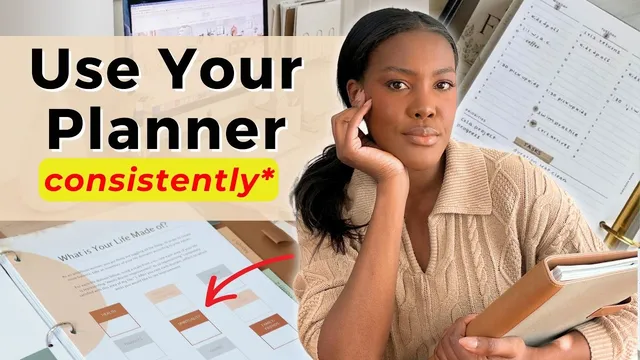
How To Actually Use Your Planner
Based on Dr. Tiffany Shelton's video on YouTube. If you like this content, support the original creators by watching, liking and subscribing to their content.
Treat a planner as a strategy tool to reach goals, not as a “savior” that automatically creates organization.
Briefing
A planner only works when it’s treated as a goal-reaching tool—not a “savior” that magically fixes organization. The core shift is to define a clear destination (“point B”) and then use the planner to build a strategy that moves day-to-day actions toward personal, business, or professional goals. That intentional purpose is what turns a blank notebook into a living system, making it easier to stay connected to the plan instead of letting a new planner sit untouched.
The recommended method starts with goal definition and reverse goal setting. Goals are organized across time horizons—quarterly, monthly, weekly, and daily—so each layer becomes a bridge from the bigger picture to the next set of actions. The system described uses a “reverse” approach: set larger targets first (like 12-week or 90-day goals), then plan backward into quarterly intentions, monthly plans, weekly priorities, and finally daily time blocks. The planner’s structure matters because it reduces cognitive friction: breaking work into milestones supports follow-through and executive functioning, making it easier to actually act on what’s written.
Consistency is treated as a practical design problem, not a motivation problem. The advice is to keep the planner visible and accessible—ideally on the desk rather than stored in a bag or on a shelf—so it stays “top of mind” during real work. A weekly reset routine is positioned as the anchor that pulls people back on track after missed days. Habit tracking helps during the ramp-up period, and the weekly planning session is scheduled at the same time each week (often Friday), with a “non-negotiable” rule: if it doesn’t happen on Friday, it gets done first thing Monday.
To make the planner useful during busy weeks, it’s also framed as a mental-load manager through a Getting Things Done-inspired workflow. The capture step is emphasized: ideas, tasks, and physical items are collected so they don’t live in memory. Capturing can happen in a digital “second brain” (Notion) and also in paper when phone access isn’t convenient or when working on a computer. The weekly review is where items get clarified and organized—tasks are dated, moved to “scheduled” or “due next,” and then placed into the paper planner’s running to-do list. Meetings from a digital calendar (Google Calendar) are inserted first as non-movable anchors, and remaining tasks are “plugged in” around them.
A key warning is not to overload the paper planner. Projects and long-running “bird’s-eye view” needs may live elsewhere, while the paper planner focuses on brainstorming goals, capturing to-dos, and daily/weekly execution. The system is also designed to be hybrid: paper for clarity and engagement, digital tools for storage and processing.
Finally, the approach encourages starting small and staying functional. Instead of stickers, tabs, and dashboards that can create overwhelm, the guidance favors simple, repeatable habits—like color-coding with a highlighter—and then gradually adding decoration only if it supports the routine. The result is a planner that gets used daily because it’s integrated into planning, capture, review, and time-blocking rather than treated as a decorative purchase.
Cornell Notes
The planner becomes effective when it’s tied to a defined purpose: pick a “point B” (goals and desired life), then plan backward from quarterly and monthly intentions to weekly priorities and daily time blocks. Consistency is built through visibility (keep it on the desk) and a weekly reset routine done at the same time each week, with a non-negotiable catch-up rule if it’s missed. To reduce mental load, tasks and ideas are captured—often in Notion for digital capture and in paper notes for quick or physical items—then clarified during the weekly review and moved into scheduled or due-next lists. Meetings from Google Calendar are placed first, and remaining tasks are time-blocked around them. The system stays sustainable by avoiding overload and starting simple, using light organization like color-coding rather than complex decoration.
How does defining a “point B” change the way someone uses a planner?
What does “reverse goal setting” look like in practice?
Why are weekly planning and daily planning singled out as the most useful choices?
How does a Getting Things Done-style workflow help with planner consistency?
What’s the recommended approach to avoid overwhelming a paper planner?
What specific habits make the planner more likely to be used every week?
Review Questions
- What does reverse goal setting require you to do first, and how does that affect what you write on daily pages?
- During the weekly review, how are tasks moved from an inbox into “scheduled” or “due next,” and then into the paper planner?
- What changes would you make to keep your planner from becoming overwhelming while still capturing and executing tasks?
Key Points
- 1
Treat a planner as a strategy tool to reach goals, not as a “savior” that automatically creates organization.
- 2
Set a clear destination (“point B”) and plan backward across quarterly, monthly, weekly, and daily layers.
- 3
Use weekly planning as a reset mechanism and daily planning for realistic time blocking.
- 4
Capture tasks and ideas reliably (often in Notion for digital capture and in paper notes for quick or physical items) to reduce mental load.
- 5
Clarify and organize captured items during a weekly review by dating them and moving them into scheduled or due-next lists.
- 6
Avoid overloading the paper planner; keep it focused on brainstorming, capture, and day-to-day execution while long-running views can live elsewhere.
- 7
Build consistency through visibility, a fixed weekly reset routine, habit tracking during ramp-up, and phone clock alarms to trigger planning.