How to Build a FREE Website with Notion (Full Tutorial)
Based on Thomas Frank Explains's video on YouTube. If you like this content, support the original creators by watching, liking and subscribing to their content.
Treat a Notion portfolio like a sales page: lead with a targeted promise, then move quickly into proof and credibility.
Briefing
A free Notion portfolio can function as a full, public website that helps freelancers and job seekers win attention—because it’s built like a sales page: clear positioning up top, proof in the middle, and a direct path to contact at the bottom. The core idea is that a portfolio shouldn’t just display work; it should persuade visitors that hiring you is the smart, low-risk choice, including why your editing (or any craft) creates measurable value.
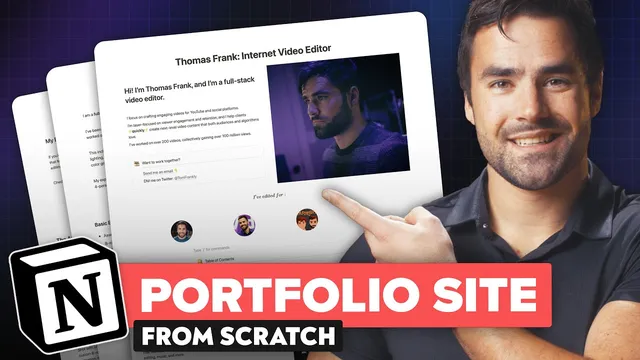
The portfolio example centers on a video editor’s page, but the structure is meant to be transferable to any niche. The top “hero” section combines identity and specificity: a photo, a tagline that names the role (“full-stack video editor”), and a promise tied to the audience’s goals—YouTube and social editing focused on viewer engagement and retention. Credibility is reinforced immediately with quantified achievements (e.g., “200 videos” and “100 million collective views”) and a logo-style trust element. A table of contents then lets visitors jump to sections quickly, reducing friction for skimmers.
The middle sections do the selling through work samples and social proof. An embedded “reel” compresses a wide range of projects into a short showcase, then expands into highlighted categories that demonstrate both range and specialization—artistic edits, how-to edits with fast turnaround, interview storytelling (framed as a rarer skill), and Hollywood-level work, plus short-form and music videos. Beneath that, testimonials are presented as a “wall of love” using screenshots of positive comments, reinforcing that the quality is recognized by real viewers.
Next comes a services map that translates skills into client outcomes. Instead of vague claims, the page lists concrete capabilities—assembly cuts, color grading, VFX, and sound design—so clients can quickly match needs to offerings. A standout section then shifts from showcasing to persuasion: a “value of great editing” letter argues that editing is a language and a context-sensitive craft, not just flashy effects. It also uses numbers to frame ROI, citing an example where a video’s performance translated into views, subscribers, and revenue (including AdSense), supporting value-based pricing rather than racing to the bottom.
The build process is equally practical. The tutorial walks through creating the layout in Notion using free account features: multi-column rows (via commands like “/2c”), callouts with styling, toggles for expandable sections, embedded YouTube players, and KaTeX-based alignment tricks for perfectly centered text. For a logo reel that won’t break on mobile, it recommends exporting a transparent-background image from Whimsical rather than relying on stacked columns. It also shows how to generate a dynamic table of contents using Notion’s “/toc” block.
To make the page actionable, the contact form is embedded from Tally (free form creator), with self-email notifications enabled so submissions don’t get lost. Finally, the page is published publicly using Notion’s “Share to web,” enabling a shareable link that works without requiring visitors to log in. For branding, it also covers options like custom domains via redirect services (e.g., Hover), link-in-bio alternatives like beacons.ai, and styling layers through Notion website builders such as Super, Potion, and Notaku—turning Notion into a lightweight CMS with a more polished front end.
Cornell Notes
The portfolio template treats Notion as a free website and builds it like a sales page: a targeted hero section, a proof-heavy work showcase, credibility via testimonials, and a clear path to contact. The example emphasizes specificity (platforms and editing style), measurable achievements (views, subscribers, revenue), and value-based pricing rather than competing on low rates. It also demonstrates how to implement the layout in Notion using multi-column blocks, callouts, toggles, embedded videos, and a dynamic table of contents. A Tally form embedded in Notion provides a functional inquiry channel, and “Share to web” publishes the page publicly. The result is a shareable link that can be used in social bios to attract clients or employers.
Why does the portfolio start with a “hero” section instead of jumping straight to work samples?
What makes the work showcase more persuasive than a simple gallery of videos?
How do testimonials function in the portfolio’s persuasion strategy?
What’s the purpose of the “value of great editing” section, and how does it support higher pricing?
Which Notion features and blocks are used to build the layout effectively?
How does the portfolio turn into a functional lead-capture site?
Review Questions
- What specific elements in the hero section reduce uncertainty for a potential employer or client before they see any work samples?
- How does the portfolio’s structure support value-based pricing rather than competing on low rates?
- Which Notion blocks and external tools are necessary to make the page both visually structured and functional (e.g., embedded videos and a working contact form)?
Key Points
- 1
Treat a Notion portfolio like a sales page: lead with a targeted promise, then move quickly into proof and credibility.
- 2
Use measurable achievements (views, counts, revenue) to make the value of your work concrete and support higher pricing.
- 3
Curate work samples by category (artistic, how-to, interviews, fast turnaround) so visitors can match your skills to their needs.
- 4
Add testimonials as third-party validation; a “wall of love” of comments can outperform generic claims.
- 5
Build layout with Notion blocks like multi-column rows, callouts, toggles, and a dynamic “/toc” table of contents.
- 6
Embed real functionality: use Tally for a contact form and enable self-email notifications so leads don’t get missed.
- 7
Publish publicly with “Share to web,” then use a custom domain redirect or link-in-bio tools to distribute the portfolio link easily.