How to Convert a Continuous Variable in to a Categorical Variable using SPSS?
Based on Research With Fawad's video on YouTube. If you like this content, support the original creators by watching, liking and subscribing to their content.
Identify the observed minimum and maximum values of the continuous age variable before defining age-group intervals.
Briefing
Turning a continuous age variable into clear “age group” categories in SPSS starts with defining the minimum and maximum values, then building recoding ranges that match the thesis table format. With ages running from 20 to 59, the categories can be set as 20–29, 30–39, 40–49, and 52–59 (each assigned a numeric code such as 1 through 4). In SPSS, this is done under Transform → Recode into Different Variables, where the original age variable is recoded into a new variable (for example, AG_gr). The recode uses the “Range” option so that each age interval maps to a specific code: 20–29 becomes 1, 30–39 becomes 2, 40–49 becomes 3, and 52–59 becomes 4.
Once the new categorical variable exists, the next step is choosing the right SPSS output so the results are thesis-ready. If descriptive statistics are run on the coded variable, the output may show a mean like 1.91—technically correct but not meaningful to readers because it’s expressed in category codes rather than age ranges. The more useful approach is Analyze → Descriptive Statistics → Frequencies using the new age-group variable. This produces a frequency table listing each code (1, 2, 3, 4) and the number of respondents in each group.
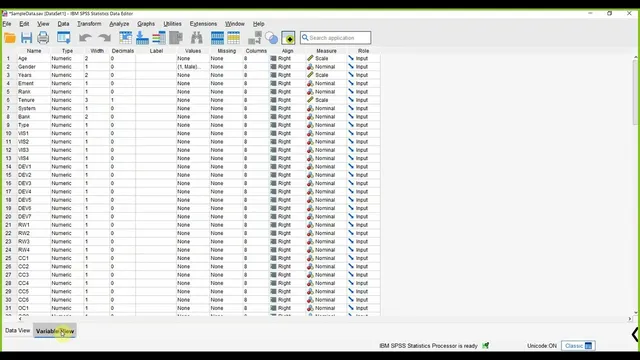
However, the frequency table still isn’t reader-friendly until the codes are labeled. SPSS can attach value labels to the categorical variable: go to the variable’s “Values” settings and define what each numeric code represents. For example, label 1 as “20 to 29,” 2 as “30 to 39,” 3 as “40 to 49,” and 4 as “52 to 59.” After applying these value labels, rerunning Frequencies yields a table where readers immediately see the age ranges alongside the respondent counts—exactly what’s needed for an APA-style thesis table showing age group, frequency, and percentage.
In short: define age-group ranges from the observed minimum and maximum, recode the continuous age into a new categorical variable using SPSS’s range-based recoding, then label the resulting codes so frequency outputs communicate the actual age intervals instead of abstract numbers.
Cornell Notes
A continuous age variable (20–59) can be converted into a categorical “age group” variable in SPSS by recoding it into defined ranges. The process uses Transform → Recode into Different Variables to create a new variable (e.g., AG_gr) and assigns numeric codes to each interval (1 for 20–29, 2 for 30–39, 3 for 40–49, 4 for 52–59). Running Frequencies on the coded variable gives counts per code, but the table becomes meaningful only after adding value labels that map each code to its age range. This produces thesis-ready output showing respondent frequencies by age group (and supports APA-style tables).
Why is it not enough to run Descriptives on the recoded age-group variable?
What SPSS steps create a new categorical age-group variable from a continuous age variable?
How do Frequencies and value labels work together to make results readable?
What information should be determined before recoding age into categories?
What does the frequency table output represent after recoding?
Review Questions
- What SPSS menu path converts a continuous variable into a categorical variable using recoding?
- How would you interpret a mean value like 1.91 for a recoded age-group variable, and why is it less useful than a labeled frequency table?
- What steps turn a frequency table with codes (1–4) into a thesis-ready table with age ranges?
Key Points
- 1
Identify the observed minimum and maximum values of the continuous age variable before defining age-group intervals.
- 2
Create a new categorical variable in SPSS using Transform → Recode into Different Variables.
- 3
Use the “Range” option in recoding so each age interval maps to a specific numeric code.
- 4
Run Analyze → Descriptive Statistics → Frequencies on the new categorical variable to get respondent counts per group.
- 5
Add value labels to map each numeric code to its corresponding age range so readers understand the categories.
- 6
Prefer labeled frequency output over Descriptives on coded categories, since coded means (e.g., 1.91) are not reader-friendly.