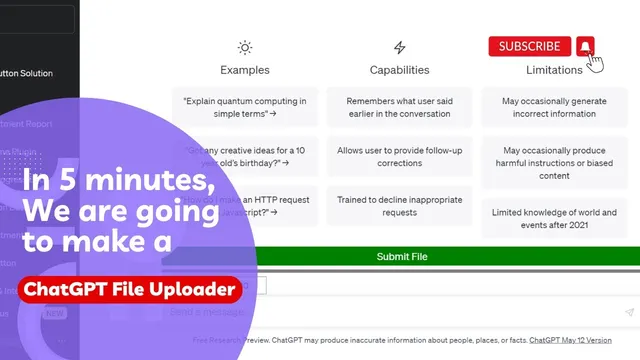
How to Upload files to ChatGPT to do analysis. We are going to create a File Uploader for ChatGPT.
Based on Advanced ChatGPT's video on YouTube. If you like this content, support the original creators by watching, liking and subscribing to their content.
ChatGPT’s paste limit (around 15,000 characters) can be avoided by uploading the content as a file instead of pasting it all at once.
Briefing
Uploading long documents into ChatGPT without hitting the platform’s input limits is the central workaround: instead of pasting everything at once (which triggers an error once content exceeds roughly 15,000 characters), the document is saved as a file and then automatically split into smaller chunks. Those chunks are uploaded sequentially, letting ChatGPT process the full source material and then answer questions, summarize key points, and generate conclusions grounded in the uploaded text.
The walkthrough begins with a practical example: an end-of-month report that’s too large to paste directly. The creator recommends converting the report into a text-only format—specifically copying the content into Notepad on Windows and saving it as a .txt file—because figures can complicate ingestion. After that, the file is uploaded through ChatGPT’s “Submit file” flow. During upload, ChatGPT breaks the document into parts and shows progress, indicating that the system is chunking and processing the content rather than rejecting it for being too long. Once the upload completes, follow-up prompts can be used to interrogate the report: generating a set of questions for a meeting, summarizing reading objectives, analyzing the document, drawing conclusions, and identifying challenges along with solutions. The key claim is that this approach effectively bypasses the paste limit by turning one large input into multiple smaller submissions that collectively represent the entire document.
The second half shifts from using the feature to building a reusable “File Uploader” button. A prompt is provided to ChatGPT instructing it to generate front-end code: create a “submit file” button, add a progress bar, accept specific file formats, and—critically—split files that exceed the character threshold into chunks. The code guidance also covers how to insert each chunk into ChatGPT and label it with the file name, while updating the progress bar as each part is submitted and changing its color (to blue) when all chunks finish uploading.
After generating the code, the process moves to implementation steps in a browser: inspect the page, clear console errors, inject the generated code, and verify the new button appears and can open the file explorer. To make the tool portable, the code is converted into a bookmarklet so the uploader button can be launched with a single click in future sessions. The workflow is then extended further into a Chrome extension by creating a minimal project with manifest.json and content.js, loading it via the Extensions page, and running a quick test to confirm it works.
Finally, the chunk size is presented as a tunable parameter. Smaller chunks (for example, 10,000 or even 5,000 characters) may improve accuracy but require more prompts, increasing the number of chunk submissions. The overall takeaway is that file-based chunk uploading can turn ChatGPT into a more effective analysis assistant for long reports and topic-specific reading materials, while the automation layer makes the process repeatable and shareable.
Cornell Notes
The workflow addresses ChatGPT’s input limit (about 15,000 characters) by uploading documents as files and splitting them into smaller chunks. Instead of pasting a long report and hitting an error, the document is chunked and uploaded piece by piece, allowing ChatGPT to process the full content and then answer questions, summarize objectives, and generate conclusions grounded in that text. The process is demonstrated with an end-of-month report saved as a text file. It then moves from manual uploading to automation: prompts generate code for a “submit file” button plus a progress bar, and the uploader is packaged as a bookmarklet or Chrome extension. Chunk size can be adjusted to trade off accuracy against the number of submissions.
Why does pasting a long report into ChatGPT fail, and what replaces that approach?
What file preparation is recommended before uploading?
What kinds of outputs become possible after the document is uploaded successfully?
How does the automation prompt change the process from manual uploading to a reusable uploader button?
How are the generated uploader tools made reusable across sessions?
What trade-off exists when adjusting chunk size?
Review Questions
- What specific mechanism prevents the 15,000-character paste limit from blocking analysis of a long report?
- How would you modify the uploader’s chunk size to prioritize accuracy over speed, and what cost would that introduce?
- What steps are required to turn the generated uploader code into a bookmarklet versus a Chrome extension?
Key Points
- 1
ChatGPT’s paste limit (around 15,000 characters) can be avoided by uploading the content as a file instead of pasting it all at once.
- 2
Long documents should be saved as plain text (e.g., via Notepad on Windows) to reduce ingestion issues from figures or complex formatting.
- 3
Successful file upload relies on chunking: the document is split into smaller parts, uploaded sequentially, and then treated as a complete source for Q&A.
- 4
A reusable uploader can be automated by generating code for a “submit file” button plus a progress bar that updates as each chunk is submitted.
- 5
The uploader can be packaged for reuse either as a bookmarklet (single-click access) or as a Chrome extension (manifest.json + content.js).
- 6
Chunk size is adjustable: smaller chunks can improve accuracy but increase the number of submissions and prompts.
- 7
After upload, prompts can drive document-grounded outputs such as meeting questions, summaries, and challenge-and-solution analysis.