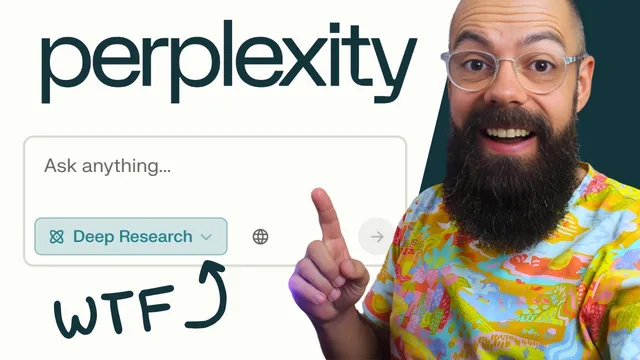
How to Use Perplexity's Deep Research & Save HOURS on research
Based on Andy Stapleton's video on YouTube. If you like this content, support the original creators by watching, liking and subscribing to their content.
Perplexity’s Deep Research mode supports academic-only sourcing by letting users turn off web results and enable academic search.
Briefing
Perplexity’s “Deep Research” is positioned as a student-friendly way to produce literature reviews with academic-only sourcing—without the manual copy-paste and reference wrangling that often slows down research. The standout feature is control over search sources: users can disable web results and keep the workflow focused on academic material, then ask for tasks like a literature review or a structured research write-up. In practice, the tool generates a research plan, runs through staged steps, and returns a synthesized answer backed by a large set of citations.
A key test involved writing a literature review on nanomaterials for transparent electrodes, specifically targeting new materials, fabrication methods, figure of merit, and stability. After switching to Deep Research mode and setting sources to academic (with web turned off), the workflow produced a multi-section output that broke the topic into categories such as emerging nanomaterials, novel fabrication methods, figure of merit analysis, and stability/degradation mechanisms, ending with a conclusion. The result included 58 academic sources, which the user could expand, remove selectively, and open to view the underlying references.
The interface also supports verification and reuse. Clicking through references takes users directly to the cited material, and the output is organized so citations appear in context rather than forcing users to reconstruct a bibliography afterward. For deliverables, the tool offers export options including PDF, Markdown, and a “Perplexity page” view designed for easier reading and navigation. The PDF is described as fully linked—so references remain clickable—making it practical for study sessions or handing work in with traceable sourcing.
The comparison with ChatGPT is nuanced. Perplexity is praised for academic-only sourcing, structured readability, and export formats that preserve links to sources. ChatGPT is described as sometimes providing more raw information, but it can require more cleanup—copying references, dealing with non-academic citations, and reformatting. In short, Perplexity is framed as more usable for academic workflows, even if it may be less expansive.
One limitation surfaced during a “short 300-word intro for a peer-reviewed paper” prompt: the system handled the topic well but didn’t supply references for that shorter output. The user also felt Deep Research tends to produce “big and deep” results rather than compact, tightly referenced summaries. Still, with Deep Research available for free and capped at a limited number of enhanced queries per day, the overall takeaway is that Perplexity’s Deep Research is a practical research assistant for students—especially when the priority is credible academic citations and a structured literature review that can be exported and revisited later.
Cornell Notes
Perplexity’s Deep Research is built for academic workflows, emphasizing citation-backed outputs and controllable sourcing. With web search turned off and academic search enabled, it can generate a staged literature review that synthesizes findings into clear sections (e.g., emerging materials, fabrication methods, figure of merit, and stability). In a nanomaterials/transparent electrodes test, it produced an answer with 58 academic sources and let users expand, remove, and click through references. Export options (PDF, Markdown, and a navigable Perplexity page) keep citations linked for later verification. The main gap noted is that short, peer-reviewed-style outputs may omit references and Deep Research can skew toward longer, deeper results.
What makes Perplexity’s Deep Research feel different for academic work compared with general chat outputs?
How did the nanomaterials/transparent electrodes test demonstrate the tool’s strengths?
What citation and verification features help users reuse the research?
How do export formats change the usability of the output?
Where did Deep Research fall short in the “short peer-reviewed intro” attempt?
What trade-off emerged in the Perplexity vs. ChatGPT comparison?
Review Questions
- When web search is disabled and academic search is enabled, what kinds of outputs does Deep Research produce, and how does that affect citation quality?
- In the nanomaterials/transparent electrodes example, which sections were used to structure the literature review, and what does that imply about how the tool organizes evidence?
- What specific limitation appeared when requesting a short (300-word) peer-reviewed-style introduction, and why does that matter for academic workflows?
Key Points
- 1
Perplexity’s Deep Research mode supports academic-only sourcing by letting users turn off web results and enable academic search.
- 2
Deep Research runs through a staged process (including a research plan) before returning a structured literature review.
- 3
A nanomaterials/transparent electrodes test produced a multi-section review with 58 academic sources and clickable references.
- 4
Export options—PDF, Markdown, and a navigable Perplexity page—aim to preserve usability and citation traceability.
- 5
Perplexity is positioned as more submission-ready than chat-style outputs because references are integrated and exports keep links intact.
- 6
A noted gap is that short peer-reviewed-style outputs may omit references, and Deep Research can skew toward longer, deeper responses.