How To Use RemNote: Practical Note-taking Advice & Flashcard Types
Based on Red Gregory's video on YouTube. If you like this content, support the original creators by watching, liking and subscribing to their content.
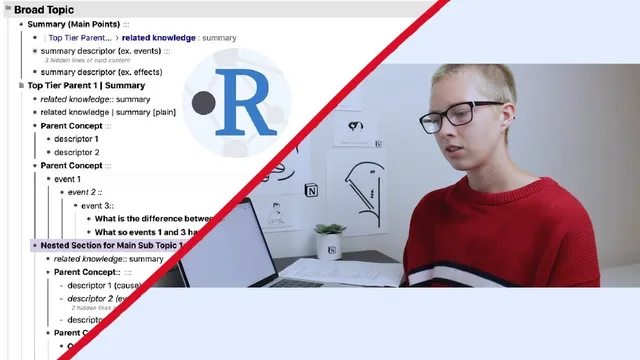
Use H1/H2/H3 headings to build an accordion-style hierarchy where deeper concepts are more specific and flashcards inherit context from that structure.
Briefing
RemNote is built for turning nested notes into a connected knowledge base, then converting selected pieces of that structure into flashcards with built-in spaced repetition. The core workflow is an “accordion” hierarchy—broad topics down to increasingly specific concepts—paired with backlinking and tagging that link related ideas across a workspace, so studying becomes more than collecting facts; it becomes navigating a web of meaning.
Notes start with a sidebar organized into sections like pinned, draft, and finished. From there, users create hubs (folders or documents) that act like dashboards: everything inside a hub is tied to the hub’s title. The hierarchy uses heading levels as the backbone—H1 for the broadest topic, H2 for main subtopics, and H3 for section breakers. Each heading automatically creates a “power up” tag-like element, letting users jump across all headings of the same level throughout the workspace. Portals extend this idea: they can display and even edit content from other places, enabling quick cross-navigation (for example, pulling in decks from a French hub into a different hub).
Flashcards are created directly from the note structure using punctuation-based controls. A multi-line flashcard is made by using double colons “::” next to a label; the card can prompt recall either forward (show the question first) or backward (show the answer first), depending on the practice direction. Plain text lines remain non-flashcard content, while “::” turns them into prompts. The most important design choice is how much context appears on the back of a card: RemNote’s hierarchy means flashcards can automatically include parent headings and related descriptors, which is useful for context but can become noisy if questions are nested too deeply. When that happens, restructuring—such as tab-indenting questions under the specific event list—keeps the back of the card focused on only what should be referenced.
RemNote also supports different flashcard types for different learning patterns. A “set” uses a dash-style list so the card prompts items one at a time, which works well for sequences like cause → event → effect. Multi-line cards can ask for multiple descriptors at once, while sets help learners build stepwise recall. Another feature, “close,” works like Anki-style cloze deletions: users can create cards that hide specific terms within a sentence, then merge multiple closes into a single prompt when both terms should be recalled together.
Once notes are structured, flashcards are accessed through a dedicated flashcard view (the “q” button), where practice can run with spaced repetition or without it. Learners can type answers or recall them, then mark results using quick keys (e.g., wrong/right/known-too-early). Flashcards can also be edited later, with signals returning the learner to the exact concept in the notes.
Finally, the system’s tagging and linking features turn the hierarchy into a navigable graph. Users can link summary descriptors to other notes, use hashtag-based related content, and even filter by color via highlighting power-ups. Practical extras include dark mode and mention of newer features like a Pomodoro timer for flashcards. The takeaway is a single integrated loop: nest ideas, link them, convert the right parts into flashcards, and study in a way that reinforces the structure of understanding—not just isolated memory.
Cornell Notes
RemNote organizes knowledge as nested headings (H1 → H2 → H3), creating an “accordion” structure where concepts become more specific as you go deeper. Double colons “::” turn selected multi-line entries into flashcards, with practice direction controlling whether the prompt is forward or backward. Set-style lists and cloze (“close”) cards support different recall patterns: sets for step-by-step descriptors and cloze for hiding terms in context, including merging multiple closes into one card. Portals, backlinks, and hashtags connect related ideas across hubs, effectively turning notes into a web of concepts. Flashcards are practiced from a workspace-wide view with built-in spaced repetition and fast grading shortcuts, while edits can be routed back to the originating note.
How does RemNote’s heading hierarchy affect both note organization and flashcard context?
What’s the practical difference between a multi-line flashcard and a “set” flashcard?
How does RemNote’s “close” function work, and when would someone merge closes?
Why do portals matter for building a connected knowledge base?
How does spaced repetition practice work during flashcard sessions?
What are two ways to create related-content links using hashtags and linking?
Review Questions
- When a flashcard is nested inside multiple heading levels, what kinds of context might appear automatically on the card, and how can that be controlled?
- In what learning scenario would a set-style flashcard be preferable to a multi-line flashcard?
- How can portals and hashtags work together to keep related concepts connected across different hubs?
Key Points
- 1
Use H1/H2/H3 headings to build an accordion-style hierarchy where deeper concepts are more specific and flashcards inherit context from that structure.
- 2
Create flashcards with double colons “::” and control whether practice runs forward or backward to match how recall should feel.
- 3
Restructure indentation (tabbing) when questions accidentally become part of the same multi-line flashcard back; keep only the intended items visible.
- 4
Choose card types intentionally: multi-line cards for recalling grouped descriptors at once, set-style lists for step-by-step recall, and close cards for cloze-style term hiding.
- 5
Use portals to pull in and edit content from other hubs directly inside a hub, enabling fast cross-navigation.
- 6
Practice flashcards from the workspace view with built-in spaced repetition, then use quick grading shortcuts and edit-later to refine notes.
- 7
Link and tag related concepts (via explicit links and hashtags) so summaries and supporting details form a navigable web rather than isolated entries.