I Built A Wikipedia Search Portal Inside Notion (Research Workflow)
Based on Red Gregory's video on YouTube. If you like this content, support the original creators by watching, liking and subscribing to their content.
Use a Notion notes database as the research notebook, with each note holding multiple embedded Wikipedia links for different lookup modes.
Briefing
A Wikipedia-to-Notion workflow built around saving both “what to search” and “what to clip” turns research into a repeatable system. The core idea is to store Wikipedia links inside a Notion notes database so every note can carry (1) a set of prebuilt Wikipedia entry points—main pages and guaranteed search-result pages—and (2) an archive of sourced pages and even specific text blocks that can be pulled back into future writing.
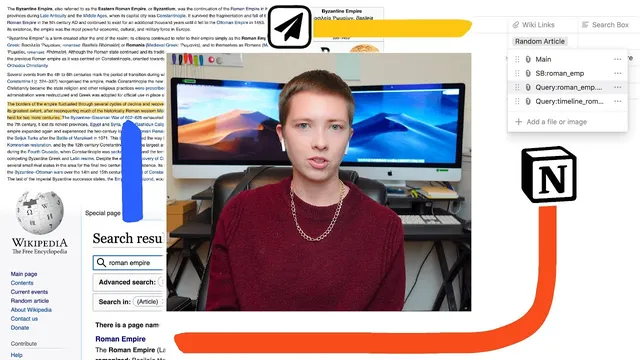
The process starts with a “notes with search database” that functions like a notebook. Each note represents a research topic (for example, “Fall of the Roman Empire”) and includes a formula-driven “wiki url” that generates Wikipedia destinations based on the note title or a chosen search string. Instead of relying on a single Notion URL field, the workflow uses Notion’s “files and media” property to store multiple embedded links. Those embedded links are then renamed to reflect their role—such as “main” for the closest-matching Wikipedia page, “sb” (search box) for a keyword-driven lookup, and “query” for search results.
Three link types matter most. A “title search” link attempts to land on the most relevant Wikipedia page for a given title, but it can redirect or miss. To make results reliable, the system uses Wikipedia’s internal search index by prefixing the query with a star, which forces the URL to return a search results page that “always works.” A third shortcut uses a section-key-style variant (on macOS described as Option+6) to target a timeline-oriented search, enabling quick access to results like “Roman Empire timeline” rather than only the Roman Empire overview.
For cases where a topic is a proper noun embedded in a longer phrase—like “George Washington’s presidency”—the workflow isolates the key term (e.g., “George Washington”) using parentheses, then generates a “main” link that points to the correct Wikipedia page. It also includes a “random article” button pinned to the top of the database using a “special colon random” pattern, giving a quick way to break out of a fixed research path.
Once Wikipedia results are reached, the workflow shifts from link generation to content capture. A separate property, “archived links,” stores linked pages saved into the corresponding note. This is powered by the “Save to Notion” browser extension, configured to connect saved Wikipedia pages to the right Notion note via a two-way relation. The extension can clip either full page content (often skipped for research) or just the page metadata, while also supporting “add to highlight” to save selected text blocks into the note.
Finally, an “Evergreen” Notion extension provides retrieval across the workspace. Instead of hunting manually, it surfaces saved blocks related to a query (e.g., “north africa” within “Wikipedia byzantine empire”), and it can paste a specific block back into the current note as a block-level link—complete with breadcrumbs showing the parent context. The result is a closed loop: prebuilt Wikipedia entry points, structured archival of sources, and block-level recall for ongoing writing.
Cornell Notes
The workflow builds a Notion research system that links every note to Wikipedia entry points and then archives the resulting sources. Each note stores multiple embedded Wikipedia links—typically a “main” page link, a keyword “search box” link, and a “query” link that uses Wikipedia’s search index (triggered by a star) to reliably return search results. For timeline-style research, a section-key shortcut generates a timeline-focused search URL. After capturing pages and highlighted blocks with the Save to Notion extension, the Evergreen extension later retrieves those saved blocks across the workspace and lets the user paste them back into new writing as block-level links. This matters because it turns ad-hoc browsing into a repeatable, searchable knowledge pipeline.
Why store multiple embedded Wikipedia links in a Notion property instead of a single URL field?
What makes the “query” link reliable compared with the “main” page link?
How does the workflow handle topics where the exact Wikipedia page name isn’t the full phrase?
What is the role of “archived links” after Wikipedia search results are found?
How do Evergreen and block-level saving change later retrieval?
Review Questions
- How does the star-prefixed Wikipedia URL approach improve consistency when generating search-result links in Notion?
- Describe how the workflow distinguishes between “main” page links and “query” links, and give an example of when each would be used.
- What combination of extensions and Notion relations enables saving Wikipedia pages and highlighted blocks into the correct note, and later retrieving them as block-level links?
Key Points
- 1
Use a Notion notes database as the research notebook, with each note holding multiple embedded Wikipedia links for different lookup modes.
- 2
Generate a “main” link for closest page matching, but expect redirects or misses when Wikipedia title matching isn’t exact.
- 3
Use a star-prefixed “query” link to force Wikipedia index search results, making search-result retrieval dependable.
- 4
Add timeline-focused search shortcuts (via the section-key/Option+6 style URL) to quickly reach results like “Roman Empire timeline.”
- 5
Isolate proper nouns inside longer phrases (e.g., “George Washington” from “George Washington’s presidency”) to avoid incorrect redirects.
- 6
Save Wikipedia pages and selected highlights back into the note using Save to Notion, connected through a two-way relation to “archived links.”
- 7
Retrieve and paste saved blocks later with Evergreen so research snippets can be reused as block-level links during new writing.