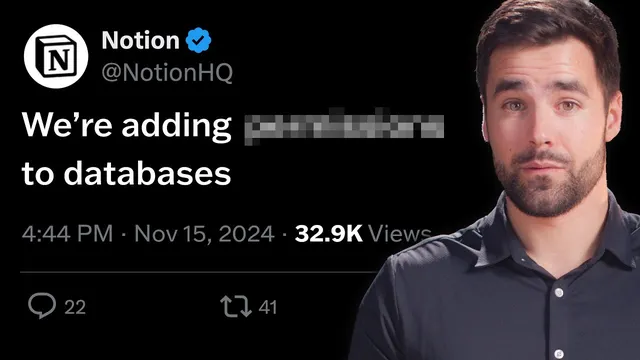
I didn't think Notion would ever fix this
Based on Thomas Frank Explains's video on YouTube. If you like this content, support the original creators by watching, liking and subscribing to their content.
Notion’s current permissions are set at the database or page level, not for filtered views, which undermines “slice” access models.
Briefing
Notion’s biggest collaboration gap isn’t offline access—it’s database permissions that can’t be scoped to the “slice” of data people need. That limitation forces teams into blunt choices: either remove access entirely and re-add individuals page-by-page, or grant everyone access to the whole database and rely on workarounds that can leak sensitive information. The result is extra administrative overhead and, in client-heavy setups, a real risk that clients see more than they should.
The core problem is how Notion currently handles permissions. Permissions are set at the database level or at the individual page level—there’s no way to grant access based on a filtered view (the way an SQL-backed app might). For example, a team can create a centralized task database and a filtered view showing only tasks assigned to Alex. But Alex still needs access to the entire database to see his filtered results, meaning he can also view other people’s tasks by creating his own unfiltered view or using search. In practice, that pushes organizations toward either duplicating databases, splitting work across multiple spaces, or manually managing access for each page.
Freelancers and agencies feel the pain most when they try to build client services dashboards. A common setup is a single database that tracks work across multiple clients, with the expectation that each client will only see their portion. Without view-based permissions, that expectation breaks: clients may end up with access to confidential information belonging to other clients. Some teams attempt clever workarounds, but the transcript frames them as insufficient, leaving the Notion API as the only reliable escape hatch—extracting data from a locked-down database and duplicating it into a more open database or a third-party client portal tool.
Hope arrives via a public Notion tweet tied to a hiring workflow mock-up presented by Sam Catania, a Notion product manager. In the permissions area shown in that presentation, there’s a more granular concept: “can edit” and “can view properties,” with automations that can change permissions as a workflow advances and trigger notifications at different stages. The transcript doesn’t confirm whether this is a finished feature or a mock-up, but it treats Notion’s decision to publicly highlight it as a meaningful signal that the company is moving toward a permissions model that can react to workflow context.
The argument then shifts from diagnosis to priority-setting. The transcript’s stance is that better permissions should outrank other feature bets—especially AI—because Notion is fundamentally a collaborative platform where teams increasingly need to build internal software-like systems. The proposed improvements include making the permissions work for guests (not only members), integrating permission changes with automations and filters so tasks can automatically inherit access rules, and providing a clearer, centralized way to see who can access a page without confusion between share settings and the new permissions controls. If delivered, the change would reduce manual overhead, make client dashboards safer, and reduce the need to “turn Notion into a backend” using external tools.
Cornell Notes
Notion’s current permission model is too coarse for real team workflows: access is granted at the database or page level, not based on filtered views. That means someone who can see a filtered “assigned to me” view still effectively has access to the entire database, creating confidentiality and compliance risks—especially for agencies serving multiple clients. The transcript points to a public Notion tweet featuring a permissions section with “can edit” and “can view properties,” plus automations that can change permissions as a workflow progresses. If this direction becomes a real feature, it could enable safer, workflow-driven access control and reduce the need for database duplication or third-party client portals.
Why do filtered database views fail to protect sensitive information in Notion’s current permission system?
What are the two main “bad choices” teams face under database-level permissions?
How does this permission gap affect freelancers and agencies running client dashboards?
What workaround is described as the only reliable solution today?
What new permissions capability is hinted at in the public tweet tied to Sam Catania’s mock-up?
What specific improvements does the transcript request before this becomes truly usable for client work?
Review Questions
- How does Notion’s database/page-level permission model undermine the security expectations of filtered views?
- Describe a scenario where a client services dashboard could leak information under the current permissions system.
- What workflow-driven permission features (as shown in the Sam Catania mock-up) would most directly address the confidentiality problem?
Key Points
- 1
Notion’s current permissions are set at the database or page level, not for filtered views, which undermines “slice” access models.
- 2
A user who can see a filtered view still effectively has access to the entire database, enabling them to view other people’s tasks via unfiltered views or search.
- 3
Teams trying to protect sensitive content face either manual page-by-page access management or the risk of granting broad database access.
- 4
For multi-client agencies, the permission gap can cause client dashboards to expose confidential information from other clients.
- 5
The transcript points to a Notion tweet featuring a permissions concept that includes “can edit” and “can view properties,” tied to automations that change permissions during workflow stages.
- 6
Guest support, automation/filter integration, and clearer access visibility are presented as key requirements for permissions to work in real client workflows.