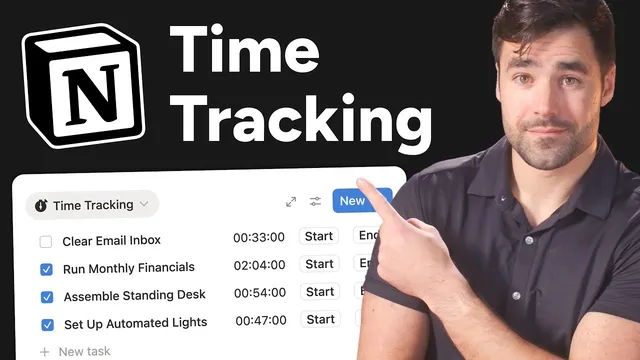
I thought time tracking in Notion was impossible until I figured this out
Based on Thomas Frank Explains's video on YouTube. If you like this content, support the original creators by watching, liking and subscribing to their content.
Notion can implement time tracking by combining start/end fields, formulas, and button automations instead of relying on a built-in stopwatch.
Briefing
Notion’s lack of a built-in timer doesn’t have to block real time tracking. By combining Notion databases, formula fields, and button automations, a usable system can start and stop work sessions, total time across multiple breaks, and even produce history views and charts—without relying on third-party tools.
The setup starts with a simple tasks database: each task row stores a start time, an end time, and a duration formula that calculates minutes between them. Clicking “now” into start and end time properties can work for basic tracking, but it’s too clunky for daily use. The first upgrade replaces manual date-entry with button properties. A “start” button auto-fills the start time using a time-triggered value, and an “end” button does the same for the end time. This removes friction so time tracking actually happens.
The second upgrade fixes the output format. Raw minute totals are hard to interpret quickly, especially for long sessions. The duration formula is replaced with a formatted version that converts minutes into an hours-and-minutes display (and keeps the familiar “00:00” style formatting), so a session recorded as 610 minutes becomes “10 hours and 10 minutes.”
The biggest limitation comes next: start/end timestamps on a task row don’t distinguish between active work and interruptions. If a task spans multiple sessions—lunch breaks, phone checks, or switching contexts—the simple model overstates “work time.” The solution is a database redesign based on proper record modeling: tasks represent the conceptual unit (“locate the Green Goblin”), while a separate “work sessions” database acts like a journal of actual sitting-down-to-work intervals. Each work session row records its own start time, end time, and duration.
To connect sessions to tasks, a relation property links each work session to its corresponding task. With that link in place, the tasks database can compute total duration by summing the durations of all related work sessions. A formula uses the relation’s set of linked session pages, maps each to its duration-in-minutes value, then sums the results and formats the total for display.
Finally, buttons are rebuilt for the session-based model. The “start” button creates a new work session page, sets its start time to the time-triggered value, and assigns the session to the task where the button was clicked. The “end” button finds the currently running session (the one with an empty end time) and fills in its end time. A guard condition prevents overlapping sessions by automatically ending any already-running session before starting a new one.
The result is time tracking inside Notion that supports multiple work sessions per task, produces accurate totals, and can be extended into dashboards, history tabs, and charts for recurring tasks—turning Notion from a task manager into a lightweight time-tracking system without sacrificing flexibility.
Cornell Notes
Notion can track time without a built-in stopwatch by using two linked databases: one for tasks and one for work sessions. A simple version records start/end times on the task row, but it breaks down when work happens in multiple chunks. The improved design logs each active work interval as its own work-session record (start time, end time, duration) and relates those sessions back to the task. A duration formula on the task sums durations across all related sessions, producing accurate totals even with breaks. Buttons automate the workflow: “start” creates a new session, “end” closes the currently running session, and a guard prevents overlapping sessions.
Why does a single start/end timestamp on a task row fail for real time tracking?
How do buttons make time tracking practical in Notion?
What’s the purpose of the formatted duration formula?
How does the work-sessions database enable accurate totals across multiple breaks?
How does the “end” button know which session to stop?
What guard prevents overlapping sessions when “start” is clicked twice?
Review Questions
- What data-model change turns “timestamp tracking” into “work-interval tracking” in Notion?
- Describe how a relation and a duration formula work together to total time across multiple work sessions.
- What logic does the system use to prevent ending the wrong session when multiple sessions exist?
Key Points
- 1
Notion can implement time tracking by combining start/end fields, formulas, and button automations instead of relying on a built-in stopwatch.
- 2
Replace manual date-entry with “start” and “end” button properties to reduce friction and improve consistency.
- 3
Use a formatted duration formula so tracked minutes display as hours and minutes rather than raw totals.
- 4
For accurate tracking across breaks, log each focused interval in a separate “work sessions” database rather than storing only start/end on the task.
- 5
Link work sessions to tasks with a relation, then sum related session durations in a task-level formula to get correct totals.
- 6
Build “start” to create a new work-session page and “end” to close the currently running session (identified by empty end time).
- 7
Add a guard so starting a new session automatically ends any previously running session to avoid overlap.