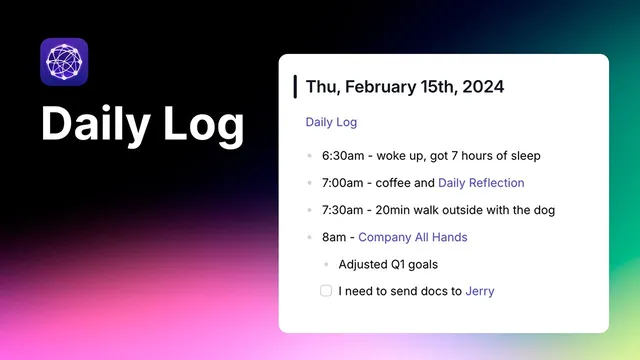
Keep a running log of your day (Daily Log)
Based on Reflect Notes's video on YouTube. If you like this content, support the original creators by watching, liking and subscribing to their content.
Start each day with a reflection template inside a single “Daily note,” then append entries as the day progresses.
Briefing
A practical daily-note system centers on keeping a running log of what happens throughout the day—capturing reflections, ideas, messages, meetings, personal moments, and tasks in one continuously linked page. The payoff is simple: it turns everyday activity into a searchable timeline that can be revisited months later to understand patterns, track where ideas came from, and quickly reconstruct what mattered.
The workflow starts with a “Daily note” template that begins in the morning with a daily reflection section. From there, new entries get added as the day unfolds. When an idea strikes—like a great side-project concept during a dog walk—the system records it as a dedicated “side project idea” note. Because the idea note is linked back to the daily log, it becomes easy to trace the origin of that thought. Over time, the growing list of linked ideas lets someone look back and see how often inspiration arrived during specific moments (for example, dog walks).
As the day continues, routine work gets captured in the same structure. Slack checks and message responses can be logged as a straightforward entry. Meetings are handled with extra care: instead of cluttering the daily note with attendee details, the log can create a separate “backbench” note tied to the meeting. That meeting note includes the calendar invite and becomes the place for live notes—discussion points, follow-ups, and action items. If the meeting involves particular people, those linked notes also let the user pull up everything connected to an individual later.
Social and personal details follow the same logic. A lunch with Alex McCall at Black Belly Butcher can be saved as a restaurant note, marked with location context (Boulder, Colorado) and a quick recommendation (a “10 out of 10” prime rib sandwich). The result is a personal knowledge base that makes future recommendations effortless.
Finally, the system closes with a to-do list. Simple items can stay inline, while complex tasks—like starting taxes—can be broken out into their own linked notes. The overall structure emphasizes a “bottom-up” approach: build the day as a sequence of linked notes rather than forcing everything into one static page. Instead of tracking exact timestamps, the method favors a running log that still preserves enough context to recall what was happening—so a year later, today’s entries provide a clear snapshot of where time went and what decisions or ideas emerged.
Cornell Notes
The core idea is to maintain a single daily log that grows throughout the day, with entries linked to separate notes when they deserve their own space. Morning starts with a daily reflection template. As events happen—dog walks, Slack work, meetings, meals, and tasks—each item becomes either an inline entry or a linked note (like a side project idea or a meeting backbench note). Meetings can store action items and discussion details without cluttering attendee lists, and linked notes make it easy to revisit everything tied to a person. The system matters because it creates a searchable timeline: months later, it’s possible to reconstruct what happened and trace where ideas came from, even without exact timestamps.
How does a running daily log help someone capture ideas in a way that’s useful later?
What’s the advantage of creating a separate note for meetings instead of stuffing everything into the daily page?
How does the system turn everyday personal recommendations into reusable information?
When should tasks be kept inline versus split into linked notes?
Why does the approach work even without tracking exact times for each event?
Review Questions
- In what ways does linking a “side project idea” note to the daily log improve recall compared with writing the idea in a standalone document?
- How would you structure a meeting entry so it supports both action tracking and later retrieval by person?
- What criteria would you use to decide whether a task belongs in the end-of-day to-do list or in its own linked note?
Key Points
- 1
Start each day with a reflection template inside a single “Daily note,” then append entries as the day progresses.
- 2
Record spontaneous ideas as dedicated notes (e.g., “side project idea”) and link them back to the daily log for later tracing.
- 3
Log routine work like Slack responses as simple entries, keeping the daily page readable.
- 4
For meetings, create a linked “backbench” note tied to the calendar invite and store discussion details, follow-ups, and action lists there.
- 5
Save personal moments (like meals) as structured linked notes with location and a short recommendation to make future suggestions effortless.
- 6
Keep simple tasks in an inline to-do list, but split complex tasks (like taxes) into linked notes for deeper follow-through.
- 7
Use a running, sequential log rather than exact timestamps to preserve context while reducing overhead.