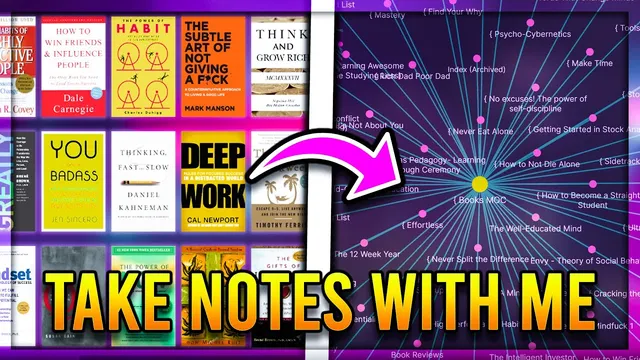
Learn How to Take Effective Book Notes - Obsidian MD Zettlekasten Step By Step Example and Guide
Based on John Mavrick Ch.'s video on YouTube. If you like this content, support the original creators by watching, liking and subscribing to their content.
Export Kindle highlights into Obsidian, then convert them into concept-specific atomic notes rather than leaving them as raw quotes.
Briefing
Turning book highlights into durable knowledge in an Obsidian vault hinges on a repeatable workflow: capture resonant ideas, convert them into structured “atomic” notes, and then wire those notes together with backlinks so future reading can quickly surface context. The process starts with a reading-to-notes pipeline—notes are first taken while summarizing by chapter on a computer, and Kindle highlights are exported into Obsidian using the Kindle highlights plugin. From there, the workflow emphasizes an “application note” layer that stores quotes, key concepts, personal relevance, and future plans to apply the material.
The practical conversion work is demonstrated using William Irvine’s A Guide to the Good Life, a Stoicism-focused book. After reviewing existing notes already in the vault (including a Stoicism “mock” structure), the workflow adds new content by creating concept-specific notes under relevant headers rather than dumping everything into one large page. A first example is negative visualization: a new note is created under a “practices” section, populated with a quote or paraphrased guidance, and linked back to the parent Stoicism index. Backlinks are treated as a navigational tool—by linking the concept note to the index (and optionally to a specific header), the vault automatically shows where each idea came from.
The same pattern repeats across Stoic themes. The dichotomy of control is placed under “discipline of will,” with supporting context copied into the new note and linked back to the discipline page. Goal-setting content is extracted from that chapter and reformatted into a standalone note titled as a process-based rule—“Set goals based on the desired process instead of outcome”—then connected to both goal-setting and dichotomy of control. Negative emotions are handled similarly: grief and anger notes are grouped under a “negative emotions” header, then tied back to an emotion-related note so the vault reflects both philosophical and psychological framing.
Values and luxury are also reorganized into more searchable, more specific atomic notes. Instead of leaving broad categories, the workflow creates targeted entries—such as “Sources of values”—and links them to related notes like rejection when available. For “luxurious living,” the content is redirected into a simplicity/perception framing, linking to an existing minimalism note and even suggesting that the same happiness can be achieved from less through shifts in perception.
Finally, the workflow cleans up quote overload. Rather than keeping every highlighted line, the notes are reviewed to decide what deserves a paraphrase, what can be summarized into a benefits header, and what can be converted into a short, actionable practice. A local graph view is used to verify that new notes generate meaningful connections; the Stoicism index becomes more populated as backlinks and cross-links accumulate. The end result is a vault that not only stores Stoic ideas, but also preserves the writer’s mindset at the time of reading and makes later synthesis easier through deliberate linking.
Cornell Notes
The workflow converts book reading into permanent Obsidian notes by turning highlights into atomic, concept-specific entries and linking them back to a Stoicism index. It begins with an application note that captures quotes, key concepts, personal relevance, and future plans, then moves into creating practice and concept notes like negative visualization and the dichotomy of control. Each new note is formatted for searchability (clear titles, headers, and sometimes wiki links) and connected via backlinks so later review shows where ideas came from. The process also includes pruning quote overload—paraphrasing or summarizing what matters and discarding what doesn’t. A local graph check confirms that new notes increase meaningful connections across the vault.
How does the workflow turn Kindle highlights into usable permanent knowledge inside Obsidian?
Why create a dedicated note for negative visualization instead of leaving it inside a big chapter summary?
What does “dichotomy of control” get connected to, and how is that connection used?
How are negative emotions handled to avoid scattered, hard-to-find notes?
What’s the purpose of reviewing and pruning quotes after transferring notes?
How does the local graph feature help validate the note-conversion work?
Review Questions
- When converting a chapter’s highlights into atomic notes, what criteria determine whether content becomes a standalone note versus staying in a summary?
- How do backlinks and linking to specific headers change how quickly future notes can be found and synthesized?
- What steps are used to reduce quote overload while still preserving the original mindset behind the notes?
Key Points
- 1
Export Kindle highlights into Obsidian, then convert them into concept-specific atomic notes rather than leaving them as raw quotes.
- 2
Use an application note layer to store resonant quotes, key concepts, personal relevance, and future plans for applying the ideas.
- 3
Link every new atomic note back to the relevant index page (and optionally to a specific header) so backlinks preserve provenance and context.
- 4
Extract related ideas into separate notes when they belong to multiple themes (e.g., goal-setting guidance connected to dichotomy of control).
- 5
Prefer searchable, specific titles and structured headers over long chapter dumps to keep the vault navigable.
- 6
Prune and paraphrase highlighted quotes after transfer—summarize what matters and convert repetitive material into benefits or actionable framing.
- 7
Use the local graph to verify that new notes increase meaningful connections across the vault, not just the number of pages.