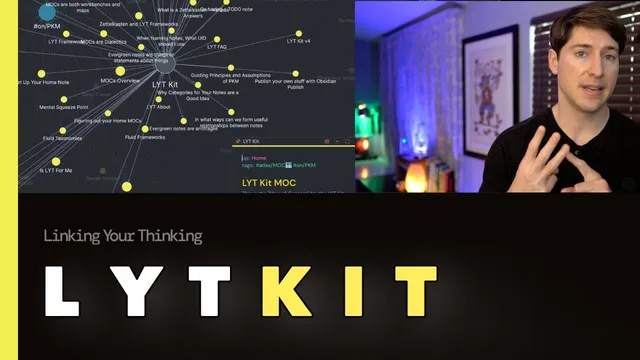
LYT Kit 6: Your starter kit to build your PKM system (+free download for your Obsidian app)
Based on Linking Your Thinking with Nick Milo's video on YouTube. If you like this content, support the original creators by watching, liking and subscribing to their content.
Use bidirectional linking (links plus backlinks) to build a network that mirrors how memory associations strengthen over time.
Briefing
A linked-note system in Obsidian can make knowledge feel “alive” by letting notes reference each other in both directions—mirroring how human memory builds associations—so retrieval becomes faster and ideas can evolve instead of staying trapped in one-off folders. The core pitch behind LYT Kit 6 is that folders and tags still matter, but links are the real relationship engine: when one note points to another and the other note points back via backlinks, the network strengthens recall and supports ongoing thinking.
The walkthrough starts with the interface layout: folders on the left, tags on the right, and links as the key interaction. Clicking a link jumps to a related note, and using Obsidian’s back button returns to the prior context—turning navigation into a fluid loop. The emphasis then shifts to “linked mentions” (backlinks), which surface outside notes that reference a given note. That bidirectional structure is framed as a closer digital match to how brains work: connections form, get reactivated, and become easier to reach when needed.
LYT Kit 6 positions itself as a sandbox rather than a one-size-fits-all template. Users are encouraged to experiment with different folder structures, tag strategies, and linking patterns to find what fits their workflow. Underneath that experimentation sits a set of “guiding values” for PKM: a digital library should be a joy to use. The argument is practical—joy prevents knowledge work from becoming soulless efficiency—so the same system that supports productivity should also feel rewarding enough to return to.
A second guiding practice is the “uplink” pattern: best-practice notes include at least one link to another note. That linkage increases the odds of recalling information in the right context, because the note is embedded in a web rather than stored in isolation. The kit also introduces a “home note” as a launch pad, described as a launch interface for four knowledge-management areas: a walkthrough of ideas, managing projects and productivity through “life spaces,” managing knowledge more broadly, and preserving the “uniquely human…joy of thinking itself.”
Beyond links, the kit adds two more relationship builders. First are queries—saved searches that act like a “data scope” or lens over notes, auto-updating results from a folder such as “encounters.” Second is the concept of higher-order structure via a “map of content” (MOC): a note that links to other notes and serves three functions—gathering ideas, developing them, and navigating them. Unlike a passive index, the MOC is treated as a generative tool that helps notes “talk” to each other, producing new insights and connections.
The kit’s free overview is paired with deeper walkthroughs: note making versus note taking (active sense-making vs passive consumption), maps of content phases (gathering, colliding, developing, navigating), and building a custom home note. A final paradigm shift pushes “evergreen notes” that remain relevant through linking rather than burning out after a single use. The closing message is to learn by doing—experiment in the sandbox, rely on links when sidebars are closed, and then expand into Obsidian-focused training (flight school) or the six-week “Linking Your Thinking” workshop for hands-on repetition and community support.
Cornell Notes
LYT Kit 6 argues that linked notes in Obsidian create a more brain-like memory network than folders alone. The system keeps folders and tags, but treats links—especially bidirectional links and backlinks—as the primary relationship builder that improves recall and supports ongoing thinking. A “home note” acts as a launch pad across ideas, projects, knowledge management, and the joy of thinking. Queries provide a saved-search “lens” that auto-updates relevant notes, while a “map of content” (MOC) is framed as a higher-order note that gathers, develops, and navigates ideas rather than serving as a static index. The kit encourages experimentation in a sandbox and emphasizes evergreen notes that stay meaningful through linking.
Why are links treated as the “relationship builder” that matters most in a PKM system?
What does “uplink” mean, and how does it improve recall?
How do queries function in this system?
What is a map of content (MOC), and why is it more than an index note?
What’s the difference between note making and note taking in the kit’s framework?
How does the kit define “evergreen notes,” and why does linking change their lifespan?
Review Questions
- How do bidirectional links and backlinks change the way a user navigates and retrieves information compared with folder-only storage?
- In what ways do queries and a map of content (MOC) serve different roles in developing ideas?
- What practical behaviors distinguish note making from note taking in this framework?
Key Points
- 1
Use bidirectional linking (links plus backlinks) to build a network that mirrors how memory associations strengthen over time.
- 2
Treat folders and tags as supporting structures, but rely on links as the primary relationship builder for recall and context.
- 3
Design notes with at least one “uplink” to increase contextual retrieval when information is needed.
- 4
Use queries as saved-search “lenses” that auto-update relevant notes from specific folders or conditions.
- 5
Adopt a “home note” as a launch pad that organizes ideas, projects/life spaces, knowledge management, and the joy of thinking.
- 6
Build and use a map of content (MOC) as a generative higher-order note that gathers, develops, and navigates ideas rather than acting like a static index.
- 7
Create evergreen notes by keeping them connected so they remain meaningful as the surrounding network evolves.