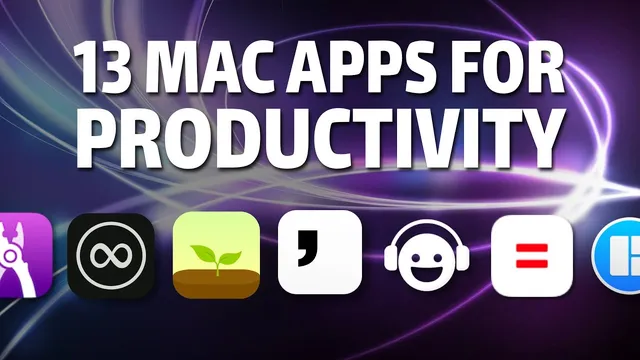
Mac productivity apps you've never heard of
Based on Martin Adams's video on YouTube. If you like this content, support the original creators by watching, liking and subscribing to their content.
Forest enforces timed focus by blocking configured distraction sites and ending the session if users try to escape.
Briefing
A tight set of Mac apps aimed at one goal—protecting deep work—runs through the list, but the standout theme is how many tools reduce friction: fewer context switches, less decision-making, and less temptation. The most direct “distraction firewall” is Forest, which locks users into timed focus sessions by blocking time-wasting sites; if someone tries to jump out, the session ends and the “tree” dies. That same focus-first philosophy shows up in Tempo, which sits over Gmail to create an inbox-zero workflow where emails don’t appear until they’re ready to be processed, then get handled one at a time through sorting and a dedicated focus mode for replies.
For capturing and organizing work, the list leans heavily on lightweight systems that keep momentum. Nume is a plain-text note tool that also supports quick calculations and unit conversions, letting users maintain running totals without jumping to spreadsheets. Things 3 handles task capture with fast hotkeys, plus structured lists, projects, and “someday/anytime” buckets for longer-running items—useful for business owners who need to track recurring admin work like reconciling budgets and invoicing. Bear takes notes further with a continuous experience across iPhone and iPad, markdown support, tagging and folder organization, and syncing (via subscription) so notes stay consistent across devices. Notion rounds out the capture stack as a flexible cloud workspace for documents, tables, sub-pages, and file uploads—often used here for scanning paperwork and shredding physical copies, plus documenting processes for “future self” reference.
Several apps focus on workflow orchestration and execution. Workspaces lets users bundle project-specific shortcuts—launching files, folders, websites, or terminal windows—into named workspaces that can be started with one button, making it easier to switch between client projects and personal setups. Magnet snaps and organizes windows into screen regions for side-by-side work, mirroring Windows-style snapping but on macOS. Loom adds a communication layer: it records screen activity (optionally with a camera overlay) and uploads automatically, targeting quick, personal explanations for colleagues without manual file handling.
The list also includes “environment design” tools that make work feel different. Unsplash updates desktop wallpapers automatically across multi-monitor setups, with daily or weekly rotation and manual cycling to match the mood of what’s being discussed or recorded. Brain.fm provides algorithmically generated focus, relaxed, sleep, and study sessions intended to cue the brain into a particular mental state.
Finally, Flowstate is positioned as an anti-perfection writing aid: a timed writing session fades out when typing stops, and the work is treated as lost if the flow breaks. The goal is to force a first draft—stream-of-consciousness writing that can later be mined for ideas—so editing doesn’t swallow creativity. Together, the apps form a toolkit that prioritizes focus, fast capture, and organized execution over raw productivity hacks.
Cornell Notes
The core idea is building a Mac productivity setup that protects deep work by reducing distractions and friction. Forest blocks distracting websites during timed sessions and ends the session if users try to escape, while Tempo streamlines Gmail into an inbox-zero workflow where messages appear only when it’s time to process them. For capture and organization, Nume supports quick calculations and conversions, Things 3 uses hotkeys for fast task entry, Bear provides tagged markdown notes synced across devices, and Notion acts as a flexible cloud workspace for documents, scanned files, and process documentation. Workspaces and Magnet speed up switching and multitasking, Loom makes quick screen-record explanations easy, and Flowstate pushes uninterrupted writing by fading out when typing stops. The payoff is more consistent focus and faster movement from ideas to output.
How do Forest and Tempo each reduce distraction, and what’s the practical difference between them?
Why does Nume fit into a deep-work workflow better than opening a spreadsheet for quick math?
What makes Things 3’s interaction model useful for fast task capture?
How do Workspaces and Magnet complement each other for execution?
What’s the role of Bear and Notion in the list’s knowledge-capture strategy?
How does Flowstate try to keep writing from collapsing into editing?
Review Questions
- Which app in the list most directly blocks distracting websites, and what happens to the session if you try to leave it?
- How do Tempo’s sorting mode and focus mode change the way email is processed compared with checking Gmail normally?
- Where would you use Bear versus Notion if your goal is quick note capture on mobile but also long-term process documentation and file organization?
Key Points
- 1
Forest enforces timed focus by blocking configured distraction sites and ending the session if users try to escape.
- 2
Tempo turns Gmail into an inbox-zero workflow by hiding emails until processing time, then handling messages one at a time through sorting and a reply-focused mode.
- 3
Nume supports quick calculations and unit conversions inside plain-text notes to avoid spreadsheet context switching.
- 4
Things 3’s hotkeys enable instant task capture from anywhere, with flexible scheduling via today, anytime, and someday buckets.
- 5
Workspaces bundles project-specific launches (files, folders, websites, terminal windows) into one-click setups to speed context switching.
- 6
Magnet improves multitasking by snapping windows into screen regions for side-by-side work.
- 7
Flowstate pushes uninterrupted writing by fading out when typing stops, aiming to produce a usable first draft before editing.