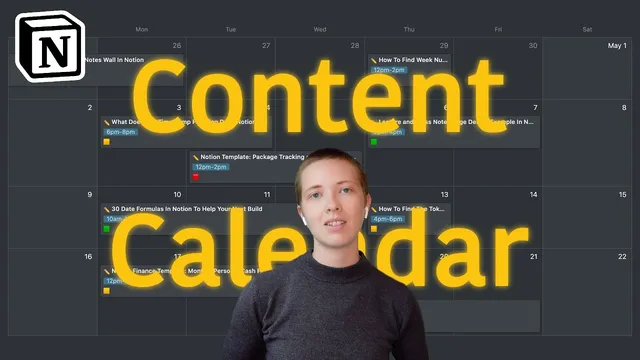
My Content Calendar In Notion (w/ Template)
Based on Red Gregory's video on YouTube. If you like this content, support the original creators by watching, liking and subscribing to their content.
A weekly dashboard in Notion aggregates blog output, YouTube output, blog traffic, monetization, and popularity using rollups and manual inputs.
Briefing
A Notion “content creation hub” turns weekly publishing into a feedback loop—tracking blog output, YouTube production, traffic, monetization, keyword performance, and even which weekdays and times tend to work best—so the creator can publish more consistently despite a full-time job. The system’s core purpose isn’t optimization for its own sake; it’s accountability. It’s designed to nudge writing and posting more often, while giving enough analytics to steer future topics and promotion timing.
At the top of the dashboard sits a growth table organized by weeks (Week 1 through Week 14, starting from early February). Each week aggregates how many blog posts were published and how many YouTube videos went live, along with YouTube popularity pulled from a dedicated YouTube database. Blog traffic is entered manually, while blog popularity is derived through rollups from the content calendar. Monetization is tracked as well, and a “total content” line sums blog posts and YouTube videos for a quick view of output. Below that, a notifications area brings in external triggers using Zapier and Automate.io-style automations: Gumroad template purchases, Buy Me a Coffee donations, and Twitter shares all feed into the Notion database. Gmail alerts are missing due to compatibility issues, so Squarespace form submissions and other workarounds fill part of the gap.
The calendar itself uses date ranges rather than strict single-day deadlines. Instead of forcing a post to be finished on a particular day, the creator schedules a working window (for example, starting May 17–18 to complete an article that’s published on May 19). This leniency matches the reality of an appointment-based job repairing washers and dryers, where free time fluctuates. A timeline view filters entries for the current week and relies on a formula-driven checkbox to include only items scheduled within Monday–Sunday.
Each content card is built like a publishing checklist. It includes the title, cover image, introduction and subtitle fields, and “key phrases” tied to a keyword database. Headers in the article are planned with keywords in mind, and the body can reference related assets—like a cash flow alternative section that links to a previously made video. When writing, the creator uses a template workflow: create a subpage template, move it into a templates database, and split-screen the template while drafting. After publishing, the card is updated with a popularity rating (a five-star style score based on early views and engagement) plus the upload time of day and weekday.
To decide what to publish next—and when—the calendar connects to analytics through relations and rollups. Keyword phrases roll up popularity and “last upload” timing, helping the creator spot how long it’s been since a similar topic was covered. Web tags connect to the same idea, allowing quick checks like “when was the last formula-related article?” Finally, weekday and time-of-day performance are analyzed using filters (including a sweet spot around 3 pm on weekdays), with stickers on cards color-coded by popularity.
The system also includes a separate YouTube database used mainly for metadata and tracking rather than scheduling. Video entries link back to the weekly growth analytics, so a habit-tracker video from Week 11 can be reviewed alongside its performance. Overall, the Notion setup functions as a practical operating system: plan flexibly, publish consistently, and use lightweight internal analytics to refine topics and promotion timing.
Cornell Notes
The Notion content calendar is built to help a side-hustle creator publish more often while still working a full-time, appointment-based job. A weekly growth dashboard aggregates blog posts, YouTube output, blog traffic (manual), monetization, and popularity derived from the calendar via rollups. Content is scheduled using date ranges to create flexible “working windows” rather than rigid deadlines, and each card acts like a publishing checklist with fields for keywords, intro, and assets. After posting, the creator records popularity ratings and upload timing, then uses filters and relations to analyze which weekdays and time-of-day slots perform best. The result is a feedback loop that guides future topics and promotion timing without relying entirely on third-party analytics.
How does the weekly dashboard quantify both output and performance?
Why are date ranges used instead of single-day deadlines, and how does that affect planning?
What’s inside a typical content card, and how does it support drafting and publishing?
How does the system decide what keywords or topics to target next?
What role do weekday and time-of-day filters play in promotion decisions?
How are external notifications and social signals integrated into the workflow?
Review Questions
- How does the calendar’s use of date-range scheduling change the way “done” work is tracked compared with single-day deadlines?
- What specific rollups and relations connect keyword phrases, web tags, and weekly growth analytics in the system?
- Which properties are used to analyze posting performance by weekday and time-of-day, and how are those values derived from the scheduled dates?
Key Points
- 1
A weekly dashboard in Notion aggregates blog output, YouTube output, blog traffic, monetization, and popularity using rollups and manual inputs.
- 2
Flexible date ranges replace rigid deadlines to match an appointment-based job and reduce missed publishing days.
- 3
Each content card functions as a structured drafting checklist, linking keywords, intro fields, and related media assets before export to Squarespace.
- 4
Keyword and tag databases support topic selection by tracking popularity ratings and how long it’s been since similar content was published.
- 5
Posting performance is analyzed by weekday and time-of-day using formula-based filters and time interval selections, with mid-day—especially around 3 pm—standing out.
- 6
Zapier automations feed a notifications database for purchases, donations, and Twitter shares, while Gmail alerts remain limited due to compatibility constraints.
- 7
A separate YouTube database stores metadata and links back to weekly growth analytics for consistent performance tracking.