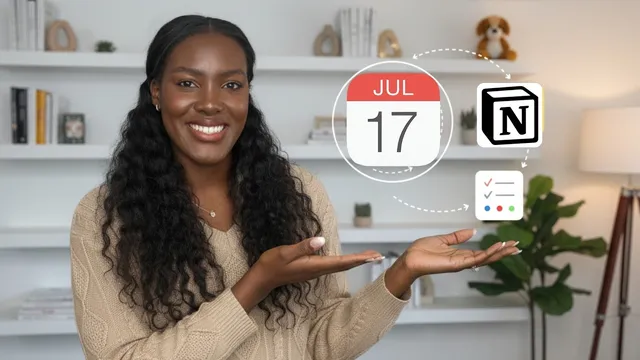
💻 My Productivity System ✏️ How I Get Things Done & My Favorite Apps
Based on Dr. Tiffany Shelton's video on YouTube. If you like this content, support the original creators by watching, liking and subscribing to their content.
Build productivity around a coherent workflow system that matches specific overwhelm patterns instead of stacking unrelated apps.
Briefing
A streamlined productivity system can replace “junk drawer” chaos by mapping four common breakdowns—scattered thinking, disorganization, burnout, and feeling stuck—onto four matching workflows: goal planning for focus and clarity, an organization setup that automates retrieval and reduces mental load, a flow-based approach to protect energy, and a reinvention loop that treats progress as an ongoing journey rather than a finish line. The core idea is that productivity tools work best when they’re curated into a coherent system tied to long-term “dream life” goals and values, rather than stacked as disconnected apps.
At the center of this system sits a purpose-driven framework: gifts and goals are accepted and pursued as a way to be a blessing and testimony, with the end goal framed as glorifying God. Practically, the system is built around what ambitious women often struggle with—overwhelm expressed as four specific patterns. “Scattered” shows up as lack of focus and spinning without clear next steps. “Disorganized” looks like mental clutter (and sometimes physical clutter) plus overstimulation that makes organizing feel impossible. “Depleted” reflects burnout and exhaustion from juggling many roles. “Stuck” describes dimming motivation after reaching a level of success, with difficulty imagining or moving toward the next.
Each pattern gets a corresponding solution. For scattered overwhelm, a goal system is designed to streamline work toward a clear strategy and plan, improving focus and clarity. For disorganization, the approach is to “automate” life through an organization system so tasks, time, and workflows run on autopilot. For depletion, the prescription is to enter flow states in work and in the overall way productivity is approached, reducing friction that drains energy. For feeling stuck, the system emphasizes evolving through reinvention—shifting away from goals as destinations and toward becoming as a continuous process.
The tool stack is then organized into four systems: goal, organization, productivity/flow, and reinvention. A paper planner (the Modern Vision Planner, with a printable option when the physical version is sold out) anchors yearly reflection, quarterly brainstorming, and daily/weekly planning. For digital goal management, Notion is used heavily—especially through a “productive boss notion system” with integrated templates that “talk to each other” without requiring building. A key template is the 12-week year setup, paired with monthly strategy and a weekly scorecard that resets each week, plus a vision board template.
To handle mental clutter, the organization layer uses a Notion “PARA method” structure combined with Getting Things Done concepts: projects, life areas, resources, plus task and notes databases connected across the system. The practical payoff is faster retrieval—avoiding time-wasting searches like digging through emails, folders, and screenshots to find a contract. Beyond Notion, supporting tools include Google Drive as a “digital deep freezer,” Google Photos for backup and memory storage, and Google Calendar for weekly non-negotiables like meal planning and meal prep. Time blocking is managed in the paper planner using a 37 time-blocking method.
Finally, day-to-day execution relies on a mix of communication, automation, and creative workflow apps: Loom for quick video check-ins, ChatGPT as a structured second tool (not a first resort), Apple Mail for email management, Whisper for voice dictation with formatting, Fiverr for delegated one-off tasks, and LastPass (along with Norton) for password security. Creative and business operations run through Canva and Photoshop, plus Shopify with Zipify Pages and Clavio for email segmentation. Personal and home life is supported by outsourcing and health tools like Poplin for laundry, Instacart/Amazon delivery, TaskRabbit/Thumbtack for help, MyFitnessPal for macros, Peloton, Phase for cycle syncing, and Insight Timer for meditation. The overall message: fewer tools, better integration, and workflows matched to specific overwhelm patterns can make getting things done feel more effortless.
Cornell Notes
The system centers on a purpose-driven “dream life” and builds productivity workflows that match four recurring overwhelm patterns: scattered thinking, disorganization, depletion/burnout, and feeling stuck. Goal planning creates focus and clarity through strategy and efficient execution. Organization automates retrieval and reduces mental clutter so tasks and time can run with less friction. Productivity is protected by aiming for flow, while reinvention keeps progress moving by treating goals as a journey rather than a destination. A curated tool stack—paper planning, Notion templates (including a 12-week year setup), connected PARA-style databases, and supporting apps for scheduling, communication, security, and outsourcing—turns the framework into daily action.
What four overwhelm patterns does the system treat as the root problems, and how does each one get a specific workflow solution?
How does the system use Notion differently for goals versus organization?
Why does the system emphasize connected databases instead of isolated lists and folders?
What’s the role of the paper planner alongside digital tools?
How does the system handle day-to-day execution without relying on AI as the first step?
Which tools support outsourcing and personal routines, and what problem do they solve?
Review Questions
- How does the system map “scattered, disorganized, depleted, and stuck” to four different workflow types, and what does that imply about choosing productivity tools?
- What specific Notion templates and structures are used for goal tracking versus mental clutter reduction?
- Why does the system pair digital organization (Notion/second brain) with paper planning (planner + time blocking), and what tasks belong to each?
Key Points
- 1
Build productivity around a coherent workflow system that matches specific overwhelm patterns instead of stacking unrelated apps.
- 2
Use a goal system to create focus and clarity through strategy, planning, and efficient execution toward long-term dream-life values.
- 3
Reduce disorganization by automating retrieval and task/time management through an organization system (not just more lists).
- 4
Protect energy by designing work to support flow states rather than forcing constant effort and context switching.
- 5
Keep momentum by treating goals as a journey through reinvention and periodic reflection, not as a finish line.
- 6
Anchor planning with a paper planner for yearly reflection and time blocking, while using Notion templates for structured goal tracking and weekly reviews.
- 7
Use a curated set of execution tools (Loom, Whisper, secure password management, and outsourcing apps) to remove friction from daily operations.