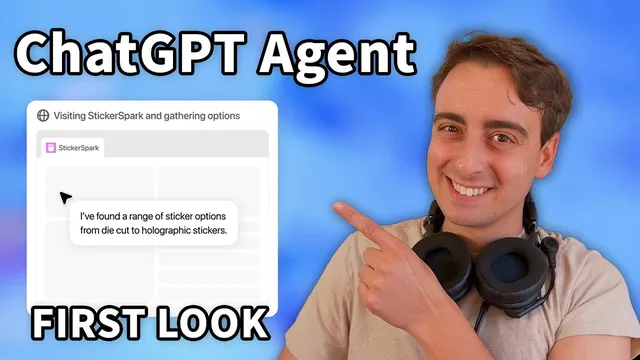
New ChatGPT Agent is here! The next step in Autonomous Agentic AI
Based on MattVidPro's video on YouTube. If you like this content, support the original creators by watching, liking and subscribing to their content.
ChatGPT Agent is framed as a research-to-action system that can browse, run terminal commands, execute code, create files, and interact with a virtual computer environment.
Briefing
ChatGPT Agent is positioned as OpenAI’s bridge between research and real-world action—combining “deep research” style information gathering with an “operator”-like ability to use tools inside a live, interactive workflow. The headline promise is iterative collaboration: the system can pause to ask for missing details, pick up seamlessly after interruptions, and deliver partial results if time runs long or it gets stuck. In practice, demos show it running a virtual computer environment that can browse websites, interact with on-screen elements, run terminal commands, create files, and even send screenshots back into the chat stream.
A key technical theme is tool mastery. The agent is trained with reinforcement learning on tool actions, giving it a learned sense of when and how to use capabilities like a terminal, APIs, code execution, and a virtual browser/PC environment. That training is paired with an environment where those tools are actually available—so performance is tied to agentic tool use rather than text-only prompting. OpenAI’s own framing emphasizes flexibility: users can interrupt mid-task to clarify instructions or change direction, and the agent can proactively request additional information to keep the work aligned with the user’s goals.
The transcript also highlights concrete utility scenarios. The agent can automate repetitive office work such as converting screenshots or dashboards into editable presentation content, rearranging meetings, planning and booking trips or offsites, and updating spreadsheets with new financial data—potentially pulling data from connected services like Google Drive. Personal-life examples include building travel itineraries, designing and booking dinner parties, and finding specialists to schedule appointments. In one demo, it pauses when it needs user input it cannot supply itself—asking for credit card information to complete a physical sticker order—showing both autonomy and the boundaries of what it can do without direct payment capability.
Benchmarks are used to argue the agent is near the top of its class for task completion. On “Humanity’s Last Exam,” the system scores 41.6% with full tool use, compared with about 23% for the model alone without tools. The transcript contrasts this with other systems’ tool/no-tool comparisons and also notes a spreadsheet-heavy jump when document access is enabled (rising to 45.5%). It further cites improvements in deep research accuracy, agentic browsing, and web-task performance, with web arena results approaching human levels (human at 78.2%, agentic system near the high 70s range in the cited comparison).
Availability and rollout matter for adoption. Access begins for Pro users immediately (400 messages per month), with Plus and Team users coming over the next few days (40 messages per month). Enterprise and education access is slated for later weeks. The transcript recommends Plus for most people, reserving Pro for heavy users who need the higher message limit.
Finally, the transcript frames the agent as a shift from prompting to delegating. Multiple OpenAI team members describe connectors (e.g., Gmail, Google Calendar, Dropbox) that let the agent tailor actions to personal preferences and schedules—such as booking a dinner reservation around calendar availability and dietary constraints. Community reactions reinforce the same theme: the agent can comb through large volumes of emails and forum posts, assemble spreadsheets and decks, and ask follow-up questions while it works for tens of minutes at a time. The overall takeaway is that the next step in AI usefulness is not just better answers, but sustained tool-using execution that can coordinate with a human in the loop.
Cornell Notes
ChatGPT Agent is designed for iterative, collaborative workflows that connect research to action. It can run a virtual computer environment—browsing websites, using a terminal, executing code, creating files, and sending screenshots—while also pausing to ask users for missing details or providing partial results. Tool use is central: reinforcement learning on tool actions and access to an environment with those tools help drive performance beyond text-only prompting. Benchmarks cited in the transcript place it near the top for tool-enabled task completion, and connectors like Gmail and Google Calendar let it tailor actions to personal schedules and preferences. The rollout starts with Pro, then Plus/Team, with message limits that shape who benefits most right away.
What makes ChatGPT Agent different from earlier “agentic” or tool-using assistants?
How does the agent handle tasks that require user-only actions (like payments)?
Why do the benchmark comparisons matter, and what’s the transcript’s main critique of them?
What real-world workflows are highlighted as likely early wins?
How do connectors change what the agent can do for individuals?
What does the transcript suggest about the shift in how people will work with AI?
Review Questions
- Which capabilities in the transcript are presented as essential to ChatGPT Agent’s performance: tool access, reinforcement learning on tool actions, or iterative interruption—and why?
- How does the agent’s behavior change when it needs information it cannot obtain itself (e.g., payment details)?
- What kinds of tasks are most emphasized as “early utility,” and which connectors are mentioned as enabling them?
Key Points
- 1
ChatGPT Agent is framed as a research-to-action system that can browse, run terminal commands, execute code, create files, and interact with a virtual computer environment.
- 2
Iterative collaboration is central: users can interrupt for clarification or steering, and the agent can return partial results or progress summaries if needed.
- 3
Tool mastery is supported by reinforcement learning on tool actions, making performance depend on having real tool access rather than text-only prompting.
- 4
Practical use cases include automating office workflows (presentations, meeting scheduling, spreadsheet updates) and personal planning (travel itineraries, reservations, appointments).
- 5
In demos, the agent pauses when user-only steps are required, such as entering credit card information for physical orders.
- 6
Benchmarks cited for “Humanity’s Last Exam” show a large gap between tool-free performance (~23%) and full tool use (41.6%), reinforcing the tool-first design.
- 7
Rollout starts with Pro (400 messages/month) and then Plus/Team (40 messages/month), with enterprise/education access later; Plus is recommended for most users.