Note Naming in a Zettelkasten (physical and digital)
Based on morganeua's video on YouTube. If you like this content, support the original creators by watching, liking and subscribing to their content.
Each note needs a unique identifier for reliable cross-referencing, especially in a physical Zettelkasten.
Briefing
A well-run Zettelkasten depends less on fancy software and more on disciplined naming: each note needs a file name that (1) reveals what’s inside at a glance and (2) makes the note easy to locate inside a growing web of ideas. In practice, that means pairing a unique identifier—used to link notes to one another—with a human-readable title that helps the mind do quick triage during dissertation writing and research.
The discussion starts with the physical Zettelkasten logic: every irreducible thought becomes its own note card, and each card must carry a unique ID so it can be referenced and connected in an interconnected knowledge network. The example uses a structured numbering scheme (like “1A,” “1B,” then “2A”) to show how notes can be inserted into a logical progression of topics. Crucially, the system stays flexible: when a new idea doesn’t fit the current chain, it can be placed into a new topic section rather than forcing a misleading label. The point isn’t that the numbering must be perfect from day one; it’s that the identifiers must support reliable retrieval and cross-referencing as the collection grows.
Switching to digital Zettelkasten—specifically Obsidian—the naming problem changes shape. Because Obsidian offers search, the exact ordering of IDs matters less than it does on paper. Still, the file name remains the note’s identity: in Obsidian, note names are file names on the computer, stored as Markdown files with the “.md” extension. That makes operating-system constraints part of the design: certain characters can’t be used in file names, and there’s a practical maximum length (around 255 characters).
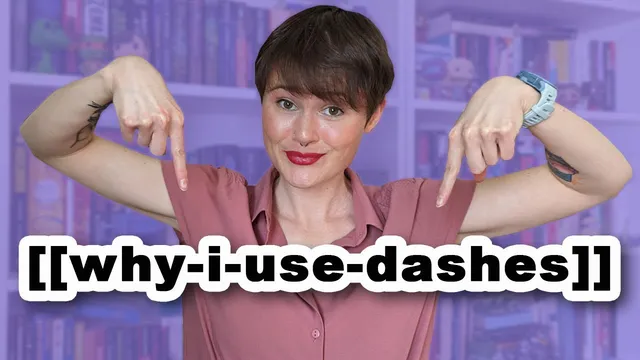
A major practical choice is whether to use spaces in note titles. The creator prefers dashes, arguing that spaces can be annoying in programming and command-line contexts and can look ugly in URLs (e.g., percent-encoding). This dash style is described as “kebab case” (lowercase words separated by dashes), with alternatives like snake_case, camelCase, and PascalCase. The broader takeaway is consistency: a stable casing convention makes notes easier to scan and search.
For source notes (books and other references), the naming convention is more structured: “LastName-FirstName-Year-Title.” That uniform pattern helps distinguish sources from permanent notes and supports more powerful searching, including regular expressions—for example, finding all items from a specific publication year.
Finally, the creator argues against “timestamp-only” permanent notes. A long string of digits guarantees uniqueness but communicates nothing about meaning. Instead, permanent notes should use descriptive titles that capture the note’s thesis. That approach forces clarity (if a note can’t be named, it likely contains too many ideas), makes notes usable without opening them, and enables seamless linking by inserting the note title directly into sentences when drafting new work. In short: unique IDs link the network; descriptive, consistently formatted titles keep the network usable under real writing pressure.
Cornell Notes
A functional Zettelkasten hinges on note names that do two jobs: identify what’s inside and help locate the note quickly as the collection expands. In a physical system, unique identifiers let notes reference each other in an interconnected web; in Obsidian, search reduces the need for strict ordering, but file names still matter because they are actual computer file names. The creator recommends consistent formatting—especially using dashes (kebab case) instead of spaces—to avoid OS and tooling friction and to keep searching predictable. For permanent notes, descriptive titles should express the note’s thesis; timestamp-only names are unique but unhelpful. Source notes can use a structured pattern (author-last, author-first, year, title) to support fast filtering and even regular-expression searches.
Why do Zettelkasten notes need both unique identifiers and descriptive titles?
How does the naming strategy differ between a physical Zettelkasten and an Obsidian (digital) one?
What file-name constraints matter in Obsidian?
Why prefer dashes over spaces in note titles?
How should source notes be named to improve retrieval?
Why discourage timestamp-only names for permanent notes?
Review Questions
- What two functions should a Zettelkasten note name serve, and how do unique IDs and descriptive titles each contribute?
- How do operating-system file-name rules affect what note titles can be used in Obsidian?
- Give an example of a source-note naming pattern and explain how it could support searching (including regular expressions).
Key Points
- 1
Each note needs a unique identifier for reliable cross-referencing, especially in a physical Zettelkasten.
- 2
A note’s file name should communicate its content at a glance and support fast retrieval among many notes.
- 3
In Obsidian, note names are actual file names on disk (Markdown “.md”), so OS naming rules and length limits apply.
- 4
Using consistent word separators—such as dashes in kebab case—reduces friction compared with spaces in tooling and search workflows.
- 5
Source notes benefit from structured naming that includes author(s), year, and title, enabling both quick scanning and more powerful searches.
- 6
Permanent notes should use descriptive titles that capture the note’s thesis; timestamp-only names are unique but not useful for meaning or reuse.
- 7
If a note can’t be named clearly, it likely contains multiple ideas and should be split into smaller, irreducible notes.