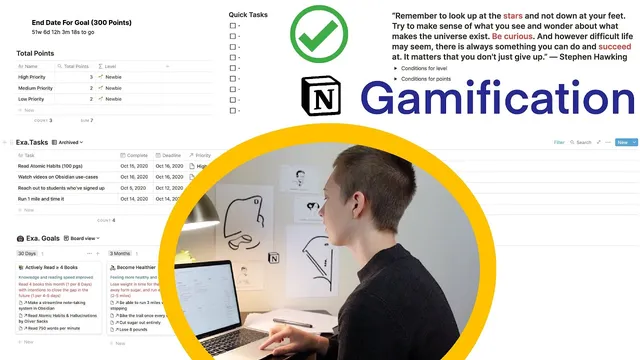
Notion Build With Me: Tasks Dashboard (Gamification)
Based on Red Gregory's video on YouTube. If you like this content, support the original creators by watching, liking and subscribing to their content.
Create separate Goals and Tasks databases so task-level scoring can roll up into goal-level progress.
Briefing
A two-database setup in Notion can turn task completion into a points-and-levels system, complete with automatic scoring based on whether work lands before, on, or after deadlines. The core idea is to split “big goals” and their “tasks” into separate databases, connect them, then use formulas and rollups to sum points over time—so progress can translate into levels like Level 1, Level 2, and beyond.
The build starts with a Goals database (shown in a board view) that stores each major objective with fields such as title, time frame, description, a reward label, and a projected end date. Each goal also contains sub-goals. Instead of keeping sub-goals as plain text, the workflow converts each sub-goal into its own Notion page using inline page creation (via “@” or “+” and then selecting the text to become a linked page). Breadcrumbs then reveal parent-child structure, and the goal’s sub-pages appear as properties in the database view. This page-based approach sets up later navigation and backlinking.
A separate Tasks database breaks big goals into actionable items. Tasks can optionally relate back to goals, and the transcript highlights two ways to connect databases. The first is a relation property: tasks get a relation field pointing to the Goals database, which enables a rich “window” into related tasks and their properties (including completion status, deadline, points, and priority). The second is converting the relation into an inline link, which creates backlinks. Backlinks provide quick navigation from a goal to related tasks, but they lack the sortable, property-rich interface of relation fields.
Task prioritization is handled inside the Tasks database using a priority field (high, medium, low) plus a “quick tasks” area implemented as a separate to-do list rather than database rows. This priority feeds directly into the scoring rules.
Points are generated with Notion formulas using conditional logic. One formula awards points based on deadline timing: completing before the deadline yields +2, on the deadline yields +1, and after the deadline yields -2 (otherwise 0). The scoring is then expanded with additional conditions tied to priority. For example, high-priority tasks completed early can earn +3, while high-priority tasks completed late can drop to -3. A rollup field in the Goals/points area sums the points from all related tasks, using the Tasks database’s “points” property and calculating the total.
Finally, a “level” formula maps accumulated points to milestones. The transcript uses an if-statement ladder that assigns emojis and labels (Level 1 through Level 6) based on point thresholds (e.g., Level 6 at ≥100, then stepping down through lower ranges). To visualize progress over time, a progress/countdown widget is added using the goal end date, creating a time-bound gamification dashboard. The result is a customizable template where completing tasks automatically updates totals, levels, and views (active vs. archived) through filters like “complete is empty” or “complete is not empty.”
Cornell Notes
The system builds gamification in Notion by separating “big goals” from “tasks,” then connecting them and scoring task completion automatically. A formula assigns points based on whether a task is completed before, on, or after its deadline (+2, +1, -2). Priority then modifies scoring for high-priority tasks, with early completion increasing rewards and late completion increasing penalties. A rollup sums points across related tasks, and another formula converts total points into levels (Level 1 through Level 6) with emojis. This matters because it turns routine task tracking into a measurable progression loop with time-based views and dashboards.
How does splitting goals and tasks into two databases enable gamification?
What are the two main ways to connect the Goals database to the Tasks database, and what tradeoffs come with each?
How are points calculated from deadlines in the transcript’s formula logic?
How does priority change the points system?
How does the system turn total points into “levels”?
How are active vs. archived tasks separated for cleaner dashboards?
Review Questions
- If a task is completed exactly on its deadline, what points does the base formula assign, and how could priority alter that outcome?
- What limitation of backlinks makes relation properties preferable when you need to inspect completion and points directly?
- How does a rollup field change the way points are calculated at the goal level compared with relying on task entries alone?
Key Points
- 1
Create separate Goals and Tasks databases so task-level scoring can roll up into goal-level progress.
- 2
Convert sub-goals into linked pages (not plain text) to enable cleaner navigation and backlink behavior.
- 3
Connect databases using either a relation property (property-rich navigation) or inline links/backlinks (simpler navigation but fewer controls).
- 4
Use a points formula with if-statements to award +2 (early), +1 (on time), and -2 (late) based on completion vs. deadline.
- 5
Add priority-based conditions to adjust rewards and penalties for high-priority tasks (e.g., +3 early, -3 late).
- 6
Sum task points into a total using a rollup configured to calculate the sum of the Tasks “points” property.
- 7
Map total points to levels with a threshold-based formula and use filters to separate active vs. archived tasks.