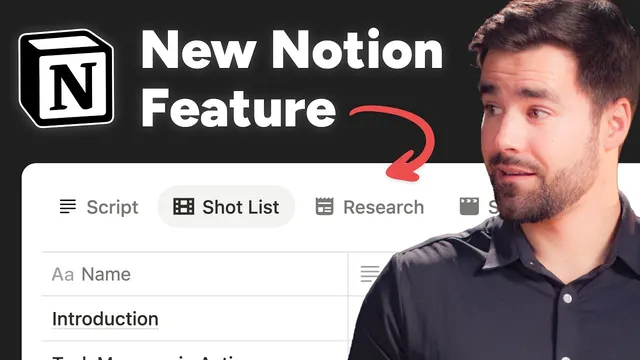
Notion just made a huge change to databases
Based on Thomas Frank Explains's video on YouTube. If you like this content, support the original creators by watching, liking and subscribing to their content.
Tabbed layouts add a tab row to database pages, enabling multiple alternative connected-database views per page.
Briefing
Notion’s new “tabbed layouts” feature tackles a long-running database annoyance: template-based layouts don’t update existing pages when the template changes. Instead of treating layouts like a one-time blueprint, tabbed layouts let users change the database’s structure so the new view options appear across every existing page—solving the “future updates don’t propagate” problem.
The change centers on how database layouts are customized. In a Notion database, users can already create templates and embed connected-database views inside pages. That works well for building consistent page content, but updating the template later only affects newly created pages; older pages keep the original setup. Tabbed layouts shift that behavior by introducing a new “structure” option in the database layout editor. When switched to “tabbed,” the layout gains an additional row of tabs, where each tab represents an alternative view of connected database content.
To demonstrate, the workflow uses a content-management system built around a “B-roll database.” Each YouTube project page links to a shared B-roll set containing shots, animations, images, and chapter markers. Previously, the B-roll view would be embedded via a template/connected view. With tabbed layouts, the creator rebuilds the same B-roll experience directly inside the database layout: a default “content” tab shows the page’s normal fields, while a new “B-roll” tab pulls in a connected database view.
Creating the tabbed B-roll view involves configuring the connected database block settings inside the tab. The layout uses a table view, with options like wrapping columns, showing page icons, and opening pages in Peek. Properties are selected and ordered to match the original B-roll page—such as Name, Timecode, Ingested, In-video, Gather tags, plus additional metadata fields (like location, edit stage, and gatherer) and a favorite indicator—while other properties are hidden. The view is then set with a filter that keeps only B-roll items related to the current project (the content relation contains the page), and it sorts by Timecode in ascending order.
The key difference shows up immediately after applying the layout change to all pages. Every project page in the database now includes the B-roll tab, not just pages created after the update. That means the connected view is consistently available across existing records.
There’s also a clear limitation in the current design. The B-roll database benefits from multiple distinct views—time-sorted lists for shot sequencing, gather-tag groupings for batching work, and meta-focused views for chapter marker collection. Tabbed layouts currently allow one connected-database view per tab, so scaling to other domains like research items or tasks could create an overwhelming number of tabs. The creator’s wish is for a single tab to host multiple views of the same connected database, which would preserve the “structure-first” philosophy while reducing tab sprawl.
Overall, tabbed layouts look like a small interface upgrade, but the underlying shift—from template behavior to database-structure updates—changes how reliably Notion can keep complex, connected views consistent over time.
Cornell Notes
Notion’s tabbed layouts fix a template weakness in databases: updating a template doesn’t change existing pages, but changing database structure does. Tabbed layouts add a row of tabs to each page in a database, where each tab can display an alternative view of a connected database. In the example workflow, a “B-roll” tab is created by linking to a B-roll database and configuring a table view with selected properties, filters based on the content relation, and sorting by timecode. After applying the layout to all pages, every existing project page gains the new tab automatically. The main drawback is that each tab currently supports only one connected view, which could lead to too many tabs when multiple views are needed for batching and organization.
What problem with Notion database templates does tabbed layouts address?
How do tabbed layouts change the database layout experience for each page?
How is the “B-roll” tab built in the example workflow?
What filter and sort logic makes the B-roll tab show the right items in the right order?
Why might tabbed layouts become cumbersome for power users?
Review Questions
- How does changing database structure differ from updating a database template in terms of what happens to existing pages?
- Describe the steps needed to configure a connected-database tab (layout type, properties, filter, and sort) in the example.
- What workflow need could motivate a feature request to allow multiple views inside a single tab?
Key Points
- 1
Tabbed layouts add a tab row to database pages, enabling multiple alternative connected-database views per page.
- 2
Unlike templates, structural layout changes propagate to existing pages in the database.
- 3
The B-roll tab is created by configuring a connected database view (table layout, selected properties, and display options like Peek).
- 4
A filter based on the content relation ensures each page shows only its related B-roll items.
- 5
Sorting by Timecode in ascending order produces a chronological shot list within the tab.
- 6
The current one-view-per-tab design can lead to tab overload when multiple organizational views (time, gather tags, meta) are needed.
- 7
The feature’s biggest impact is reliability: connected views stay consistent after layout updates across all records.