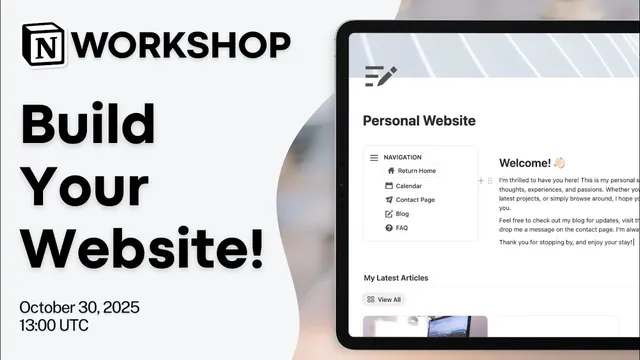
Notion Masterclass: How to build a Website in Notion?
Based on The Organized Notebook's video on YouTube. If you like this content, support the original creators by watching, liking and subscribing to their content.
Notion Sites publish a regular Notion page to the web with one click, enabling blogs, portfolios, landing pages, and documentation without coding.
Briefing
Notion Sites turn a regular Notion page into a shareable website with one-click publishing—no coding required—and they can be customized with embeds, templates, analytics, and (on paid plans) custom domains. The practical payoff is speed: a personal site can be built by arranging Notion blocks, publishing the page, and then wiring up navigation, content databases, and interactive elements like forms.
The session lays out what can be published: blogs, landing pages, portfolios, company documentation, and resumes/CVs, all accessible via a link and optionally discoverable through search engines. Publishing is framed as essentially the same workflow as creating a Notion page—once it’s ready, it can be made public instantly. Custom domains are also possible, letting sites look less like a generic Notion link and more like a branded web address.
Tradeoffs come early. Customization is limited because the site is still fundamentally a Notion page, so the visual style may not match a fully custom website design. Password protection is another major gap: pages can be made public, but restricting access to specific viewers isn’t supported in the native setup. E-commerce is treated as a partial fit—some commerce tools can be embedded, but not all payment or checkout systems can be integrated directly. The guidance is to test embeds and widgets rather than assume every third-party tool will work inside Notion.
Best practices focus on structure and content first. Clear goals determine whether the site should be a single page or a multi-page layout. Pre-designed templates can reduce setup time, while basic theme controls include headers, navigation, and Google Analytics. For navigation, there’s a built-in limit: top navigation can handle up to five pages, so larger sites need an internal navigation workaround.
A key technical walkthrough shows how to build a simple personal website using Notion databases and page components. The layout uses a two-column structure: a left navigation area and a right content area. A gallery-view database powers a “latest articles” blog section with cover images, dates, and visible properties. A calendar database creates an events page. Separate pages are added for contact and FAQ, including an embedded Loom video for instructions.
Contact is handled with Notion’s native forms. The form is configured with fields like name, email (marked required), and a message, then shared via a link and embedded into the contact page. Responses can be collected in a database-like workflow, and automations can trigger email notifications when someone submits the form.
Navigation across pages is solved with synced blocks: the navigation content is placed inside a synced block so it remains consistent across the site. A “return home” button uses an action that opens the home page, making it possible to jump back from events, blog, and FAQ.
Finally, publishing steps include enabling the live banner, choosing theme and header options, adding SEO basics (title/description), turning on search engine indexing, and integrating Google Analytics. The session also compares free vs paid plan capabilities—free allows unlimited published Notion sites and one claimed domain, while paid expands domain control (up to five), adds analytics integration, supports more custom domains via an add-on, and enables additional styling features. The closing Q&A highlights that Notion works well for personal blogs, but heavy SEO needs may be limiting, and interactive commenting generally requires users to be logged into Notion.
Cornell Notes
Notion Sites let users publish a Notion page as a website with one-click sharing, supporting blogs, portfolios, landing pages, and documentation without coding. The main strengths are speed, a familiar page-building workflow, and the ability to embed third-party tools (like Gumroad) and use native Notion forms for contact. The biggest limitations are restricted customization, lack of native password protection, and uneven support for e-commerce/payment embeds. A practical build uses databases for a blog (gallery view) and events (calendar), embeds a Loom video in an FAQ page, and uses synced blocks plus “return home” actions to create consistent navigation across pages. Publishing options include theme controls, SEO basics, Google Analytics, and search engine indexing, with plan differences affecting domains and styling.
What makes Notion Sites attractive compared with traditional website building?
Where do Notion Sites run into trouble for privacy and commerce?
How does the walkthrough structure a multi-page personal site inside Notion?
How is the contact form built and embedded?
How does the site keep navigation consistent across pages?
What plan differences matter most for publishing and branding?
How does publishing handle SEO and analytics?
Review Questions
- What are the three biggest native limitations of Notion Sites mentioned in the session, and what workarounds are suggested for each?
- Describe how the walkthrough uses databases (gallery view and calendar view) to power the blog and events sections.
- How do synced blocks and page actions combine to create navigation that works across multiple Notion pages?
Key Points
- 1
Notion Sites publish a regular Notion page to the web with one click, enabling blogs, portfolios, landing pages, and documentation without coding.
- 2
Native publishing supports link sharing and can be made discoverable via search engine indexing; custom domains can brand the URL.
- 3
Customization is limited because the site retains Notion’s underlying look, and native password protection isn’t available for private content.
- 4
E-commerce integration depends on what can be embedded; some tools (like Gumroad) can work, but payment systems may not embed natively.
- 5
A practical multi-page layout can be built with databases: gallery view for a blog and calendar view for events.
- 6
Notion’s native forms can be embedded into a contact page, collecting submissions in Notion and enabling automations such as email notifications.
- 7
Navigation across pages can be stabilized using synced blocks, with “return home” buttons implemented via open-page actions.