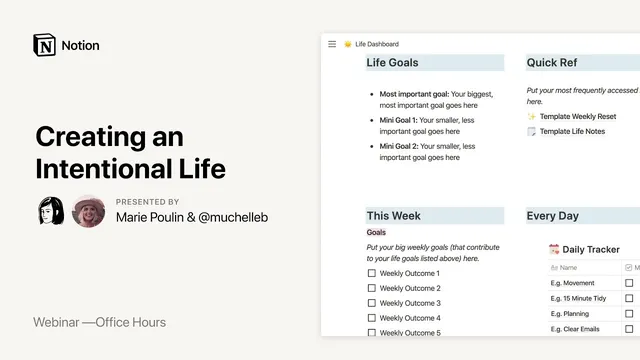
Notion Office Hours: Creating an Intentional Life with MuchelleB ☀️
Based on Notion's video on YouTube. If you like this content, support the original creators by watching, liking and subscribing to their content.
MichelleB treats GTD as a flexible system: she revisits the book, then adapts rules to match her real workflow rather than copying it verbatim.
Briefing
Getting Things Done (GTD) works best when it’s treated as a trustable system—not a rigid set of rules—and MichelleB’s Notion setup is built around that idea. After revisiting the GTD book a second time, she moved from a scattered, paper-and-app workflow toward a single “life” hub in Notion, then layered in practical tweaks that match how she actually thinks and works. The payoff is a calmer day-to-day experience: fewer things slipping through the cracks, clearer next steps, and a weekly review that turns captured chaos into actionable plans.
Her GTD approach starts with capture, because the system fails if ideas stay trapped in the brain. She doesn’t rely on Notion for every capture moment. Instead, she uses Things (an older to-do app) to offload thoughts quickly, plus voice capture via Google Home and a physical inbox for paper. Everything eventually funnels into Notion during a weekly review, where she converts raw inputs into tasks, projects, and “someday” ideas. That separation—fast capture elsewhere, structured processing in Notion—keeps the workflow usable rather than over-engineered.
Inside Notion, her core dashboard centers on a master “next action” list. It’s organized as a table with context columns—home tasks, phone calls, errands, computer-based work, and “work waiting for”—so the system tells her what to do based on where she is and what tools she has. She also keeps “due dates” mostly out of the picture for tasks that don’t truly require urgency, using them sparingly for items that genuinely need a deadline (like buying a birthday present). Projects sit in a separate list with statuses such as not started, in progress, complete, and waiting on, and each project links back to its next action, following GTD’s insistence that every active project has a concrete next step.
Weekly review is the engine that makes it all coherent. Her reset includes classic GTD elements like getting clear and getting current, plus personal maintenance such as updating a YouTube content schedule, revisiting notes from podcasts and books, and running a money reset for budgeting. She also uses “trigger lists” during brain dumps—checklists that jog memory—so she can capture everything without holding it in her head. For long-term overflow, she splits ideas into “someday” and “hats” (things that sound appealing but aren’t commitments), preventing her project list from ballooning.
Beyond productivity, she builds intentionality into the system through “areas of focus,” including relationships, self-development, and health. She ties reflection to her values and uses monthly and quarterly resets to plan life admin and more occasional obligations. She also maintains a “life notes” section inspired by the commonplace book concept: high-level takeaways from podcasts, books, and content she consumes, stored with source and date so they can be revisited.
A key theme throughout the session is customization. MichelleB warns against adopting pretty templates that don’t match personal habits. Her advice: start small (often one dashboard or one task list), learn the essential database mechanics, and iterate slowly. She also keeps content creation mostly separate from personal GTD next actions, managing it through a content calendar and script/editing checklists, while reserving GTD for the everyday operational work of life.
In the end, her Notion setup isn’t about building the most complex system—it’s about building one that stays current, stays simple enough to maintain, and turns captured thoughts into clear actions on a reliable schedule.
Cornell Notes
MichelleB’s Notion system adapts Getting Things Done (GTD) to real life by separating fast capture from structured processing. She captures thoughts using Things, Google Home voice commands, and a physical inbox, then converts everything into Notion during a weekly review. In Notion, her GTD core is a “next action” master list organized by context (home, phone, errands, computer, waiting on others), plus a projects table where each active project links to its next step. She keeps due dates rare for non-urgent tasks, relies on “someday” and “hats” to prevent project overload, and uses trigger lists to make brain dumps more complete. The system matters because it reduces mental clutter and makes weekly planning and daily execution feel dependable.
How does MichelleB handle the GTD “capture” step without forcing everything into Notion immediately?
What makes her “next actions” list usable day-to-day?
Why does she avoid due dates for most tasks?
How does she prevent her projects list from becoming overwhelming?
What role does the weekly review play in her system?
How does she extend GTD beyond tasks into values and learning?
Review Questions
- What specific capture tools does MichelleB use, and how do they feed into her Notion workflow?
- Describe how her next actions list is organized and why that structure supports daily decision-making.
- What mechanisms (e.g., “someday,” “hats,” project linking, weekly review) keep her system from turning into an unmanageable backlog?
Key Points
- 1
MichelleB treats GTD as a flexible system: she revisits the book, then adapts rules to match her real workflow rather than copying it verbatim.
- 2
Fast capture happens outside Notion (Things, Google Home voice commands, and a physical inbox), while structured processing happens in Notion during weekly review.
- 3
Her “next actions” list is organized by context (home, phone, errands, computer, waiting on others) so daily execution is based on situation, not willpower.
- 4
Due dates are used sparingly for tasks that truly need urgency; many non-urgent items stay date-free to avoid unnecessary pressure.
- 5
She prevents project overload by keeping active projects short and pushing overflow into “someday” and “hats.”
- 6
Weekly review is the system’s conversion engine, combining GTD maintenance with personal upkeep like content scheduling and budgeting.
- 7
She builds intentionality through “areas of focus” and values-based reflection, plus a commonplace-book-style notes system for learning takeaways.