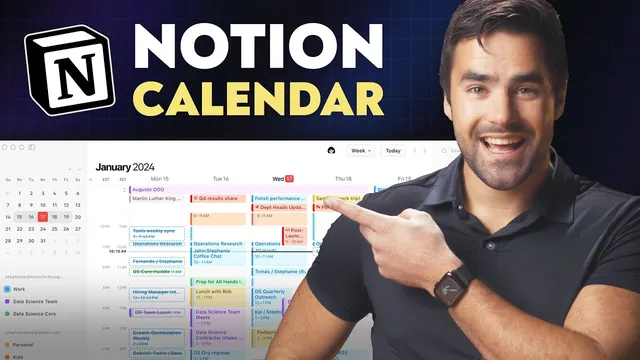
Notion’s New Calendar App is a Game-Changer
Based on Thomas Frank Explains's video on YouTube. If you like this content, support the original creators by watching, liking and subscribing to their content.
Notion Calendar is a standalone app that delivers a true time-based calendar experience, including week views and easier start/end time handling.
Briefing
Notion is finally getting a real calendar experience with a standalone app, Notion Calendar, that turns scattered Notion databases into a unified week-and-time view—complete with Google Calendar events. The biggest upgrade is overlaying multiple Notion databases (that contain dated/time-based calendar views) on top of each other in one place, so recurring schedules, editorial plans, and operational tasks can be seen alongside meetings from Google accounts without switching tools.
Before this, Notion’s calendar setup was described as “bare bones”: users could create calendar views and databases, but couldn’t reliably see time spans of events because there wasn’t a proper week view, and setting start/end times was painful. Notion Calendar addresses that gap by emphasizing a full calendar workflow, including week views, start/end time handling, and a keyboard-centric interface. Shortcuts like M for month view, W for week view, Shift+scroll for multiple weeks, and T to jump back to today are built into the experience, making it faster to plan and adjust schedules.
The app’s most practical feature is database overlay. In testing, multiple Notion databases—such as a business expenses renewal tracker, an editorial calendar for upcoming YouTube releases, and other task collections—can be toggled on and off and displayed together. The overlay works only when the “core” database already has an internal calendar view (linked databases alone aren’t enough). Once that requirement is met, Notion Calendar shows an “Open in calendar” option and lets users add the database via the app’s “add notion database” flow.
Beyond viewing, Notion Calendar supports two-way editing. Event times can be dragged directly on the calendar, and changes propagate back to Notion fields (like the due date/time column). New tasks can also be created from the calendar itself—dragging an event block into a time slot creates a new page in the connected database, including the due date/time.
Several team-focused tools round out the app. Notion Calendar can overlay teammates’ calendars to find meeting windows, and it supports multiple time zones simultaneously (with custom labels like GMT Plus 8, Poland/UK, and Denver). A “share availability” mode lets users draw open slots on their calendar, generating a copyable summary (e.g., “30 minutes during any of these times”) and a scheduling link that behaves like a Calendly-style flow. Another privacy feature, “calendar blocking,” allows users to mark a personal event as “busy” on a shared calendar without exposing details.
Finally, Notion Calendar can attach Notion pages to Google Calendar events. For example, a recurring “GL meeting” can link to a specific Notion meeting-notes document, letting users jump straight into the relevant page from the calendar event’s docs/links area.
Even with these strengths, the wishlist is clear: connected databases should surface pages that don’t yet have a date property so they can be dragged onto the calendar for daily planning, and true recurring tasks support is missing—something that would likely require R-rule style recurrence support in Notion’s core product.
Cornell Notes
Notion Calendar is a standalone app that upgrades Notion’s previously limited calendar experience into a real time-based calendar workflow. Its signature feature lets users overlay multiple Notion databases—so long as each core database already has a calendar view—into one unified calendar alongside Google Calendar events. The app supports two-way scheduling: users can drag event blocks to change times, and create new Notion tasks directly from the calendar. For teams, it adds teammate calendar overlays, multi-time-zone views, availability sharing with scheduling links, and privacy-focused calendar blocking. It also links Notion pages to Google Calendar events so meeting notes stay one click away.
What makes Notion Calendar’s “overlay” feature different from basic calendar views in Notion?
How does Notion Calendar handle two-way updates between the calendar and Notion pages?
Which keyboard shortcuts speed up navigation and planning in Notion Calendar?
How does Notion Calendar support team scheduling across time zones?
What are the “share availability” and “calendar blocking” features, and why do they matter?
How can Notion pages be attached to Google Calendar events?
Review Questions
- What requirement must a Notion database meet before it can be connected and overlaid in Notion Calendar?
- Describe how a time change made in Notion Calendar affects the corresponding Notion page.
- Which two features help with team scheduling, and how do they differ in purpose (availability vs privacy)?
Key Points
- 1
Notion Calendar is a standalone app that delivers a true time-based calendar experience, including week views and easier start/end time handling.
- 2
The core “game-changer” feature overlays multiple Notion databases into one unified calendar view alongside Google Calendar events.
- 3
Only Notion databases whose core database already has an internal calendar view can be connected for overlay; linked databases without that view won’t work.
- 4
Notion Calendar supports two-way scheduling: dragging events changes Notion due date/time fields, and creating events on the calendar creates new Notion pages.
- 5
Team workflows are strengthened with teammate calendar overlays, multi-time-zone displays, and keyboard-driven navigation.
- 6
Share availability generates a scheduling link and copyable availability text, functioning like a Calendly-style flow.
- 7
Calendar blocking lets users mark personal events as “busy” on shared calendars without exposing details.