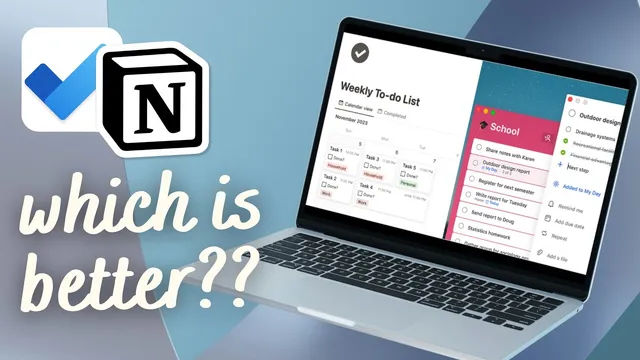
Notion vs. Microsoft To Do: Which is a Better To-Do List App? (2024)
Based on The Organized Notebook's video on YouTube. If you like this content, support the original creators by watching, liking and subscribing to their content.
Notion is strongest when tasks need custom fields, calculated properties, and flexible views; Microsoft To Do is strongest for quick daily task capture and completion.
Briefing
Notion and Microsoft To Do both manage tasks well, but they optimize for different kinds of users: Notion is a highly customizable workspace where to-do lists can grow into full systems (with databases, formulas, and extra fields), while Microsoft To Do is a streamlined, day-first task app built to get tasks captured and completed with minimal setup.
Layout and day-to-day usability differ immediately. Notion’s “Advanced to-do list” template uses a database-style approach: tasks live as database items with fields like due date, priority, duration, type, categories, and calculated completion based on subtasks. Navigation is split into areas such as categories, the to-do list itself, and a monthly check-in, with buttons that make adding tasks quick once the template is in place. Microsoft To Do, by contrast, presents a simpler structure centered on “My Day” and a left sidebar for lists and views (including items like important, planned, assigned to me, flagged, and email tasks). Adding a task is direct: create it in “My Day,” add steps as subtasks, and attach a date.
Recurring tasks and subtasks highlight the practical tradeoffs. Notion can do recurring work, but it’s more involved: recurring behavior requires duplicating a template and then enabling repeat settings, which adds complexity compared with a one-click workflow. Microsoft To Do handles recurrence more smoothly—set a task to repeat weekly, and after completion it automatically advances to the next deadline, moving the item into “Planned” so the schedule stays current. For subtasks, Microsoft To Do feels more intuitive because steps can be typed directly inside the task and progress is tracked (e.g., “find phone number” as a step). In Notion, subtasks depend on what the template supports; the transcript notes the subtask capability wasn’t built-in universally and had to be manually created within the template.
Sharing and prioritization also diverge. Notion’s sharing centers on sharing an entire page (with limited assignment support via workspace properties), which can be awkward if only part of a list should be shared. Microsoft To Do supports sharing specific lists—useful for client-facing task lists—while still keeping personal tasks separate. On importance, Notion supports richer priority micromanagement through multiple levels (e.g., one to four or similar gradations), while Microsoft To Do uses a simpler star-based “important” flag that can be sorted but doesn’t support fine-grained levels.
Customization is where Notion pulls ahead. Notion allows extensive changes—icons, colors, molded views, and “unlimited properties” per task, including formulas—making it suitable for building a to-do system that also supports habits, notes, and planning. Microsoft To Do is intentionally less flexible: it’s solid out of the box, with only limited theme and list icon options. It does offer unique conveniences like “My Day” suggestions (helping decide what to add) and folder-like grouping of lists via drag-and-drop.
In the end, the choice comes down to complexity tolerance. Notion suits people who want an all-in-one, customizable workspace and are willing to start from templates or build structure. Microsoft To Do fits users who want a focused, minimalist task manager that’s quick to set up and easy to run daily—capturing tasks, dates, and progress with fewer moving parts.
Cornell Notes
Notion and Microsoft To Do both manage tasks, but they serve different workflows. Notion is built around customizable task databases, letting users add many fields (including formulas) and shape views for categories, calendars, and monthly check-ins. Microsoft To Do is designed for quick daily execution, with a simple layout centered on “My Day,” built-in views like Planned, and smoother recurring-task handling that automatically advances deadlines after completion. Sharing also differs: Notion shares whole pages, while Microsoft To Do can share specific lists (useful for client tasks). Choose Notion for an expandable system; choose Microsoft To Do for a streamlined, day-first to-do experience.
Why does Notion feel more powerful for task management than Microsoft To Do?
How do recurring tasks differ in effort and behavior between the two apps?
What makes subtasks easier in Microsoft To Do than in Notion (based on the transcript)?
How does sharing work differently, and why does it matter?
What are the key limitations of Microsoft To Do compared with Notion?
What unique Microsoft To Do features help users build a daily plan quickly?
Review Questions
- If you wanted to track tasks with many custom fields (including formulas), which app’s structure supports that more directly, and why?
- How does completing a recurring task change where it appears in Microsoft To Do, and what extra setup is described for recurring tasks in Notion?
- Which sharing approach would better fit a scenario where only one client-specific list should be visible to an external collaborator?
Key Points
- 1
Notion is strongest when tasks need custom fields, calculated properties, and flexible views; Microsoft To Do is strongest for quick daily task capture and completion.
- 2
Notion’s recurring tasks require more setup (template duplication and repeat configuration), while Microsoft To Do advances recurring deadlines automatically after completion.
- 3
Subtasks/steps feel more plug-and-play in Microsoft To Do, while Notion’s subtask capability depends on what the template supports.
- 4
Microsoft To Do supports sharing specific lists (useful for clients), whereas Notion sharing is more page-based and less granular.
- 5
Notion supports richer priority micromanagement, while Microsoft To Do uses a simpler star-based importance flag.
- 6
Microsoft To Do’s “My Day” and suggestions help users decide what to work on immediately, with minimal configuration.
- 7
Notion can double as a broader planning system (habits, notes, and planning), but it typically requires templates or more setup to reach advanced functionality.