Notion's New Database Buttons: Everything You Need to Know
Based on Thomas Frank Explains's video on YouTube. If you like this content, support the original creators by watching, liking and subscribing to their content.
Database buttons let users click inside a database row/page to trigger automations that update that same record’s properties.
Briefing
Notion’s new “database buttons” feature lets users click buttons inside specific rows (or pages) of a database to trigger automations that update properties on that same record. The core payoff is simple: one click can now both record an action (like a vote or completion) and immediately write back structured data—status changes, timestamps, and calculated fields—without building separate workflows outside the database.
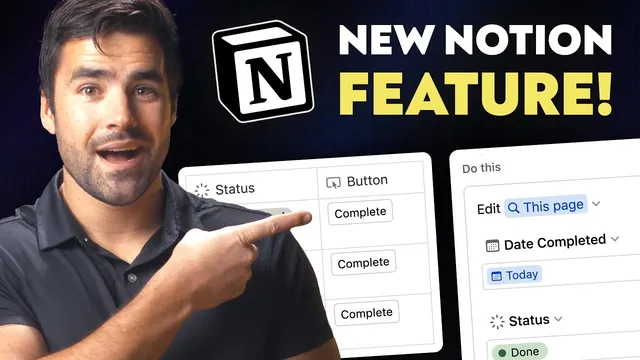
The feature builds on Notion’s earlier “buttons” blocks, which already allowed clickable buttons to run small automations. Database buttons bring that same idea into the database context, where the button press can target the row that was clicked. A common example is a voter board: each row has a button that adds the person who clicked to a “voters” property. Clicking again can remove them by switching the action into a toggle mode. In another example, a “complete” button updates two properties at once: it sets a “status” field to “done” and writes a “date completed” value to today. From there, a formula calculates how early or late tasks are completed by comparing due dates with completion dates.
Under the hood, database buttons work like a database automation trigger. Creating one involves adding a new “button” property to the database (available even on free accounts). The button property can be renamed, and the automation begins with a single trigger: “button is clicked.” From there, actions can be defined to edit properties on the page where the click occurred. A key capability is choosing which “person” is affected—such as “person who clicked the button”—and then deciding whether the action should replace the value or toggle it. For multi-step updates, the automation can include multiple actions in sequence, such as setting “date completed” to a dynamic value and also changing “status” to “done.”
The feature’s current limits are where the wishlist starts. Number properties can’t be incremented or decremented via buttons (no “add one” / “minus one” style actions). Actions also can’t pass data from one step to another, and there’s no way to trigger a webhook—meaning external automation tools can’t be notified directly when a button is clicked. Date handling is similarly constrained: dynamic date options are limited to “today” and “now,” with no built-in way to set a date property to the value of another property (such as a computed “next due date” for recurring tasks). Additional gaps include filter limitations involving the “current page” in relation filters, and challenges around defining a path for status properties.
Overall, database buttons provide a strong foundation for row-level automation inside Notion, but the feature becomes truly transformative only if Notion expands it—especially with richer data passing, webhook support, and more flexible date/property targeting. Until then, the feature is most powerful for straightforward “click to update” workflows like voting, completion tracking, and schedule variance reporting.
Cornell Notes
Notion’s database buttons add clickable controls directly inside database rows, so a button press can immediately update that same record’s properties. The feature works like a database automation: “button is clicked” triggers a set of actions that can edit fields such as status, timestamps, and person-based properties (including toggle behavior). A single click can perform multiple updates—for example, setting “status” to “done” and writing “date completed” to today—then formulas can calculate schedule gaps. Database buttons are available on free accounts, making them broadly usable. The biggest remaining limitations are missing capabilities like number incrementing, passing data between steps, webhook triggers for external tools, and more flexible dynamic date logic beyond “today” and “now.”
How do database buttons differ from Notion’s earlier “buttons” feature?
What does the “button is clicked” trigger enable, and what kinds of actions can follow?
How can a voter board be implemented with database buttons?
What’s the practical value of combining button actions with formulas?
Which limitations most constrain complex automations right now?
Why is flexible date targeting a major feature request?
Review Questions
- What specific property-editing options make database buttons effective for row-level interactions like voting or completion tracking?
- Describe one workflow where a single button click updates multiple properties, and explain how a formula turns those updates into a useful metric.
- Which missing capabilities (numbers, data passing, webhooks, or date flexibility) would most limit building an automation that syncs Notion with external systems?
Key Points
- 1
Database buttons let users click inside a database row/page to trigger automations that update that same record’s properties.
- 2
A single button press can perform multiple actions, such as setting both “status” and “date completed.”
- 3
Person-based actions can target “person who clicked the button,” and toggle mode supports undoing an action with a second click.
- 4
Database buttons are available on free accounts, lowering the barrier to building row-level workflows.
- 5
Current button automations can’t increment/decrement number properties, pass data between steps, or trigger webhooks for external automation tools.
- 6
Dynamic date options are limited to “today” and “now,” with no built-in way to set a date property from another property’s computed value.
- 7
Several filter and status-related constraints (like relation filter behavior and status path definition) restrict more advanced pipeline-style automations.