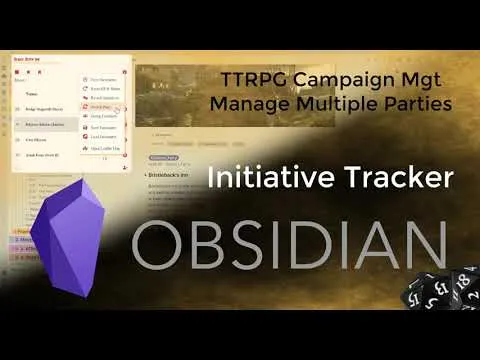
Obsidian - Initiative Tracker - Switch Between Parties
Based on Josh Plunkett's video on YouTube. If you like this content, support the original creators by watching, liking and subscribing to their content.
Initiative Tracker now lets users define multiple parties and switch between them during an active encounter.
Briefing
Obsidian’s Initiative Tracker has gained a practical new feature for tabletop groups: the ability to switch between multiple parties without deleting and recreating everyone. That change matters for Dungeon & Dragons tables where attendance and group composition shift—kids and adults may split, rotate, or simply not show up—making the old workflow (preloading a single party) feel brittle and time-consuming.
Previously, using Initiative Tracker meant loading the party data ahead of time. When the table needed to change—say, moving from a session with one set of players to a new encounter with a different group—the workaround often involved backing up and editing underlying data files (like renaming or swapping a data.json file). The new “switch parties” interface removes that friction by letting users manage several parties inside the plugin UI and then swap which party is active for the current encounter.
In the walkthrough, an encounter file is created with a named encounter and a set of creatures. Starting the encounter automatically rolls initiative and adds the selected party to the team. The key upgrade appears when the user toggles “switch parties” and selects a different group—such as moving from an adults party to a kids party—so the initiative list and combat participants update accordingly.
The settings area shows how the system is organized. Players are listed under the current table, while a new “parties” section lets users define a default party plus additional parties. Users can add players to multiple parties, which supports real-world scenarios like players who sometimes join different subgroups. There’s also an operational workflow for absences: if someone doesn’t attend one night, they can be removed from the active party so they don’t appear in initiative tracking, then re-added later with a few clicks.
Beyond party switching, the plugin retains its core combat mechanics. Initiative rolls automatically when an encounter starts, and there’s an option to roll equivalent creatures together so groups share the same initiative result. The interface then presents turn order, lets users apply damage or healing by clicking on targets and adjusting health, and supports status effects such as marking a character as frightened. Additional controls include editing combatants, disabling them, and resetting health and statuses when starting a new encounter.
For adding new combatants mid-session, the plugin supports incremental updates: plus buttons allow adding people to the existing combat rather than resetting everything. The workflow also includes linking to references (like a creature reference) and adding that creature to a chosen party, with initiative rolling automatically.
Overall, the update turns Initiative Tracker into a more flexible table-management tool—especially for campaigns with multiple groups, rotating attendance, or encounters that split and recombine—while keeping the day-to-day combat flow fast and click-driven.
Cornell Notes
Initiative Tracker in Obsidian now supports managing multiple parties and switching between them during play. Instead of deleting and recreating party data when the table composition changes, users can define a default party plus additional parties in the plugin settings and assign players to one or more parties. When an encounter starts, initiative rolls automatically and the currently selected party is added to the combat team; a “switch parties” toggle lets users swap groups instantly. The system also supports rolling equivalent creatures together, applying damage/healing by clicking targets, adding status effects, and resetting health/statuses for new encounters. This matters most for D&D tables with kids/adults groups, split parties, and frequent no-shows.
What problem did Initiative Tracker’s new “switch parties” feature solve for D&D tables?
How does a user switch from one group (e.g., adults) to another (e.g., kids) once combat is set up?
How are parties configured in the Initiative Tracker settings?
What’s the recommended workflow when someone doesn’t show up for a session?
What combat actions remain central in the plugin besides party switching?
How can new combatants be added without restarting the whole encounter?
Review Questions
- How does the new party-switching workflow reduce the need for backend data.json edits compared with the older Initiative Tracker approach?
- Describe the steps to ensure an absent player is excluded from initiative tracking for one session and then included again later.
- What options exist for initiative rolling when multiple similar creatures are involved, and how does that affect turn order?
Key Points
- 1
Initiative Tracker now lets users define multiple parties and switch between them during an active encounter.
- 2
The “switch parties” UI updates which characters are included in initiative tracking without deleting and recreating party data.
- 3
Party configuration lives in Initiative Tracker settings, where users can create a default party and add additional parties.
- 4
Players can belong to multiple parties, supporting split-table scenarios and flexible attendance patterns.
- 5
Absent players can be removed from the active party for a session and re-added later with minimal effort.
- 6
Initiative rolls automatically when encounters start, with an option to roll equivalent creatures together.
- 7
Combat remains click-driven: damage/healing, status effects, disabling, and reset-to-new-encounter controls are built into the workflow.